


SSL_ERROR_NO_CYPHER_OVERLAP when trying to visit my own website
Whenever I visit my [[website|https://alotofyoumaybeaskingwhyareyouavirginisaytothemiampoggersgfisnot.international/]] I get an error saying Cannot communicate securely with peer: no common encryption algorithm(s). And the error code is SSL_ERROR_NO_CYPHER_OVERLAP. I am running Firefox 90.0.2 on Windows 10. The website is hosted on a nginx vps and I am using Cloudflare for SSL. On cloudflare I am using a single A record to the IP of my VPS and I have enabled proxy. SSL/TLS encryption mode is Flexible.

ყველა პასუხი (8)
One tool to extract a list of the encryption cipher supported on the server is to test the site on this service:
https://www.ssllabs.com/ssltest/
They also report which browsers in their testbed are able to connect so you can see whether this is a more general issue or just you.
Nope, didn't really tell me anything
Can you access this page using a different browser?
Microsoft Edge gives a similar error. So no.
Hi
I have run a WHOIS trace and am not seeing anything that looks odd. I recommend that you contact the support team of the site provider for help with this issue.
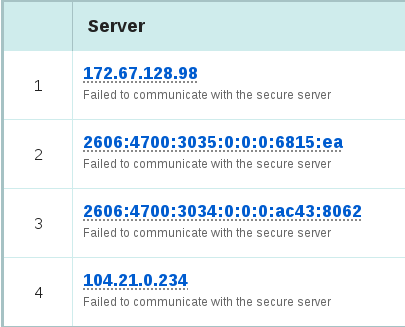
There is really something wrong with the server configuration: Qualys shows: Failed to communicate with the secure server
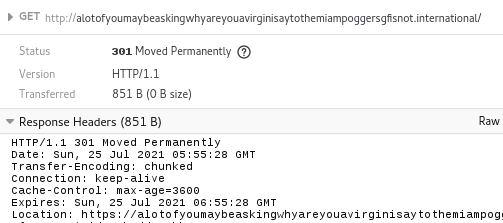
The server switches automatically to the https:// version via a location header as you can see in the Network Monitor, so it is not possible to bypass and visit via http://
But what should I do? What is wrong with the configuration?
Does your hosting provider have any guides on how to configure SSL on their servers? Sometimes they have forums.