


Firefoxes own pop ups

how do I stop a Firefox popup requesting to install a Firefox extension?
შერჩეული გადაწყვეტა
It is about this content.
<div class="offers" id="offers"> <div class="extension-browser extension-browser__firefox">
You can add code to the userContent.css file.
@-moz-document domain(www.rt.com){
/* hide offers */
 #offers { display:none!important; }
/* hide firefox extension */
 .extension-browser__firefox { display:none!important; }
}- https://www.userchrome.org/what-is-userchrome-css.html
- https://www.userchrome.org/how-create-userchrome-css.html
In Firefox 69 and later you need to set this pref to true on the about:config page to enable userChrome.css and userContent.css in the chrome folder.
- toolkit.legacyUserProfileCustomizations.stylesheets = true
See:
ყველა პასუხი (10)
Can you show a screenshot of this popup?
Thank you for your quick response.
This is not a serious technical issue but only a matter of my convenience; but I don't like this offer to install the extension coming up so regularly, so it's more of an visual nuisance.
I hope you don't find this question a bother and waste of your time; in the grand scheme of things this is a small issue so I appreciate your effort.
Thanks
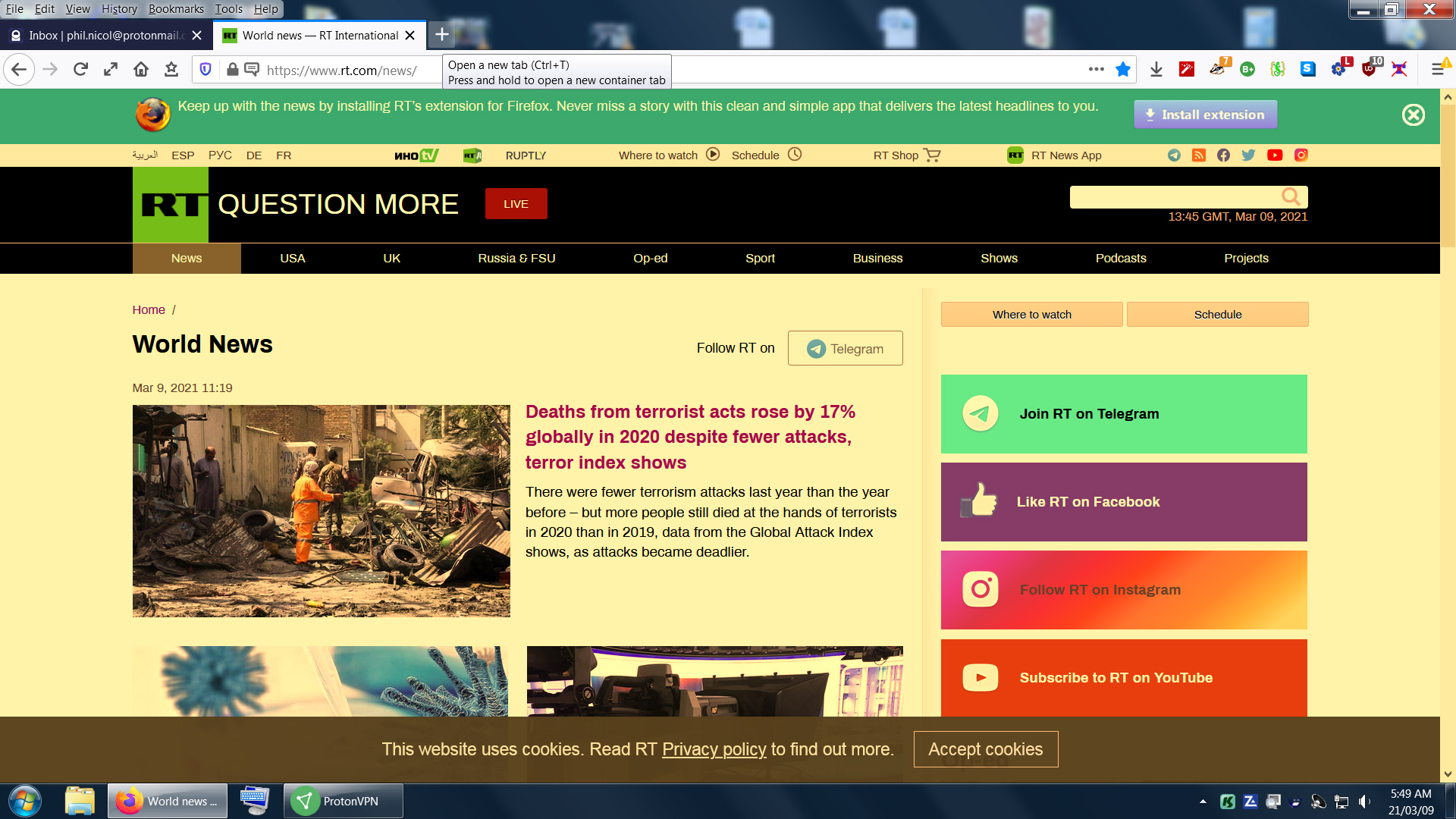
It doesn't look like our popup.
ჩასწორების თარიღი: , ავტორი: TyDraniu
Doesn't look like. Or isn't?? It's got your name on it, who would be doing that?

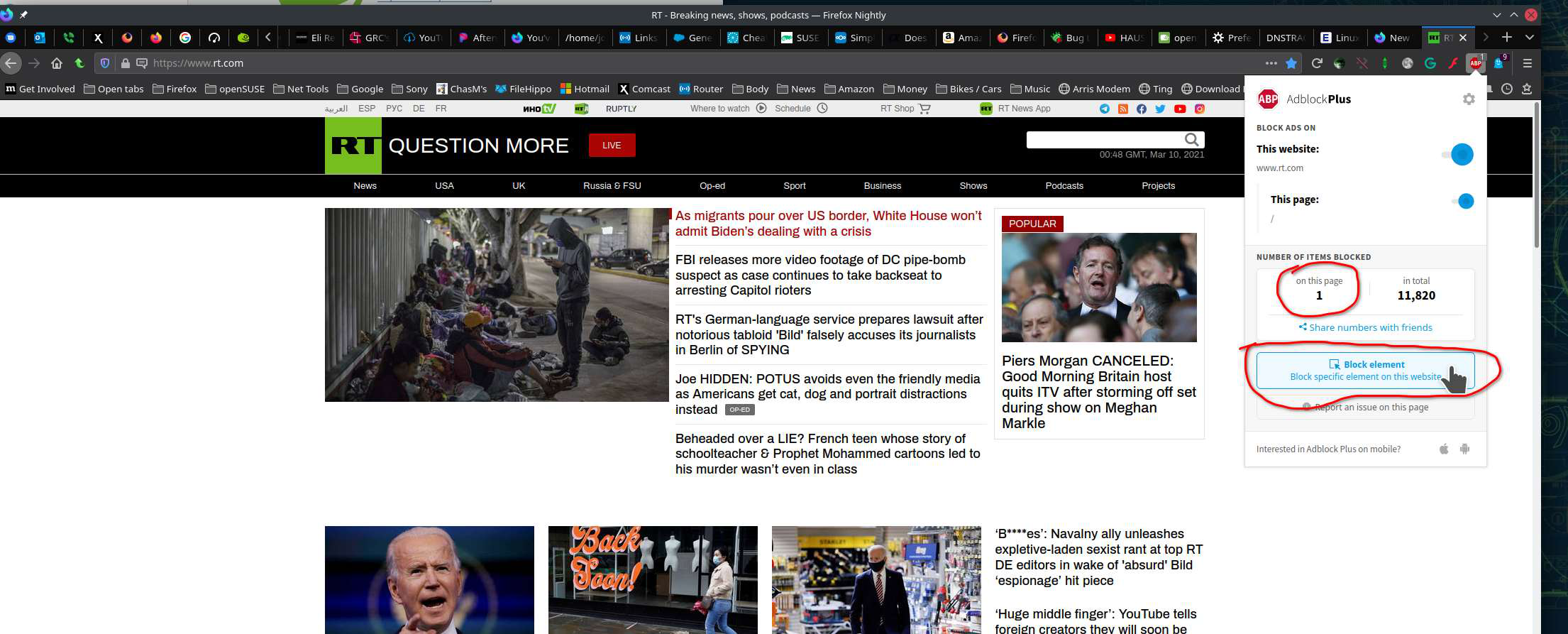
I also us RT and that's from them wanting you to install their extension. I use Adblock Plus to block that element. Check to see if whatever ad-blocker you're running has something that can block the elements. see screenshot
I've just been trying uBlock Origin and blocking any pop ups also blocks opening another tab off of that site so it's obstructive. I was looking for a work around.
To Ty
sorry, don't worry about it.
შერჩეული გადაწყვეტა
It is about this content.
<div class="offers" id="offers"> <div class="extension-browser extension-browser__firefox">
You can add code to the userContent.css file.
@-moz-document domain(www.rt.com){
/* hide offers */
 #offers { display:none!important; }
/* hide firefox extension */
 .extension-browser__firefox { display:none!important; }
}- https://www.userchrome.org/what-is-userchrome-css.html
- https://www.userchrome.org/how-create-userchrome-css.html
In Firefox 69 and later you need to set this pref to true on the about:config page to enable userChrome.css and userContent.css in the chrome folder.
- toolkit.legacyUserProfileCustomizations.stylesheets = true
See:
cor-el
Thank you. I'll try that. It's new territory for me but it looks appropriate. Live and learn.
Thanks again, this solution is working well.