Bookmarks are missing and can't recover
Hi there!
I reinstalled windows 10 on my laptop and reinstalled firefox. I signed in and synced and all but all of my bookmarks are gone. I tried the recovery thing on the "Show All Bookmarks > Recover" and I there is no place.sqlite file on my Firefox profile. I had a bunch of bookmarks that I need to recover. Please help me. :(
ყველა პასუხი (2)

Sync is working the way the Devs intended, but not the we as users want. Read what the told me. https://bugzilla.mozilla.org/show_bug.cgi?id=1677090
You reinstalled the OS, did you have any backups of the data. There may be a old windows folder on your C drive.
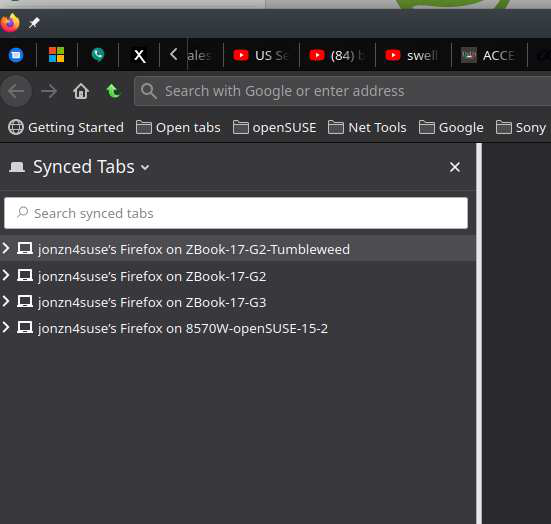
The trick I just learned is to run different versions of Firefox on the same machine(different install locations of course) and then you can us 1 browser as your daily driver and have the older version as a backup with the same data that you can then see. Sync sees the other browser as another device that you can send data to. I'll post a pic later.
I can see my current machine in the sync tab now because I'm running 2 versions of Firefox.