


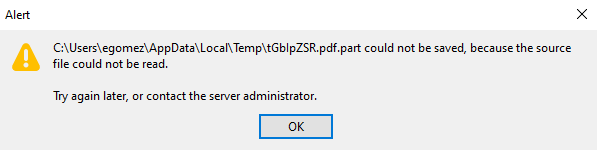
could not be saved, because the source file could not be read.
Downloading a PDF file from a website called Newco is giving me this error: C:\Users\egomez\AppData\Local\Temp\H5J6SQ8a.pdf.part could not be saved, because the source file could not be read.
I tried it on 65.1 version and it allowed me to download and open but doing it on version 68.0.1 It did not allow me to save. It allowed me to download the file on Internet Explorer
Please let me know what I can do. I have tried a lot of things but I have had no success .
ყველა პასუხი (4)

Unless others can test a sample site with same problem know one is going to be able to see what is happening.
egomez1 said
I have tried a lot of things but I have had no success .
Hello egomez1,
Would you please go over this article and see if maybe some suggestions there you haven't tried yet :
https://www.thewindowsclub.com/file-not-saved-source-file-not-read
I tried the link and solutions but nothing worked
Try to clear the Temp folder in case there is a problem.
It is possible that (anti-virus) security software is causing the problem. Try to disable security software temporarily to see if that makes a difference.
Boot the computer in Windows Safe mode with network support to see if that has effect in case security software is causing problems.