


Tools/Options/Privacy & Security/Permissions...locations/camera/microphone settings greyed out...don't work

Can't access camera/microphone settings "(greyed out") as mentioned in the question above in order to enable using Skype or (appear.in).
Occasionally the camera works momentarily from within appear.in, then nothingl
appear.in "help" was unable to solve the problem as was Skype previously.
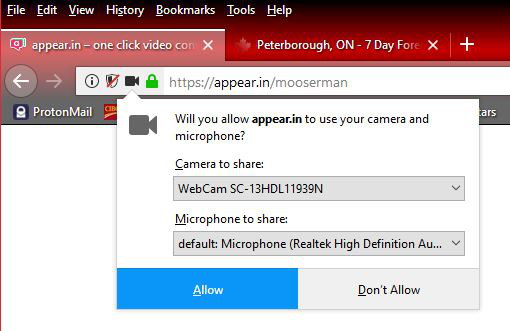
Attached file showing one instance where the camera and mic actually showed up...most of the time those areas are blank. "Allowing" the camera and mic had no effect.
Can't access camera/microphone settings "(greyed out") as mentioned in the question above in order to enable using Skype or (appear.in).
Occasionally the camera works momentarily from within appear.in, then nothingl
appear.in "help" was unable to solve the problem as was Skype previously.
Attached file showing one instance where the camera and mic actually showed up...most of the time those areas are blank. "Allowing" the camera and mic had no effect.
ყველა პასუხი (2)
That would be a driver issue or camera failure problem.
Are you using Private Browsing mode in case that makes a difference?