


firebug on old version

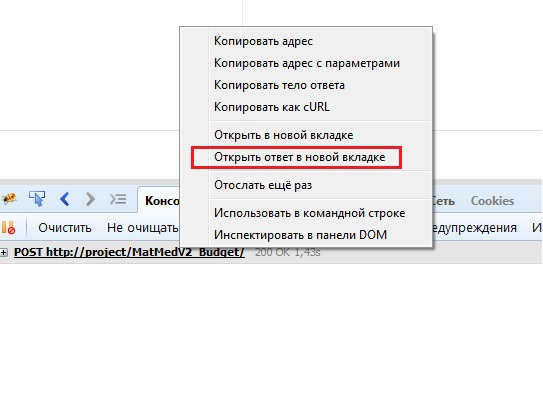
In the old version of firefox there was a firebug add-on. There it was possible to open the answer that came on the Ajax request in a separate tab and see the answer. How to do this in the new version of firefox ???? I open the f12 developer tools and do not see ... I really miss this tool. View Ajax response in a new tab
შერჩეული გადაწყვეტა
Right click on any request in the Network tab also has an "open in new tab" feature.
ყველა პასუხი (4)
In the network tab of the devtools, once you click on a request you can see the response of that request (specifically in the "response" tab of the request inspector)
open answer on new tab
შერჩეული გადაწყვეტა
Right click on any request in the Network tab also has an "open in new tab" feature.
NO. open new tab easy. resuly open new page by this URL. BUT need open ANSWER on new tab.