Windows 10 reached EOS (end of support) on October 14, 2025. For more information, see this article.

Avatar for Username

ძიება მხარდაჭერაში

ნუ გაებმებით თაღლითების მახეში. აქ არავინ უნდა მოგთხოვოთ ტელეფონზე დარეკვა, შეტყობინების გაგზავნა ან პირადი მონაცემების გაზიარება. რამე საეჭვოს შემჩნევისას გთხოვთ გვაცნობოთ „დარღვევის მოხსენებით“.

ვრცლად

Prestashop e-Commerce Platform. Block Social (Facebook Fan Page block) doesn't appear properly!

  • 2 პასუხი
  • 1 მომხმარებელი წააწყდა მსგავს სიძნელეს
  • 4 ნახვა
  • ბოლოს გამოეხმაურა dream-garden

სხვა პარამეტრები

I am building my e-Shop, using Prestashop platform. One of the features that Prestashop offers, is the "Block Social" (Add on). With this feature, a block appears in the left bottom side of my e-Shop (before Footer), with a preview (and link) of my Facebook Fan Page (please see screenshot). In order for this block to appear properly, I entered the full URL of my Facebbok page in Prestashop's relevant field. When I go to my e-Shop's page, this block doesn't appear! But the strange thing is that this is happening only in Firefox! As you will see in the attached screenshot, in Chrome or Microsoft Edge browsers this block appears correctly! If this is caused by Facebook's special (or hidden) settings, why the problem occurs only in Firefox? Can you please give me some advice?

Thank you for your time...
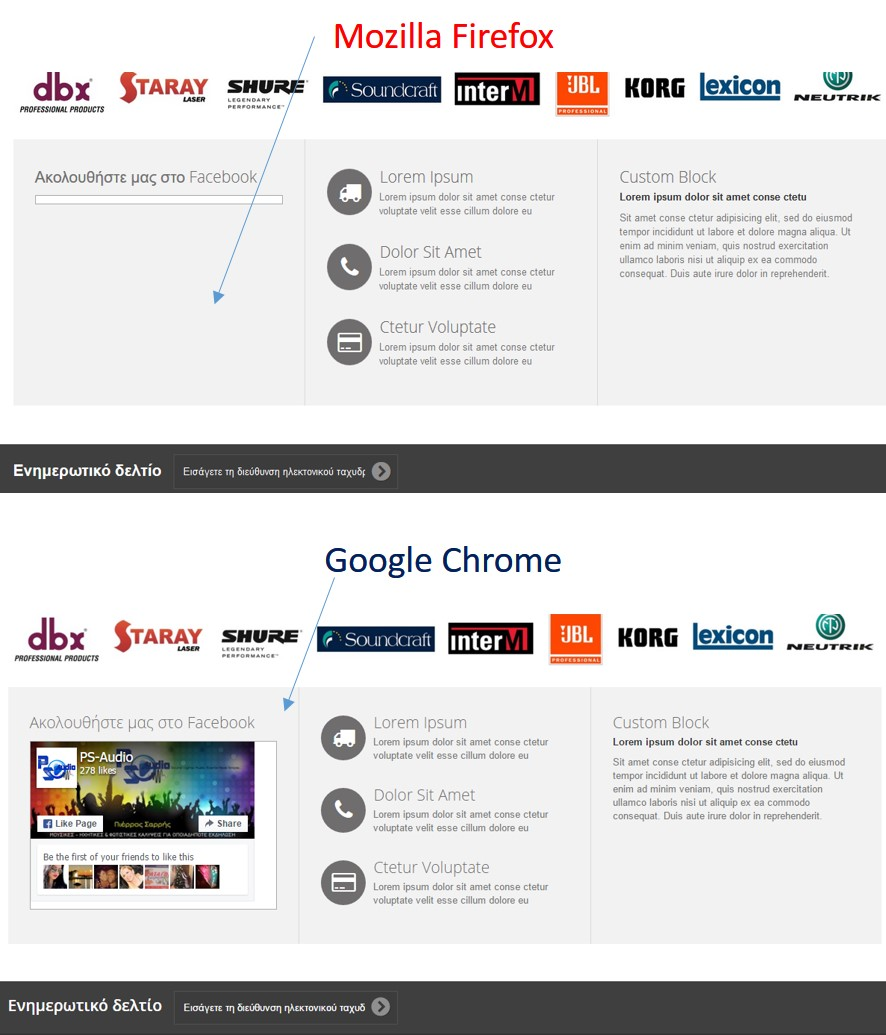
I am building my e-Shop, using Prestashop platform. One of the features that Prestashop offers, is the "Block Social" (Add on). With this feature, a block appears in the left bottom side of my e-Shop (before Footer), with a preview (and link) of my Facebook Fan Page (please see screenshot). In order for this block to appear properly, I entered the full URL of my Facebbok page in Prestashop's relevant field. When I go to my e-Shop's page, this block doesn't appear! But the strange thing is that this is happening only in Firefox! As you will see in the attached screenshot, in Chrome or Microsoft Edge browsers this block appears correctly! If this is caused by Facebook's special (or hidden) settings, why the problem occurs only in Firefox? Can you please give me some advice? Thank you for your time...
მიმაგრებული ეკრანის სურათები

ყველა პასუხი (2)

სხვა პარამეტრები

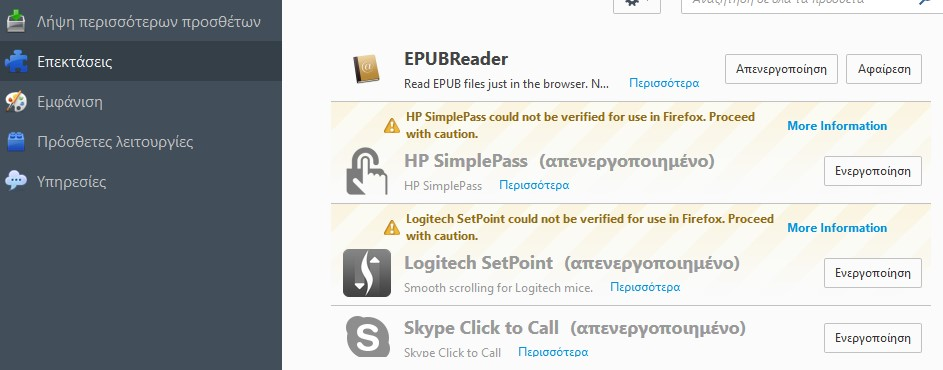
Do you have any addons installed on Firefox?

სხვა პარამეტრები

3 addons (please see attached screenshot), but only EPUBReader is activated!