Flash videos work on some sites, but not on others.

I've got a problem where flash will work fine on YouTube and on some news sites and the likes, but it wont work on Facebook or some players like on discovery.com. Currently, I'm on Firefox 24 ESR, but I've tried the following to remedy the situation:
Restarted with all addons disabled. Updated to the latest version of Firefox. Restarted that with all addons disabled. Reverted to Firefox 24 ESR. Ensured that the version of Flash installed is up-to-date.
ყველა პასუხი (4)
I have now also completely uninstalled and reinstalled Flash itself.
the problem might not in your flash , try a other version of your browser
As I mentioned in the first post, I've tried both 24 ESR and the most recent version of Firefox available. The symptoms remain the same with both versions.
As a method of testing, I did try to view the page in Google Chrome, and the videos worked fine. The reinstall of Flash was more a last-ditch attempt.
ჩასწორების თარიღი: , ავტორი: McCovican
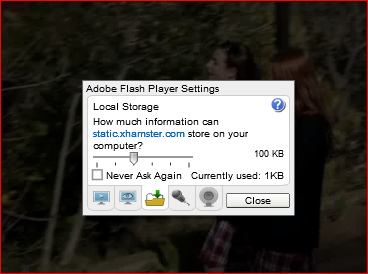
hi all. just got my flash to work. on windows 7. not sure how i did it but i did this. make sure you're running windows 7 not XP IN YOUR settings. load new flash player. restart lap top. click on flash player settings / local storage/ set at min 100 KB...... hope it works for you.