


次のタグが付けられた質問を表示:

How to make Firefox recognize an existing profile

I'm using Firefox in Windows. I lost all of my bookmarks... never mind how, I think I can prevent it from happening again... and I'm trying to figure out whether there is… (続きを読む)

I'm using Firefox in Windows. I lost all of my bookmarks... never mind how, I think I can prevent it from happening again... and I'm trying to figure out whether there is a way to recover them.

Looking in the profile folder, I see three profiles. One is listed on the about:profiles page, and is identified as the default. The other two aren't listed there at all.

I need to select each of those other two and see whether my bookmarks can be recovered from them. But how. The about:profiles page has a button for creating a new profile, but not for adding an existing profile to the page. Either it's listed there or it's not.

It seems to me that I could create a new profile and make it the default folder, then quit Firefox and replace it with a copy of one of the profiles I want to investigate. However, I lost my bookmarks by doing something similar to that, so I'm wary of doing it again.

Can someone explain what is happening here--why there are three profiles in the default profile's folder but only one list listed, and why there's apparently no provision for making Firefox list the others?
Open 8

Firefox broken after waking system from suspension.

I recently switched from Debian to Fedora Workstation. Everything works fine, even better under Fedora, except Firefox. There is this quirk, where whenever I wake up my s… (続きを読む)

I recently switched from Debian to Fedora Workstation. Everything works fine, even better under Fedora, except Firefox. There is this quirk, where whenever I wake up my system from suspension, and I try to search something, Firefox just shows a loading sign as if it was loading the page, but I see via the inspect tool that it isn't even sending any HTTPS requests to the server. I know this problem specifically affects Firefox, because other programs that require an internet connection, such as fetching mail via Thunderbird or installing packages via DNF work completely fine. In order to get Firefox to actually work, I have to completely close and reopen the application, forcing me to lose unsaved work in some cases. I've tried everything, from restarting my machine to waiting to see if it will be patched in a future update, but nothing has gotten better. Please help me. Thank you in advance.

Open

Wells Fargo statements are not opening in Acrobat anymore, opening in web browser

I haven't changed anything in Firefox Browser settings. But when I open a bank statement, it is opening in the firefox browser, not in Acrobat. For years it opened in Ac… (続きを読む)

I haven't changed anything in Firefox Browser settings. But when I open a bank statement, it is opening in the firefox browser, not in Acrobat. For years it opened in Acrobat. I checked Firefox Settings - Downloads for .pdf and it is still set to open them in Acrobat application. I have toggled the options, but still will not open in Acrobat. I have rebooted PC and tried again, still not opening the .pdf in Acrobat. Please advise what I should do Thank you

Open

linking firefox with wild tangent?

I would like to link firefox with wild tangent games. Right now my games are not launching and I was wondering if it's because I changed browser from chrome to firefox? … (続きを読む)

I would like to link firefox with wild tangent games. Right now my games are not launching and I was wondering if it's because I changed browser from chrome to firefox?

Open 1

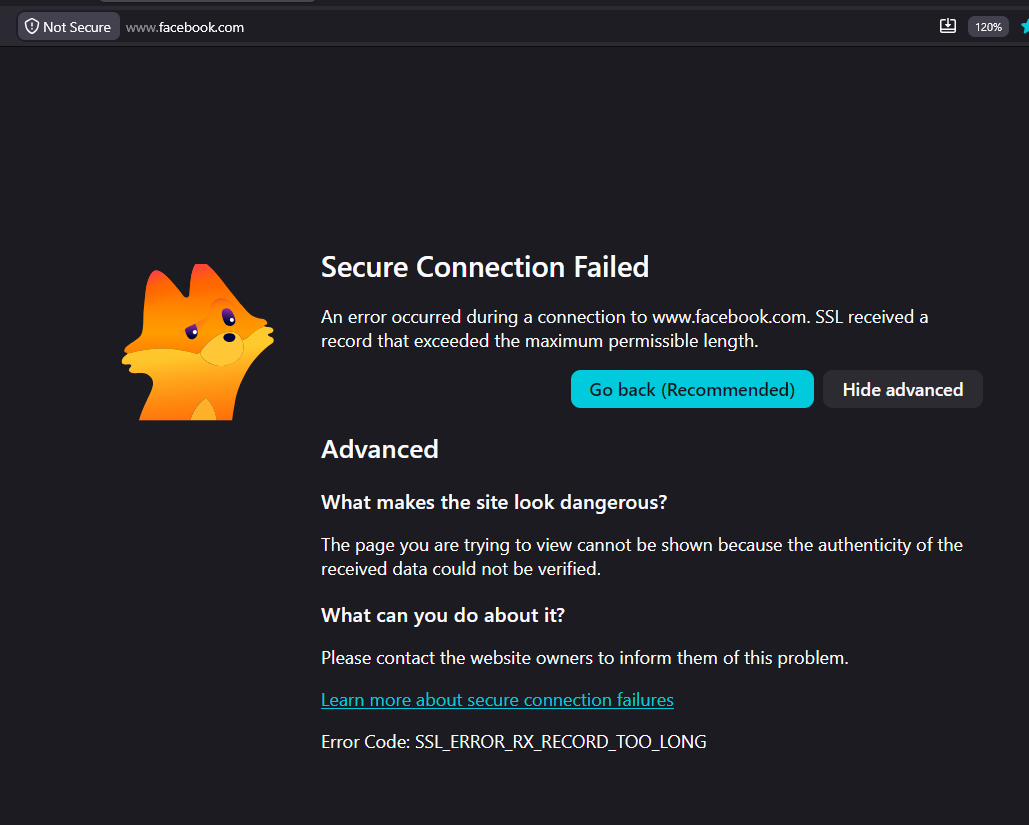
when i go to my website on firefox it says "Secure Connection Failed" but it loads fine on safari

when i go to my website on firefox it says "Secure Connection Failed" but it loads fine on safari. i've never seen it do this before. Is this a firefox issue? full error … (続きを読む)

when i go to my website on firefox it says "Secure Connection Failed" but it loads fine on safari. i've never seen it do this before. Is this a firefox issue?

full error message: Secure Connection Failed

The page you are trying to view cannot be shown because the authenticity of the received data could not be verified. What can you do about it?

The issue is most likely with the website, and there is nothing you can do to resolve it. You can notify the website’s administrator about the problem.

Error Code: PR_CONNECT_RESET_ERROR

how do i fix this?

Open 12

No Wallpapers!

Hello, I just downloaded v153.0.4 and now there are no wallpapers on my New Tabs or Home Page. No custom url for new tabs either and the Firefox Home is a blank page. Wha… (続きを読む)

Hello,

I just downloaded v153.0.4 and now there are no wallpapers on my New Tabs or Home Page. No custom url for new tabs either and the Firefox Home is a blank page.

What's up with that?

- Andre'a

Open

Mozilla's forced white backgrounds on support.mozilla.org and accounts.firefox.com cause physical eye pain and migraines, and you removed all user overrides

I have albinism. Pure white backgrounds are not an annoyance – they cause physical eye pain and trigger migraines. Every time I visit support.mozilla.org or accounts.fire… (続きを読む)

I have albinism. Pure white backgrounds are not an annoyance – they cause physical eye pain and trigger migraines. Every time I visit support.mozilla.org or accounts.firefox.com, I am forced to endure #FFFFFF with no way to change it.

To anyone about to defend Mozilla blindly: this is about accessibility and eye pain, not brand loyalty, so do not silence me.

What Mozilla has done:

  • Disabled extensions (Dark Reader, Stylus, Dark Mode) from modifying these pages – they are explicitly blocked by Mozilla's own Content Security Policy.
  • Removed ui.systemUsesDarkTheme and layout.css.prefers-color-scheme.content-override from having any effect on these sites – they ignore prefers-color-scheme entirely.
  • Left no about:config toggle to disable the forced light theme.

The only remaining workaround is a userContent.css hack with filter: invert(1) – which requires a visually impaired user to manually edit CSS files and restart the browser. That is not accessibility – that is hostility.

Security excuse – debunked:

  • "We block extensions for security" – extensions are sandboxed. Blocking them on your own support pages is a deliberate policy choice, not a technical necessity.
  • "We want a consistent brand appearance" – branding does not override accessibility. Forcing #FFFFFF on users with light sensitivity is a violation of basic inclusive design.
  • "We respect prefers-color-scheme" – you do not. These two domains explicitly override it.
  • "Users can just use Dark Reader" – you block it.

What I demand:

Make support.mozilla.org and accounts.firefox.com respect the system prefers-color-scheme media query. If you insist on light branding, add an official dark toggle in the site header – stored in a cookie or account preference. Stop blocking extensions from applying user‑chosen themes to your own sites. That is not security; it is control. You are a non‑profit that claims to value accessibility and user control. Your actions say otherwise. Fix these two domains. No CSS hacking should be required for basic vision safety.

Locked 14

When I open a new tab page, all 6 panels below are scrolling right like their not loading correctly.

Hello. When I open a new tab page, all 6 panels below keep scrolling right like their not loading correctly. I have tried everything to make this go away since it is very… (続きを読む)

Hello. When I open a new tab page, all 6 panels below keep scrolling right like their not loading correctly. I have tried everything to make this go away since it is very distracting. Any ideas of how to fix?

Open 3 1

How to keep unpined shortcuts from 2 rows of pinned shortcuts?

On my Firefox Home Page, I selected two rows of PINNED shortcuts. Each time I open a webpage that webpage is added not only to the two selected rows of shortcuts, but "k… (続きを読む)

On my Firefox Home Page, I selected two rows of PINNED shortcuts. Each time I open a webpage that webpage is added not only to the two selected rows of shortcuts, but "keeps" EVERY webpage selected after filling the two selected shortcut rows. It is not only annoying and inconvenient, but s l o w s work time to a crawl around these shortcuts ... few, if any, are helpful. If I want to re-entry an UNPINNED shortcuts, I go to history and select the one I want. WHEN is Fire Fox to solve this seemingly simple but annoying problem?

Open 4

Need to disable comment/highlight popup menu for selected text in pdf viewer

When I select text in firefox's built in pdf viewer, a menu with comment and highlight options automatically pops up. I haven't been able to figure out any way to turn th… (続きを読む)

When I select text in firefox's built in pdf viewer, a menu with comment and highlight options automatically pops up. I haven't been able to figure out any way to turn this off. This is a problem because when I'm using the viewer at work firefox now puts this menu exactly over the next piece of information I need. (eg blocks the next row in a process log)

I am using Firefox 153.0.4 (64-bit). Windows 11.

Solved 1

MacOS: If not already running, Firefox does not load requested URL on launch

MacOS: If not already running, Firefox does not load requested URL on launch MacOS 26.5.2, Firefox 152.0.4 How to reproduce: 1) Set Firefox as the default browser 2) Comp… (続きを読む)

MacOS: If not already running, Firefox does not load requested URL on launch MacOS 26.5.2, Firefox 152.0.4

How to reproduce: 1) Set Firefox as the default browser 2) Completely quit Firefox 3) Open a URL (e.g. open Spotlight, type a query, select "Search the web", or any of the many other ways) 4) Observe Firefox opens but does not open a tab with the externally requested URL

This used to work fine. It still works on Windows. Reproduced on two different Macs. If Firefox is already running, it works as expected.

Open 5 50