Windows 10 reached EOS (end of support) on October 14, 2025. If you are on Windows 10, see this article.

Mozilla サポートの検索

サポート詐欺に注意してください。 私たちはあなたに通話やショートメッセージの送信、個人情報の共有を求めることはありません。疑わしい行為を見つけたら「迷惑行為を報告」からご報告ください。

詳しく学ぶ

このスレッドはアーカイブに保管されました。 必要であれば新たに質問してください。

Dictionary not found

  • 返信なし
  • 0 人がこの問題に困っています
  • 12 回表示

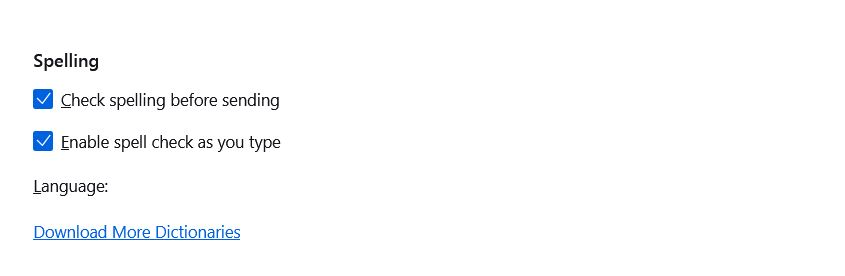
I have Thunderbird 115.9.0 (32-bit). Previously, I had no problem with the Dictionary. But now, I get no spelling suggestions at all. There is a blank space after "Language:" in the "Spelling" section of Settings > Composition

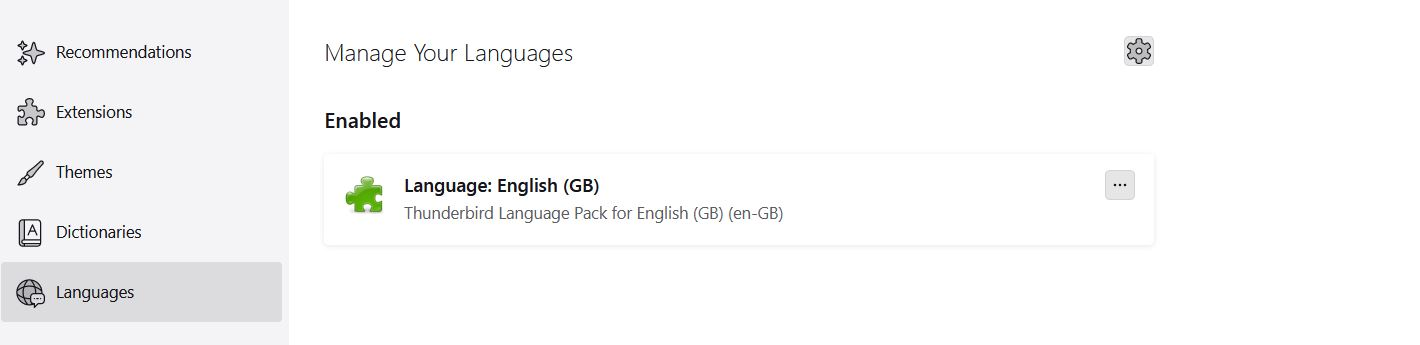
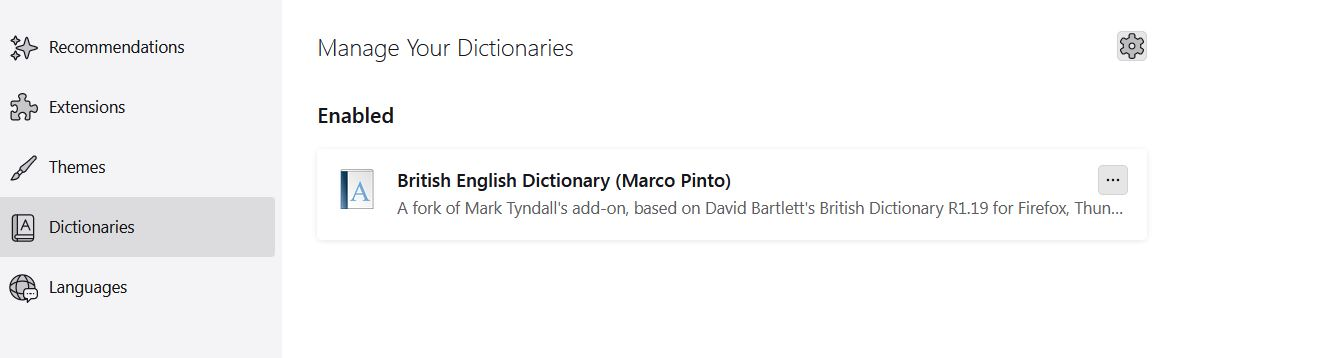
I have tried several times downloading the "English (British)" Dictionary and the Language pack In the "Add-on and Themes": in the "Dictionaries" section: "British English Dictionary (Marco Pinto)" is there and enabled. In the "Languages" section, "Language: "English" is present and enabled

When I am writing an email, clicking on the "Spelling" shows "English (United Kingdom)" with a tick next to it. I was not able to get a screenshot of this last item but I attach screenshots of all my other statements above.

What have I missed? Thanks in advance for any help.
I have Thunderbird 115.9.0 (32-bit). Previously, I had no problem with the Dictionary. But now, I get no spelling suggestions at all. There is a blank space after "Language:" in the "Spelling" section of Settings > Composition I have tried several times downloading the "English (British)" Dictionary and the Language pack In the "Add-on and Themes": in the "Dictionaries" section: "British English Dictionary (Marco Pinto)" is there and enabled. In the "Languages" section, "Language: "English" is present and enabled When I am writing an email, clicking on the "Spelling" shows "English (United Kingdom)" with a tick next to it. I was not able to get a screenshot of this last item but I attach screenshots of all my other statements above. What have I missed? Thanks in advance for any help.
添付されたスクリーンショット