


How do I stop Private browser windows from opening a dark-colored "Save as" window?

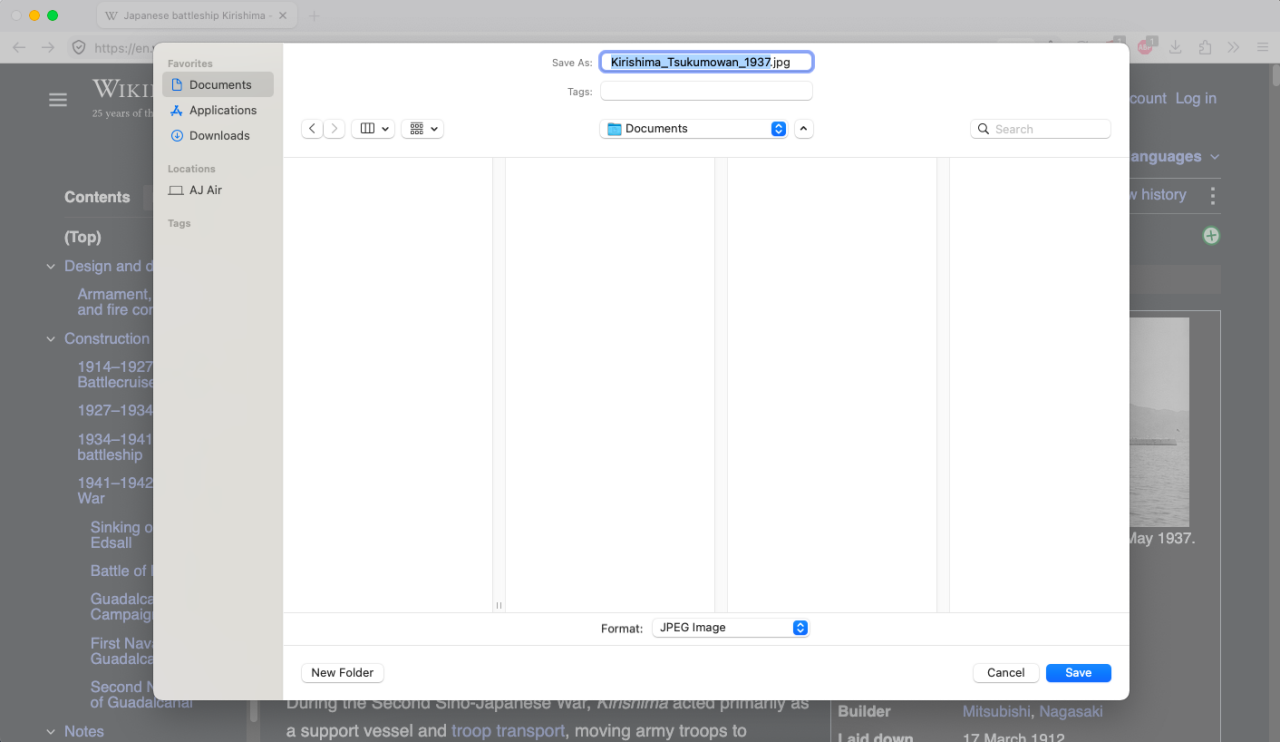
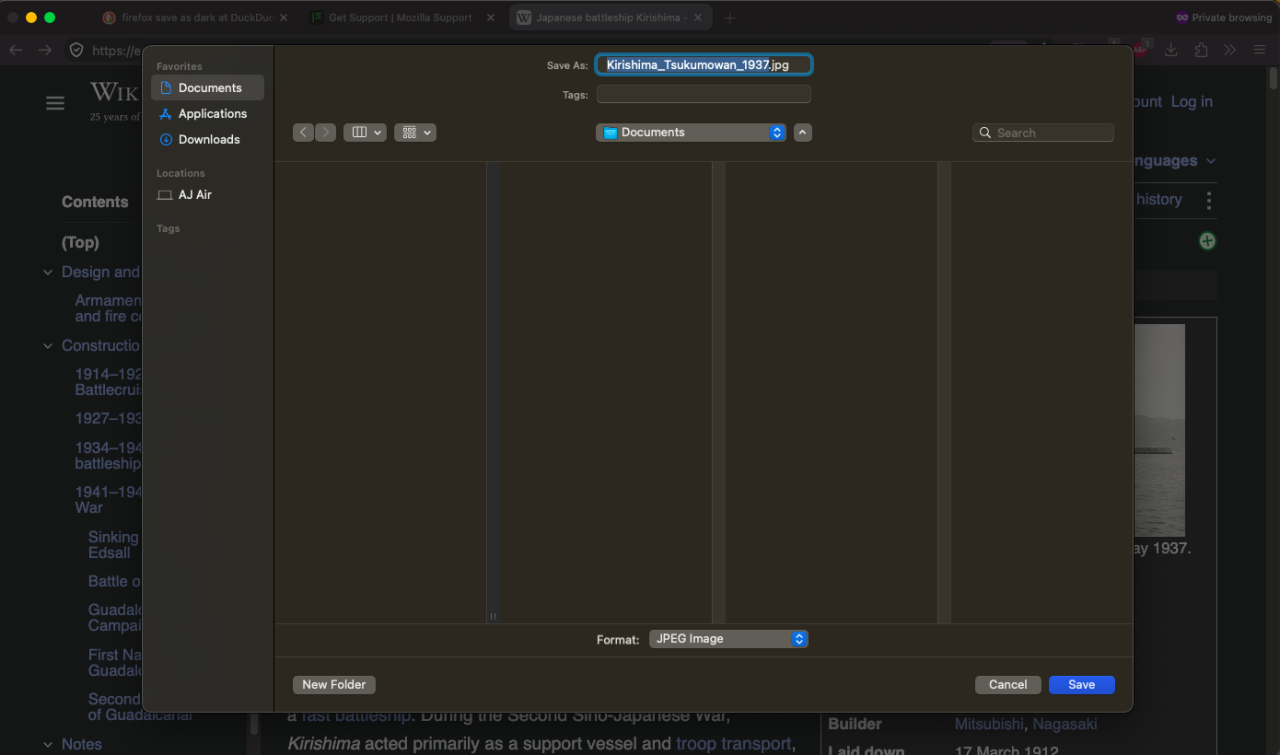
Right Click → Save as in a normal browser window opens a system-colored save window, but since Firefox desktop 152, Right Click → Save as in a Private browser window opens a dark-colored save window, which does not have anywhere near enough contrast between the medium grey text and the black background. Is there a setting in about:config to make a Private window open a system-colored save window?
Asịsa Ahọpụtara
Try switching browser.theme.dark-private-windows to false.
All Replies (5)
This sounds like bugzilla.mozilla.org/2056567 that it now matches other system dialogs like bookmarks/library or page info following the current browser theme.
I'll add this use case to the report, thanks.
Thanks! ( Ô_Ô)---b
If it helps, the only theme I'm using is "System theme — auto" and haven't changed any appearance settings in ages, and the issue definitely started for me in 152 and has persisted into 153.
Asịsa Ahọpụtara
Try switching browser.theme.dark-private-windows to false.
Well that heckin' fixed it immediately, thank you! I mean, the underlying malfunction is still there and still annoying, but now I know which about:config switch to flip when I need to save reference images to the right locations!
Yup I'm logging specifically the default system/auto theme impact to the private file pickers.
You generally don't need to fumble with config prefs, the same effect should happen when you change your theme to the built in "Light" one, this one has light private tabs at least for me, and the correct system file picker to match.