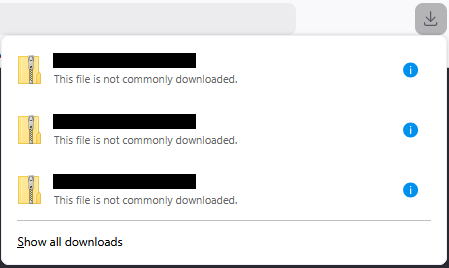
Recently downloaded files pop up when starting firefox

I had recently tried to download a .Zip file, which got corrupted. I tried twice again. Now every time I open the browser the three corrupted files pop up in the "downloads" window. It does not appear when opening a new tab, only when starting the browser. I have deleted the corrupted folders and don't want to retry downloading. I have tried both "clear all downloads" and "remove from history" in the downloads window, but the notification still shows up. Settings do not help.
How can I remove this pop-up? It blocks my toolbar and is a general nuisance.
I had recently tried to download a .Zip file, which got corrupted. I tried twice again. Now every time I open the browser the three corrupted files pop up in the "downloads" window. It does not appear when opening a new tab, only when starting the browser.
I have deleted the corrupted folders and don't want to retry downloading. I have tried both "clear all downloads" and "remove from history" in the downloads window, but the notification still shows up. Settings do not help.
How can I remove this pop-up? It blocks my toolbar and is a general nuisance.