


My send button disappeared and I can no longer send or reply to emails! Help?

I no longer am able to send email or reply, the send button has disappeared.

פתרון נבחר
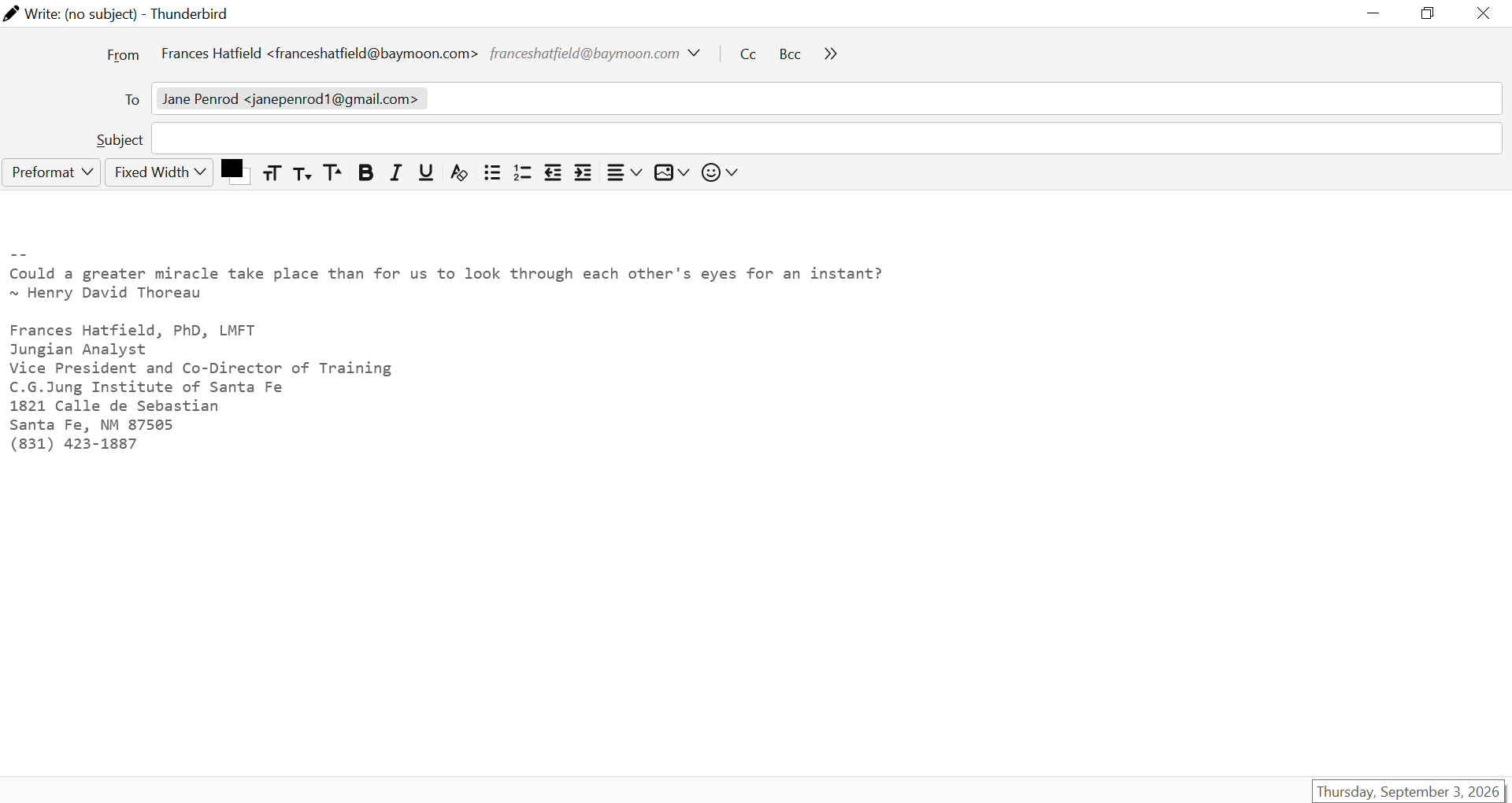
In the Write window, press Alt to restore the menu bar. That will give you the View - Toolbars menu item to restore the Composition Toolbar with the Send button.
כל התגובות (8)
In a Write window: View - Toolbars Check 'Composition Toolbar' (this is the toolbar with the Send button).
in the Write window, View, Toolbars, I do not see "composition toolbar" to check. The options listed are Menu, Quickfilter, spaces, status, and customize. If I go to "customize," no send button is offered as an option.
You're in the main Thunderbird window, and not in a Write window for a new message.
In the write window there is no toolbar except the one for composing a message (type, etc). There's nothing I can right-click or otherwise do to make a menu or toolbar appear. The bar at the top offers no options.
Please post a screenshot of what you're seeing. https://support.mozilla.org/kb/how-do-i-create-screenshot-my-problem
ok, here it is, thank you
פתרון נבחר
In the Write window, press Alt to restore the menu bar. That will give you the View - Toolbars menu item to restore the Composition Toolbar with the Send button.
thank you !!!!