


Eliminate Sidebar Entirely

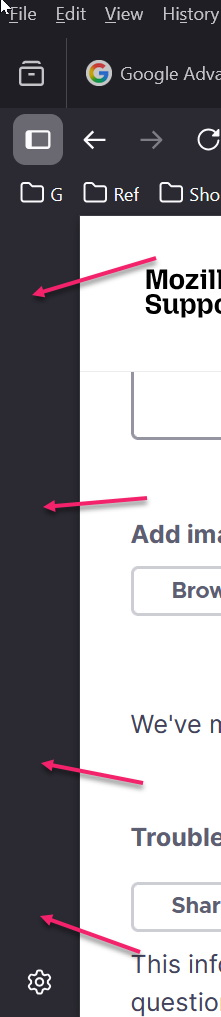
How do I eliminate the sidebar *entirely*.
It's taking up unnecessary space on my screen, even when I have turned off all of the options in settings.
How do I eliminate the sidebar *entirely*.
It's taking up unnecessary space on my screen, even when I have turned off all of the options in settings.
פתרון נבחר
Right click on it and it should not be checked in the settings under General.
Read this answer in context 👍 0כל התגובות (2)
פתרון נבחר
Right click on it and it should not be checked in the settings under General.
That was helpful, thank you. I right-clicked in the bar and chose "hide". Thank you.