


Taskbar click does not activate Firefox window on Windows 11

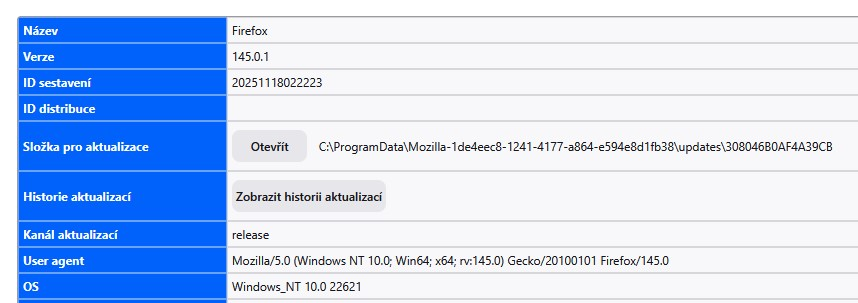
Hello, I would like to report an issue with Firefox on Windows 11.
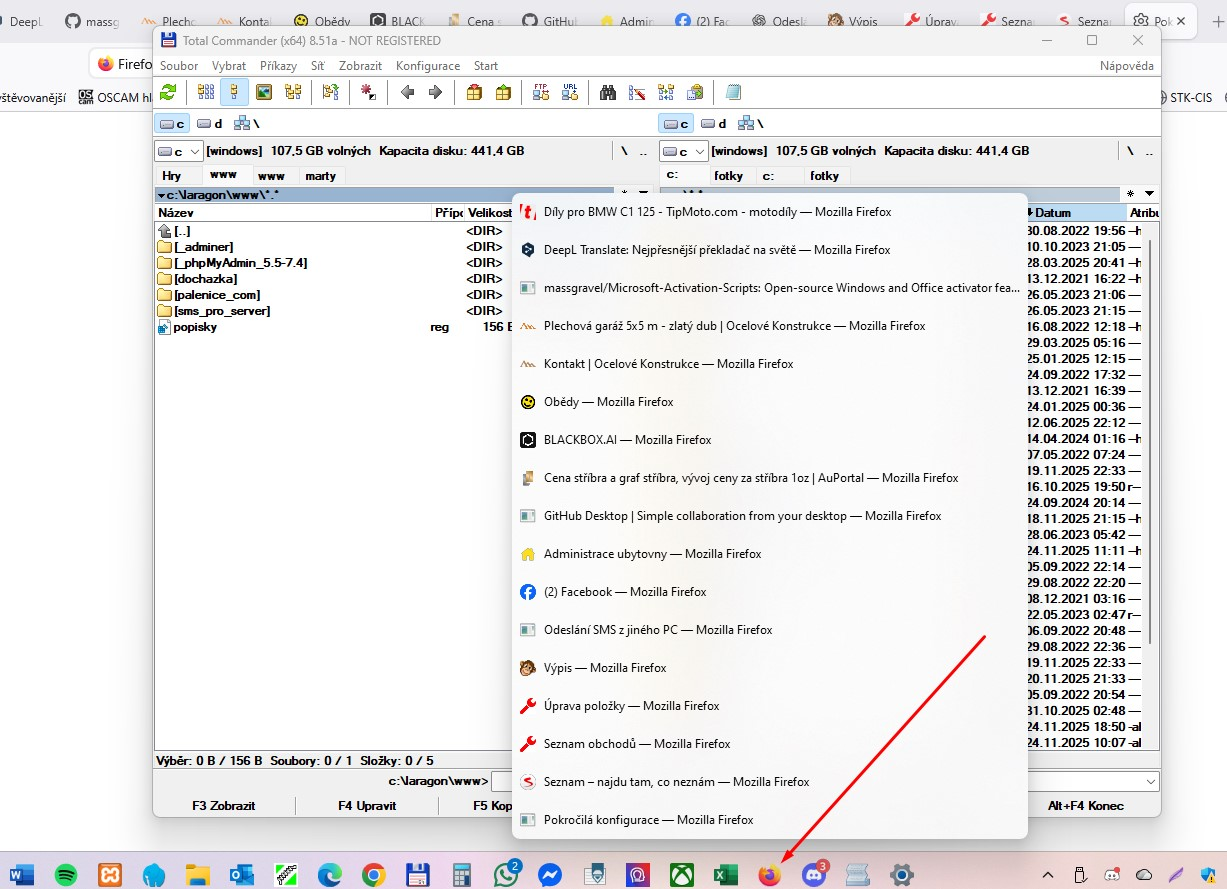
When Firefox is running and I click its icon on the Windows taskbar, the window does not activate. Instead, I always get window thumbnails or the jumplist. Firefox does not come to the foreground even though the window is already open.
Other applications (Edge, Chrome, File Explorer) activate their window normally when I click their taskbar icon, so the problem appears to affect Firefox only.
The issue becomes noticeable especially when the taskbar behavior is modified (for example, when taskbar button grouping is disabled). If I disable taskbar button grouping, Firefox starts working correctly, but Windows shows text labels on the taskbar, which I do not want. Other applications handle this situation correctly without forcing labels to appear.
Please check whether this is a known issue with Firefox’s interaction with the Windows 11 taskbar, and whether there is any workaround or fix available.
Thank you.
כל התגובות (4)
1. POPIS PROBLÉMU Tazatel popisuje, že po kliknutí na ikonu Firefoxu na hlavním panelu Windows 11 se místo aktivace okna zobrazí náhledy. U ostatních aplikací se tento problém neprojevuje. 2. PŘÍČINA / VYSVĚTLENÍ Existují dvě hlavní možné příčiny. Za prvé rozdíl mezi Windows 10 a Windows 11. Windows 11 má jinak řešený hlavní panel a Firefox na něm má více hlášených problémů s rozpoznáním hlavního okna, což může způsobit, že Windows po kliknutí raději zobrazí náhledy. Za druhé mohou potíže způsobovat doplňky Firefoxu. Správci panelů, kontejnery a rozšíření, která manipulují s okny nebo panely, mohou vytvořit stav, kdy Windows nedokážou určit, které okno má být aktivováno. 3. POSTUP ŘEŠENÍ Zkontrolovat, zda tazatel používá doplňky měnící chování panelů či oken. Vyzkoušet spuštění Firefoxu v nouzovém režimu a ověřit chování na čistém profilu. Upozornit, že problém je hlášen hlavně na Windows 11. 4. NA CO DÁT POZOR Popisovaný problém se na Windows 10 obvykle nevyskytuje. Je tedy pravděpodobné, že jde o kombinaci Windows 11 a způsobu, jak Firefox registruje svá okna, případně o zásah doplňku. 5. SHRNUTÍ Nejpravděpodobnější příčinou je rozdílné chování hlavního panelu Windows 11 při práci s okny Firefoxu nebo doplněk, který mění strukturu oken. Na Windows 10 se stejný problém obvykle neobjevuje.
Asi bude lépe kontaktovat autory Firefoxu: https://bugzilla.mozilla.org
Zkontrolovat nastavení „Nastavit aktivní okno“ ve Windows Ovládací panely → Usnadnění přístupu Usnadnit zaměření Zkontrolujte, zda Aktivovat okno při umístění myši není zapnuto (má způsobovat konflikty).

Finde heraus, ob der Fehler in Firefox oder in Windows 11 liegt. Bei einem Problem unter Windows wende dich bitte an ein entsprechendes Windows-Forum.