


floating navigation bar on web pages

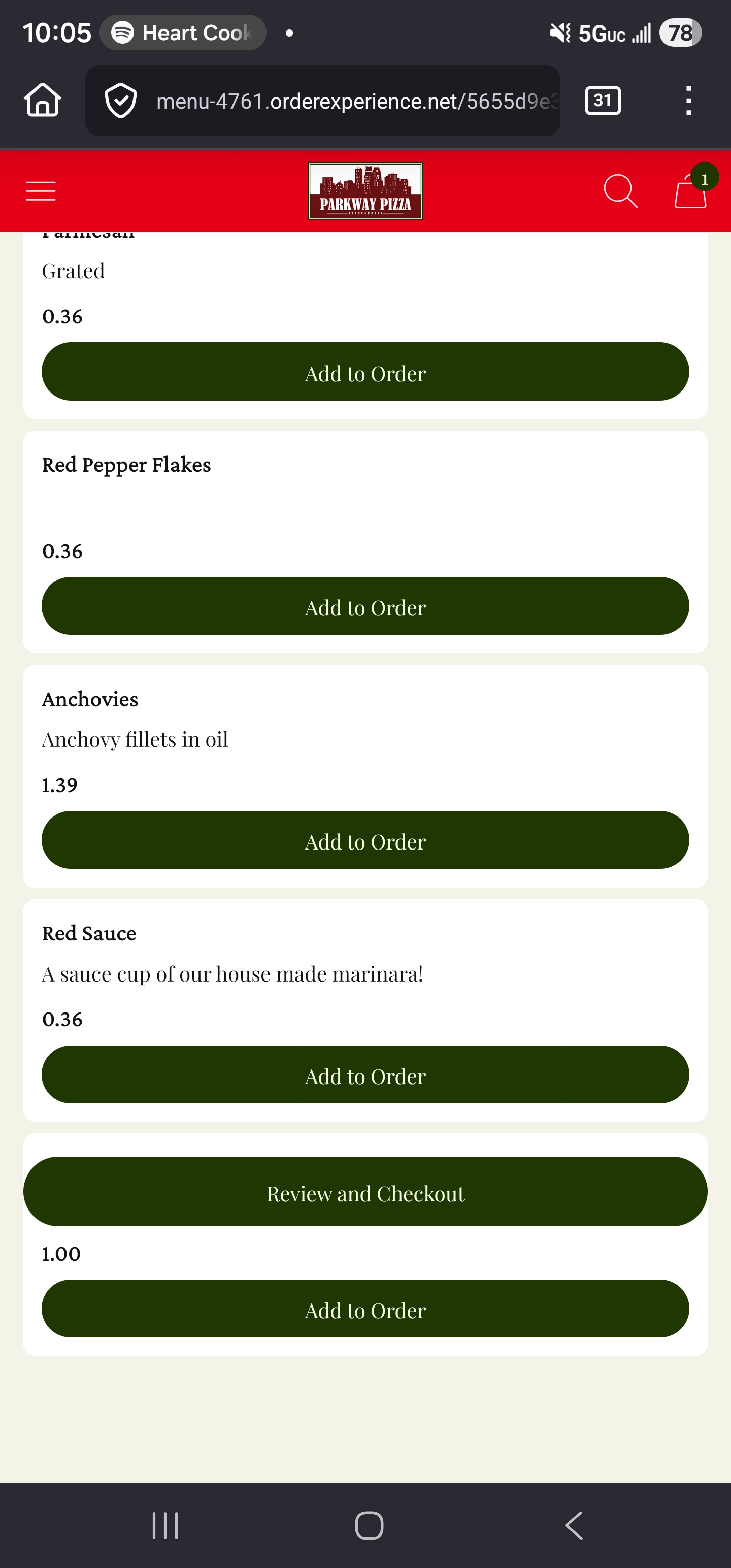
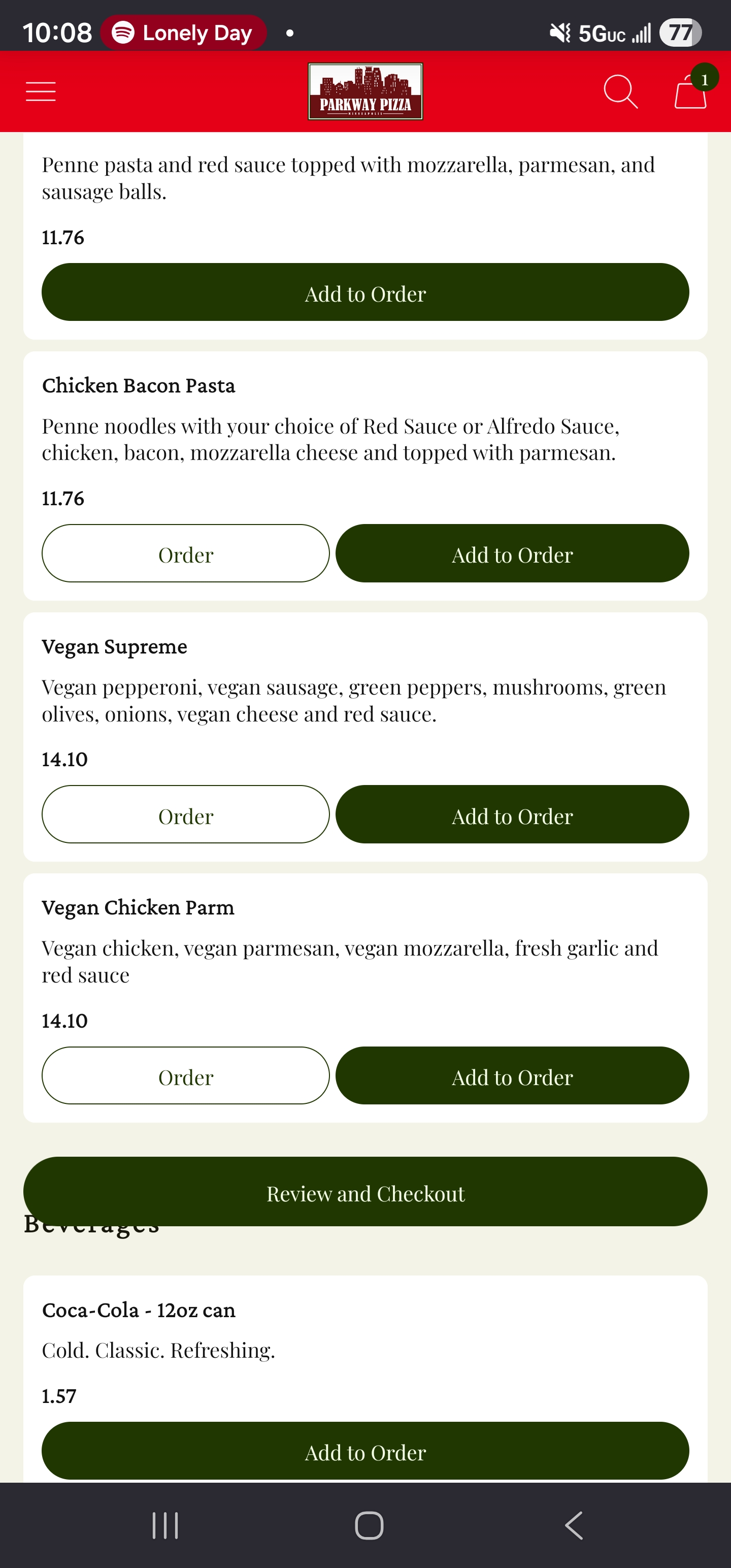
If you look at the attached image you'll see the review and check out button floating over the page background. This button is supposed to be locked to the bottom of the page but instead floats higher than the bottom of the page, but still locked.
This affects any web page with an app like navigation bar that is supposed to be on the bottom of the screen.
I cannot find any options in gui settings for Firefox to change this behavior. Disabling extensions or trying the page in a private tab end with the same result.
כל התגובות (1)
On my device, the bar is in a reasonable location. Our screens have the same aspect ratio, but yours is higher resolution --
Mine: 1080 x 2316 Yours: 1440 x 3088
-- and the content looks smaller. I don't know whether the layout is broken because of something in Firefox or something in the page's responsive theme.