


Using Firefox 143.0.4 -- what happened to the search bar?

I went into "Customize toolbar" to add the search bar back in and only saw the "Find" option. Has it been removed? Is there a way to get it back?
פתרון נבחר
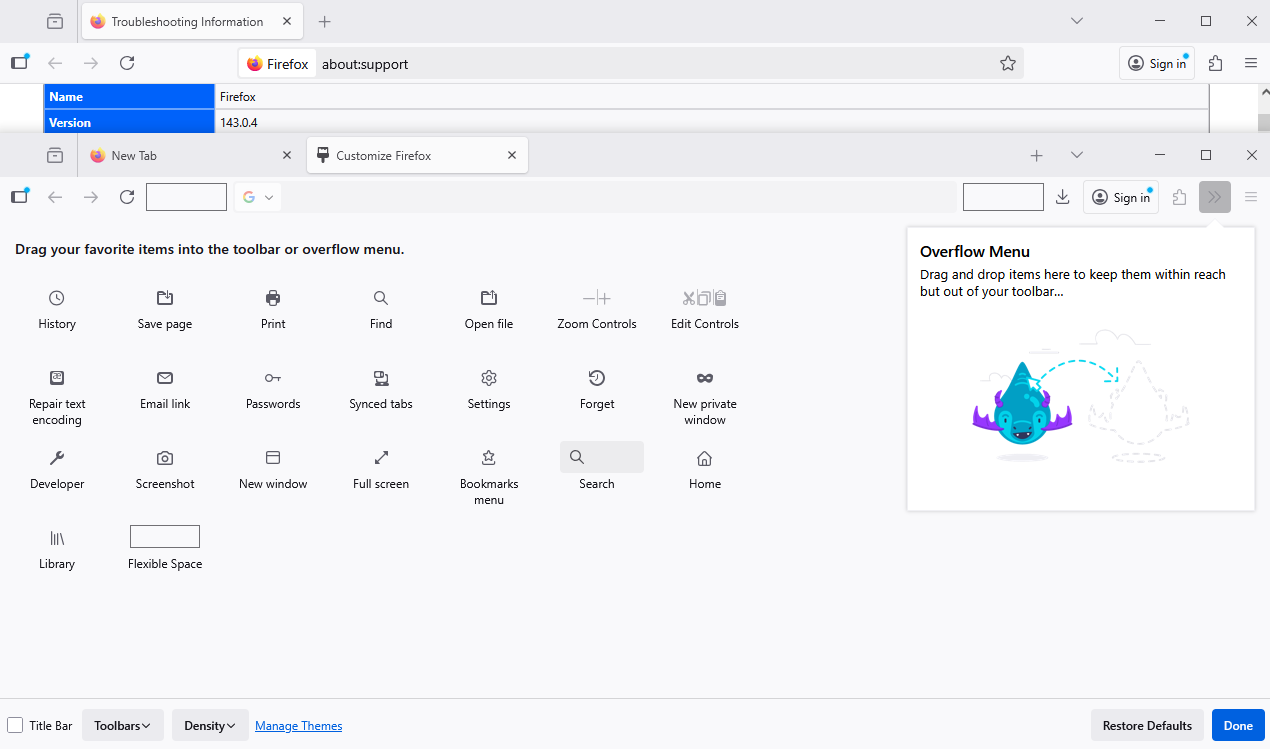
Well, I got it back somehow-- when I hit "Restore Defaults" the search bar option reappeared in the drag-and-drop area. (Then it disappeared from that area after I put it on the toolbar-- maybe because it can only be there once?)
Read this answer in context 👍 0כל התגובות (6)
Hello
Since Firefox 122 https://bugzilla.mozilla.org/show_bug.cgi?id=1852044
The Search bar can be activated from the Customize Toolbar menu.
Add the Search bar to your Firefox toolbar. https://support.mozilla.org/en-US/kb/add-search-bar-firefox-toolbar
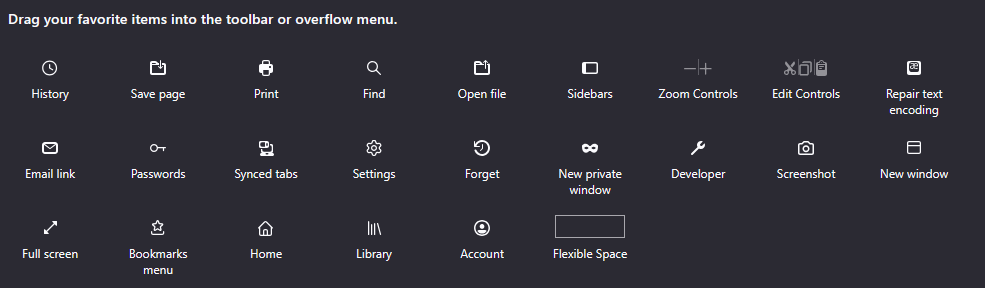
But that's not what's happening here. Here's what my browser shows when I select "Customize toolbar":
Notice the LACK of the "Search" option! There's only "Find".
Could you check whether it slipped into the overflow list? That's a box on the right side of the Customize panel.
Nope, only thing there is Firefox View.
Of course, it's not the answer expected, for confirmation, Search, is available. I cannot reproduce your malfunction, for my part, I don't know what else to tell you, sorry.
פתרון נבחר
Well, I got it back somehow-- when I hit "Restore Defaults" the search bar option reappeared in the drag-and-drop area. (Then it disappeared from that area after I put it on the toolbar-- maybe because it can only be there once?)