


Enlargement of text input fields

Hello,
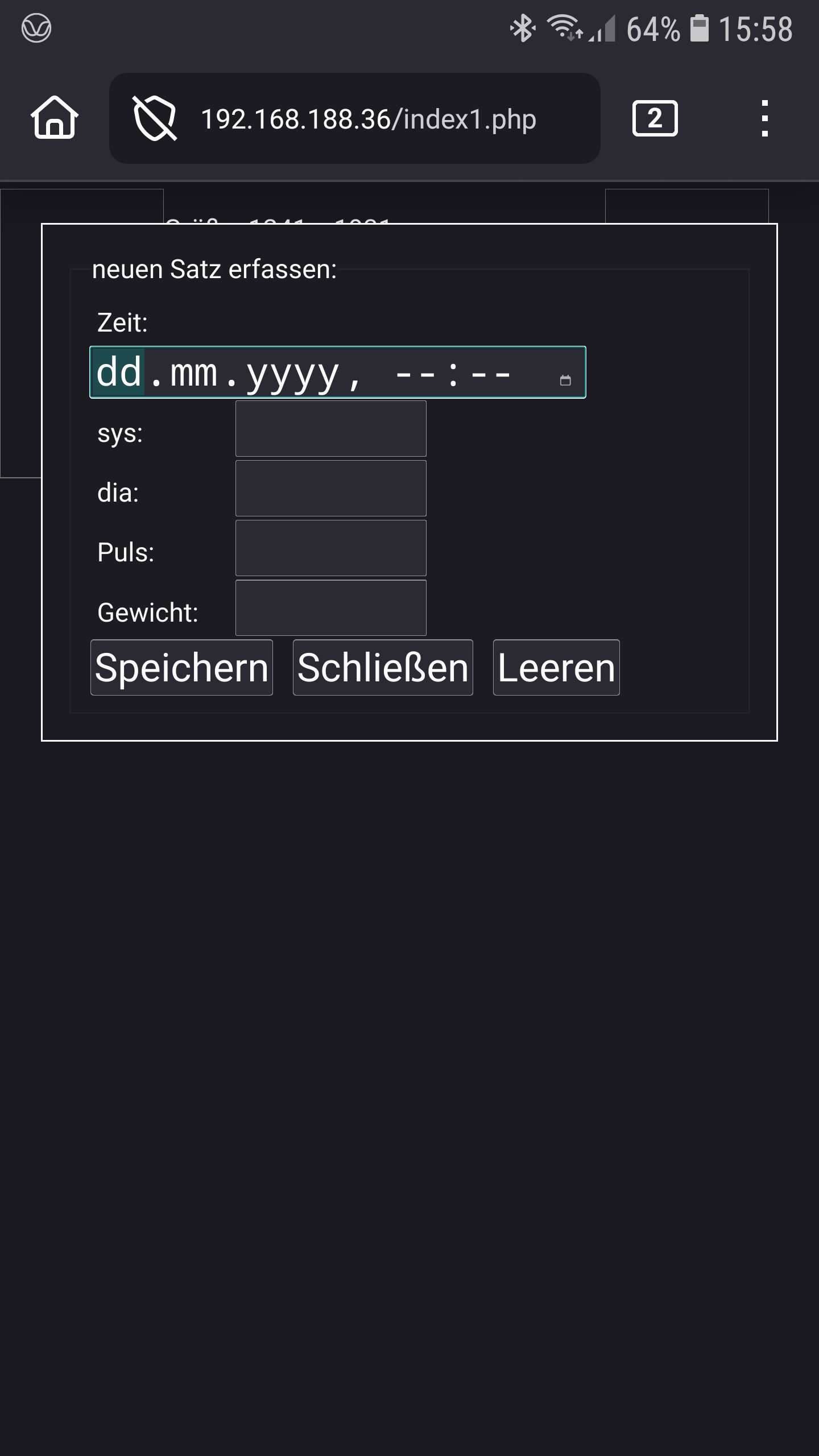
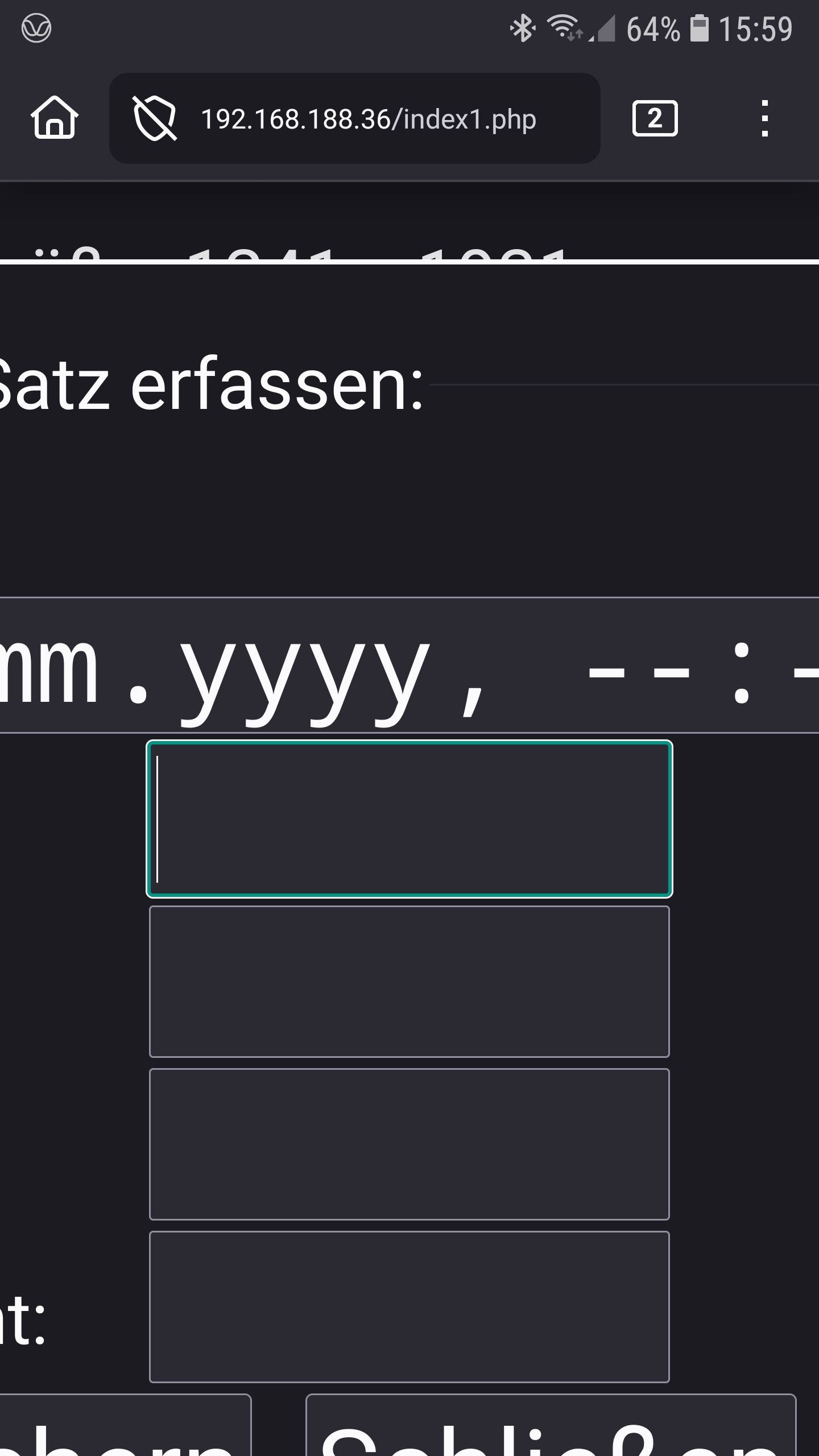
I am using a website with text input fields in a dialog box. When I open the dialog box (show_modal()), I see the entire dialog box (Figure 1). When I type in one of the text fields, it automatically enlarges (Figure 2). How can I prevent this?
Greetings..
פתרון נבחר
You asking only for your browser or how to fix your website?
There is a setting you can try for that In the Firefox for Android address bar, type about:config. search formhelper.autozoom. Change the value to false.
This setting will disable the automatic zoom on input focus for all websites you visit with that specific Firefox browser for your mobile device.
Read this answer in context 👍 2כל התגובות (7)
This is a website setting, not a Firefox issue.
You are on private network 192.168.188.36/index.php
The issue is with the website's code
Hello Mr. Kitsoukakis,
there are no html instruction to enlarge and center the form like shown in picture. This is a browsers feature.
How can I prevent the enlargement? There are meta-tags or other things to avoid this?
Greetings walter
Yes, this is our feature of Firefox for Android. But I don't think it can be turned off.
פתרון נבחר
You asking only for your browser or how to fix your website?
There is a setting you can try for that In the Firefox for Android address bar, type about:config. search formhelper.autozoom. Change the value to false.
This setting will disable the automatic zoom on input focus for all websites you visit with that specific Firefox browser for your mobile device.
Hello, this should be a way,but ... what a pain to show the about:config.
Thanks for your support, this help. Greetings walter
I think Firefox should revert to its original zoom level after the input field has lost focus so that users aren't required to reset it themself.