


Firefox update to 143 cannot open html with image from network file

Ubuntu 22.04.5 (kernel 5.15.0-153) Firefox updated from 142 to 143 automatically by snap.
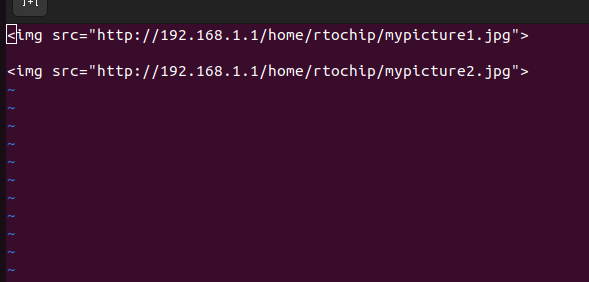
In version 142 and older, html file with image source pointing to local (remote) network image file displays properly.
In version 143, this does not work anymore. I tried changing the image to point to a local computer file and it works.
In verion 143, If the link to the image is typed directly to the address tab in firefox, it works.
Perhaps some config setting need to be changed? Hope somebody can help.
Thanks in advance.
firefox network tab shows NS_ERROR_CONNECTION_REFUSED
פתרון נבחר
After much research, it turns out security.mixed_content.upgrade_display_content needs to be set to false.
steps: type about:config in firefox address bar and enter. agree to "accept the risk and continue"
search for "security.mixed_content.upgrade_display_content".
change the value to "false" for both security.mixed_content.upgrade_display_content and security.mixed_content.upgrade_display_content.image
thank you.
Read this answer in context 👍 0כל התגובות (1)
פתרון נבחר
After much research, it turns out security.mixed_content.upgrade_display_content needs to be set to false.
steps: type about:config in firefox address bar and enter. agree to "accept the risk and continue"
search for "security.mixed_content.upgrade_display_content".
change the value to "false" for both security.mixed_content.upgrade_display_content and security.mixed_content.upgrade_display_content.image
thank you.