


Windows 10 reached EOS (end of support) on October 14, 2025. For more information, see this article.

חיפוש בתמיכה

יש להימנע מהונאות תמיכה. לעולם לא נבקש ממך להתקשר או לשלוח הודעת טקסט למספר טלפון או לשתף מידע אישי. נא לדווח על כל פעילות חשודה באמצעות באפשרות ״דיווח על שימוש לרעה״.

מידע נוסף

Can't share screen in Google Meet videocalls

  • 3 תגובות
  • 6 have this problem
  • 148 views
  • תגובה אחרונה מאת jonzn4SUSE

more options

Hello,

I checked the troubleshoot and gave all the necesarry permissions on my Mac for Google Meet to use my screen (allowed audio, video and screen recording). Nevertheless, I cannot manage to share my screen on Google Meet. As shown in the screenshot, it offers the option to share my whole screen (I cannot select a window or a tab...) but for my audience neither this is working.

Could you please help me fix this?

Many thanks in advance!
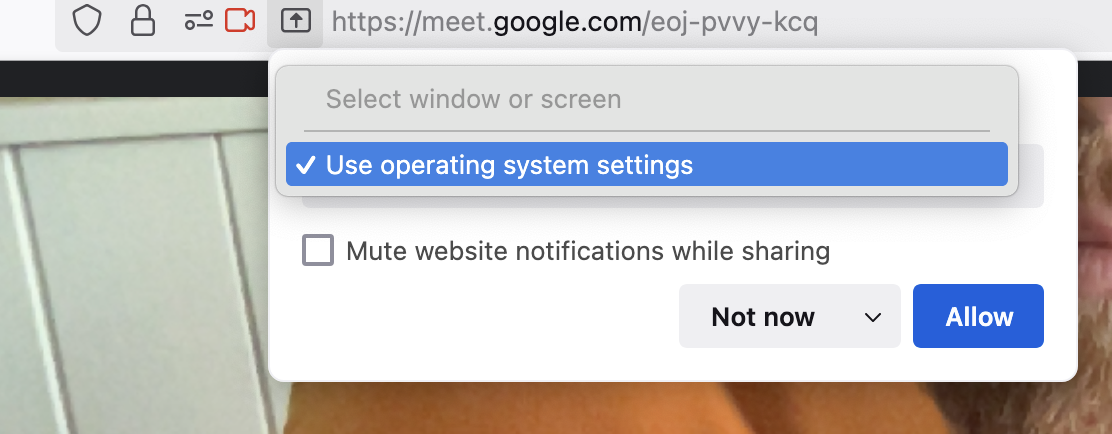
Hello, I checked the troubleshoot and gave all the necesarry permissions on my Mac for Google Meet to use my screen (allowed audio, video and screen recording). Nevertheless, I cannot manage to share my screen on Google Meet. As shown in the screenshot, it offers the option to share my whole screen (I cannot select a window or a tab...) but for my audience neither this is working. Could you please help me fix this? Many thanks in advance!
צילומי מסך מצורפים

כל התגובות (3)

more options

Mac is in the system settings like it says. Let get on my old 10.13.6 and see.

השתנתה ב־ על־ידי jonzn4SUSE

more options

Hit Allow. What happens next?

more options

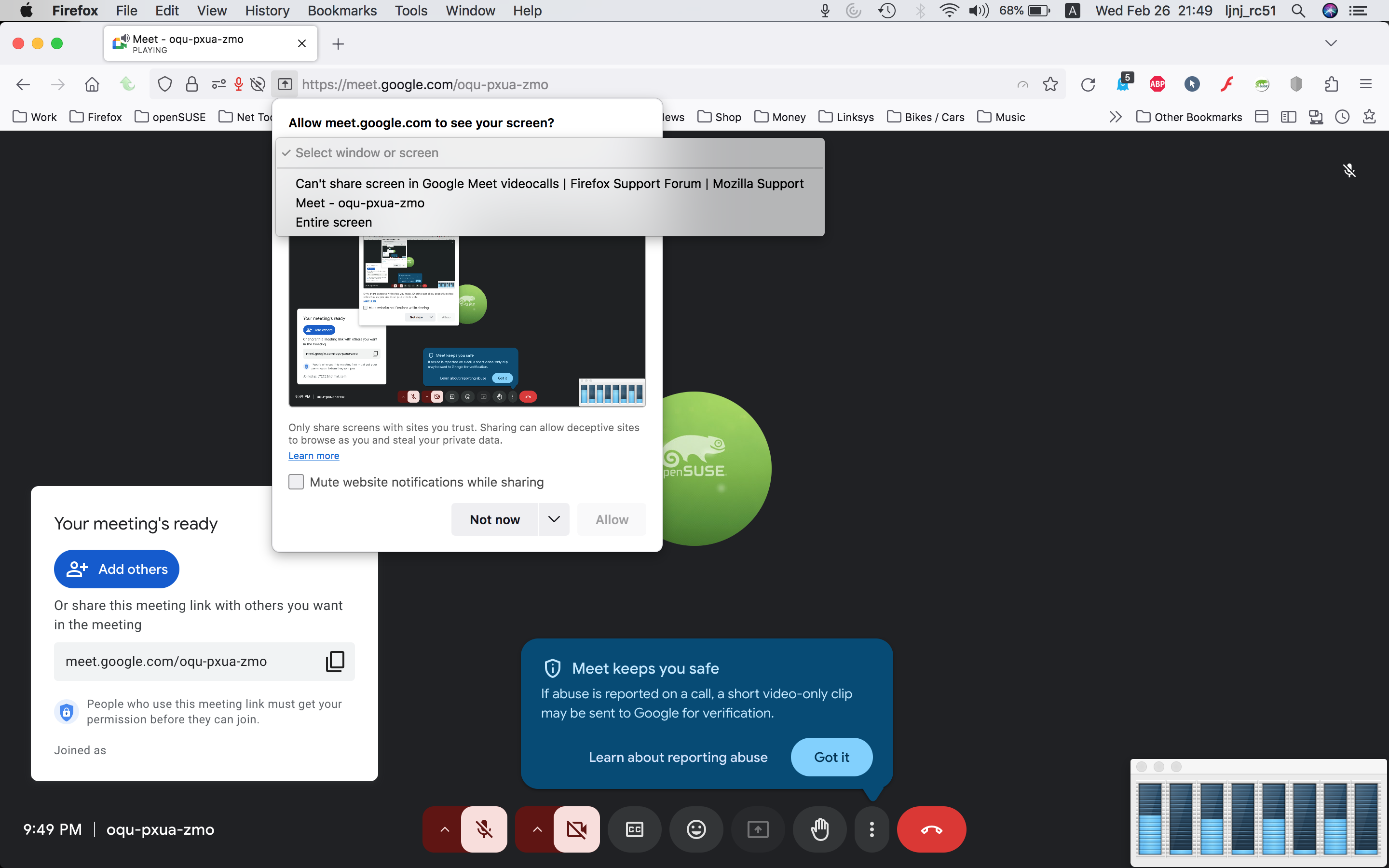
Here is what I see. see screenshot What OS? If I recall correctly, when you hit allow, it should take to the system settings to make changes. I'm on old mac os.
השתנתה ב־ על־ידי jonzn4SUSE