


Unknown process keeps running when I open Firefox.

Hi,
Since about 2 weeks ago everytime I run Firefox a process with the name 'Hello World' runs as well.
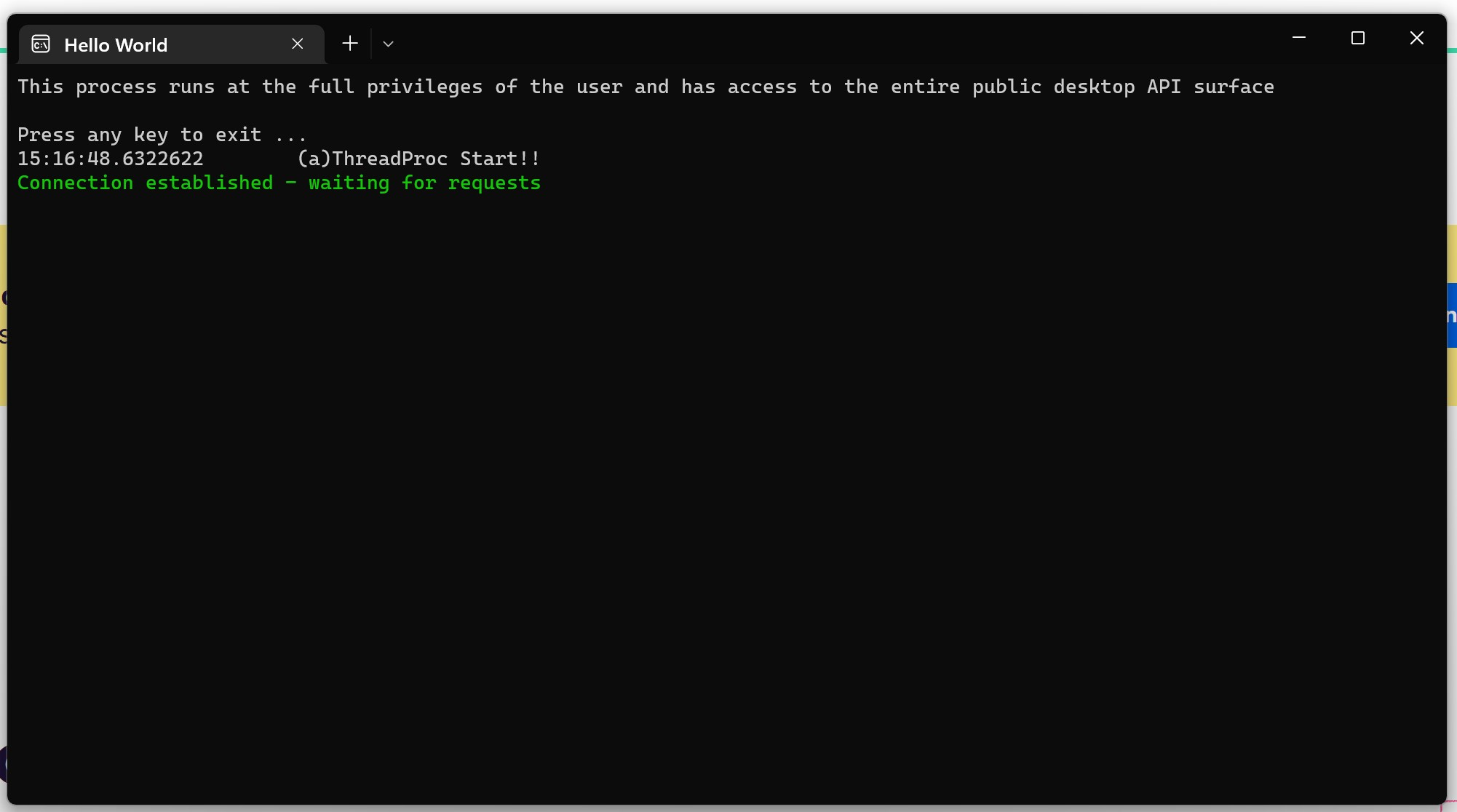
The text in the command line window reads: "This process runs at the full privileges of the user and has access to the entire public desktop API surface
Press any key to exit ... 15:16:48.6322622 (a)ThreadProc Start!! Connection established - waiting for requests"
Does anyone know what this is? I tried searching the net, but I could not find anything useful
I have tried a clean reinstall of Ffox and after running it for the first time, without signing in or installing any add-ons, the same process opened with it.
Thanks,
Mitch.
פתרון נבחר
Run these tool to see the process and what's starting on your computer. https://learn.microsoft.com/en-us/sysinternals/downloads/process-explorer https://learn.microsoft.com/en-us/sysinternals/downloads/autoruns
Read this answer in context 👍 1כל התגובות (3)
פתרון נבחר
Run these tool to see the process and what's starting on your computer. https://learn.microsoft.com/en-us/sysinternals/downloads/process-explorer https://learn.microsoft.com/en-us/sysinternals/downloads/autoruns
Where did you get Firefox from?
jonzn4SUSE thanks for the reply. I downloaded autoruns and that helped me find a lot of junk that I did not need any more. Once I installed it all and reooted the pc the process no longer ran with firefox.
Just to complete the loop, I downloaded firefox from the mozilla site.
Thanks again for your time and help. :)