


Can't make WikiSpecies list display reddish "unused" color

I got help with this from your group some weeks ago, but I had to reinstall my Ubuntu OS (linux v.20.04.4 -- using firefox) recently and can't recall the answer.
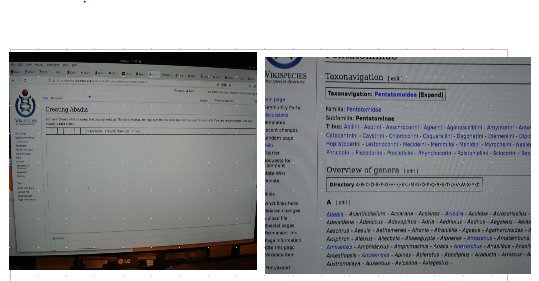
When I view a WikiSpecies list of file names (e. g., see https://species.wikimedia.org/wiki/Pentatominae), the instances which have been installed but never used should be in a different (reddish) color. I am attaching an image of a page containing a file named "Abadia" (first one on the left, just under "A") which is unused. I also am attaching an empty "Creating Abadia" which is the result of clicking on "Abadia".
Please tell me how to change the image of an unused, empty file. I recall that there were two different choices SOMEWHERE in the system, "Always" and "Never" I think: One of them forces a system-level color pattern which includes reddish unused items; the other allows the used to program arbitrary displays such as the above (typical example from the dconf editor is 'bg_color: #f0f1f2; selected_bg_color: #023C88', but this editor does not change the appearance of a file instance.
פתרון נבחר
You can see your questions if you hover over your profile name at the top right of this page and then move the mouse pointer to the link My Questions to the left.
Read this answer in context 👍 1כל התגובות (1)

פתרון נבחר
You can see your questions if you hover over your profile name at the top right of this page and then move the mouse pointer to the link My Questions to the left.