


how to get horizontal scrolling tab bar on firefox for android

Hi
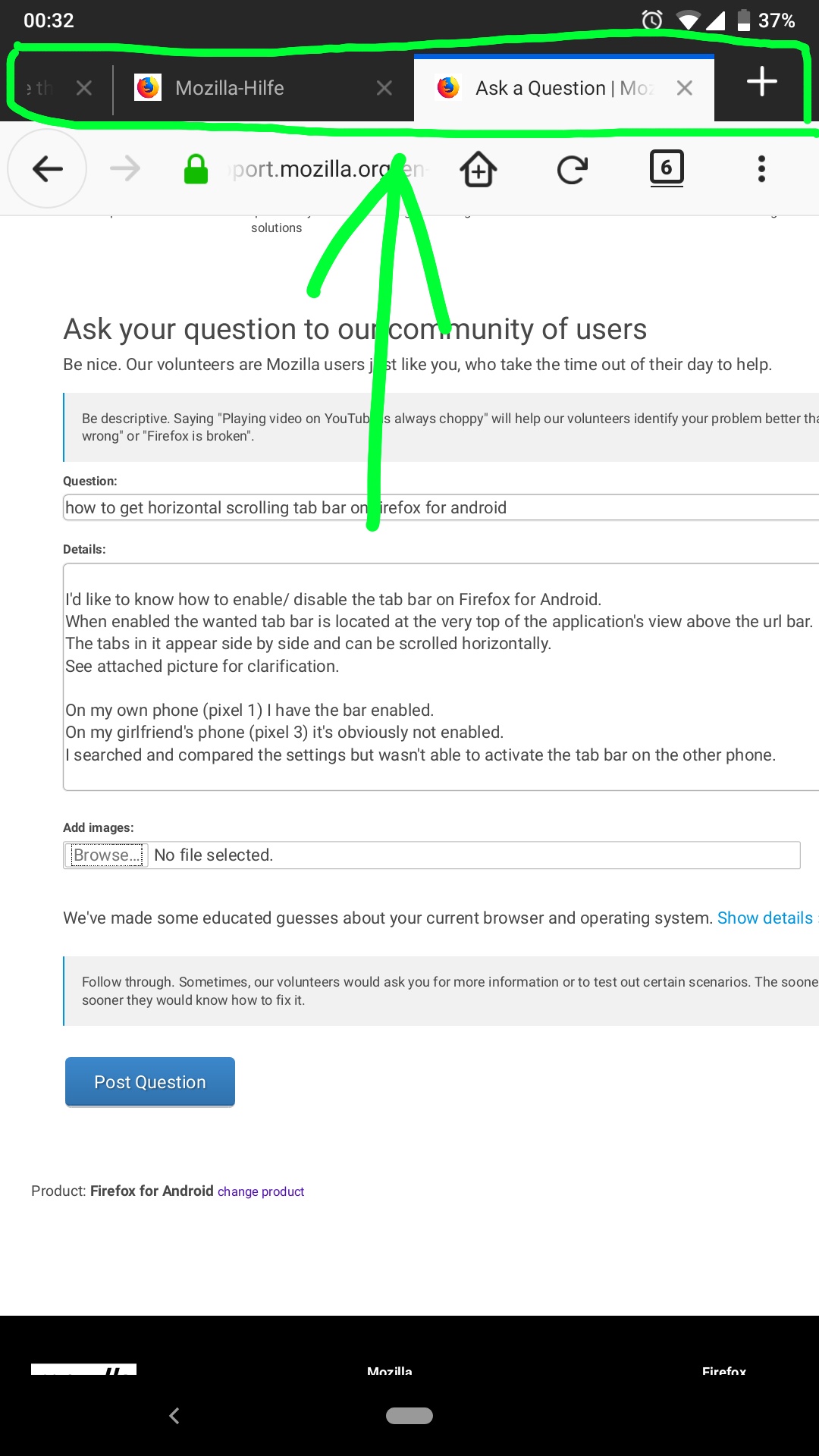
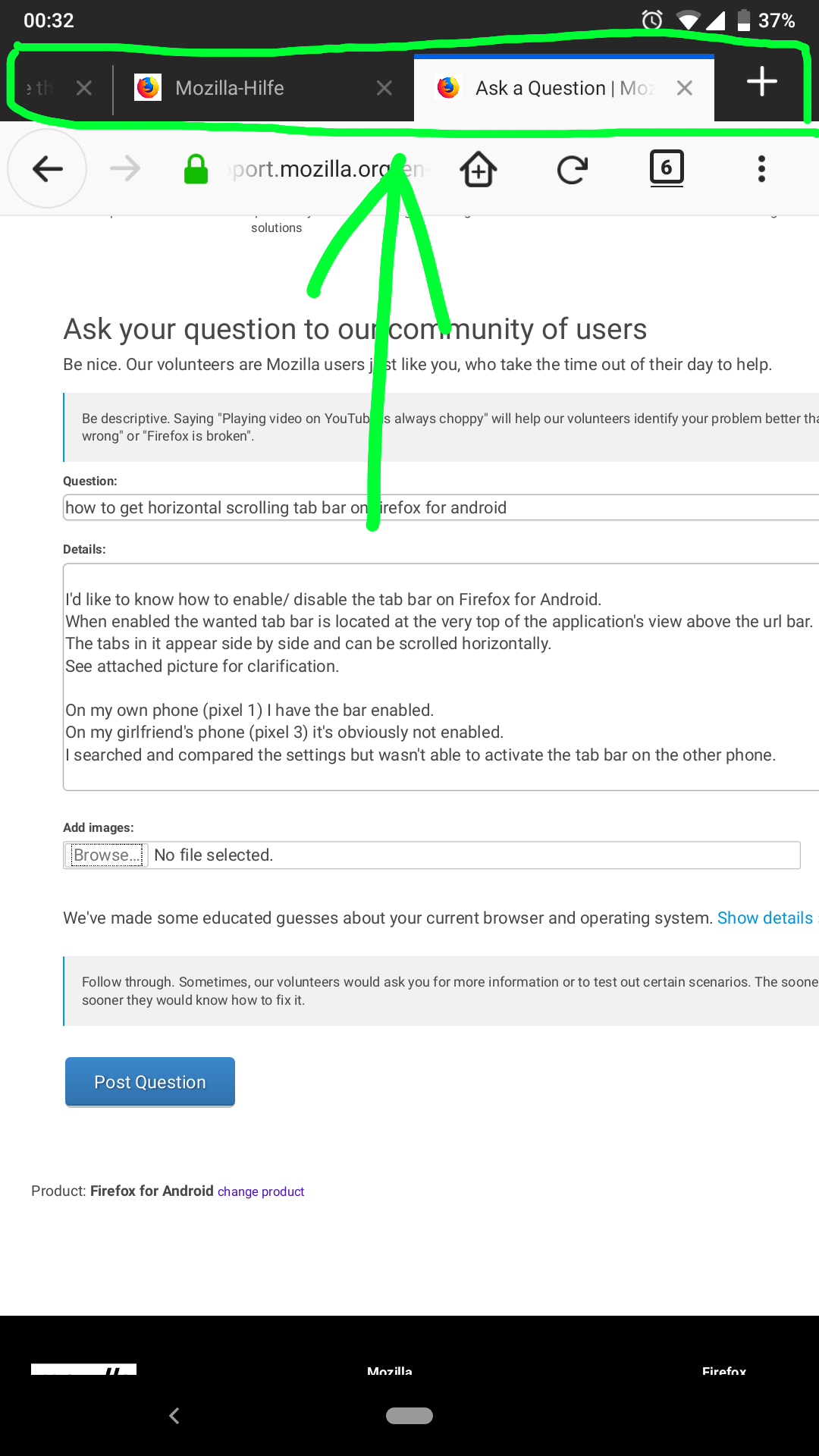
I'd like to know how to enable/ disable the tab bar on Firefox for Android. When enabled the wanted tab bar is located at the very top of the application's view above the url bar. The tabs in it appear side by side and can be scrolled horizontally. See attached picture for clarification.
On my own phone (pixel 1) I have the bar enabled. On my girlfriend's phone (pixel 3) it's obviously not enabled. I searched and compared the settings but wasn't able to activate the tab bar on the other phone.
השתנתה ב־ על־ידי gigi123
כל התגובות (2)
unfortunately the image upload failed
second try
see attached image to see the tab bar i mean
Firefox will use the tablet UI when the "smallest width" of the display is 480dp or more. The display size settings change this value (inversely).
You can use Android's developer options to specify a custom value, like 480.