In trying to set up a new mail account on Thunderbird, after entering name, email address and (doubly checked) password it refuses to go further. Error msg.

Have entered the correct password for this gmail address but it tells me Configuration can't be verified - is the username or password wrong. It accepts the password initially but when it progresses to sign in to Thunderbird it then checks password for ages and ages and when you get sick of it and close the Google screen offering progression to Thunderbird it finally sends the above error message. Why?
כל התגובות (1)
פתרון נבחר
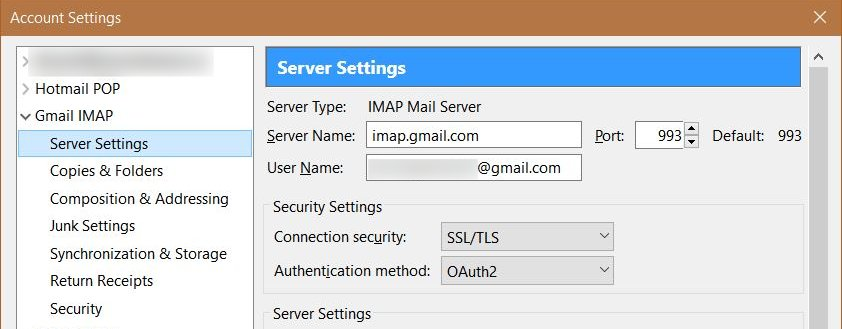
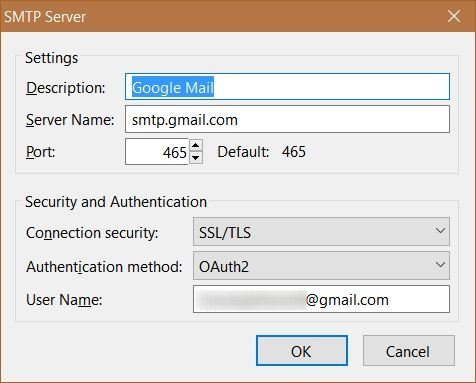
Ensure that you have the correct server settings, the Authentication method set to "OAuth2", and that you are using the entire e-mail address as the Username.
Right-click your account in the normal folder view of Thunderbird and choose Settings.
Select Server Settings for the account and check them against what is in my first screenshot below.
That is for the incoming e-mail. To check the setting for the outgoing e-mail, select Outgoing Server (SMTP) on the bottom left side. Find the Gmail SMTP server on the right side and double-click it. Check the settings against what is in my second screenshot below.