


How do I hide menu items like "bookmark all tabs"?

I don't want the "Book Mark All tabs" menu item when I right click on a tab to close other tabs, I keep on clicking it, and its annoying.
How do I disable it?
I don't want the "Book Mark All tabs" menu item when I right click on a tab to close other tabs, I keep on clicking it, and its annoying.
How do I disable it?
Opaite Mbohovái (2)
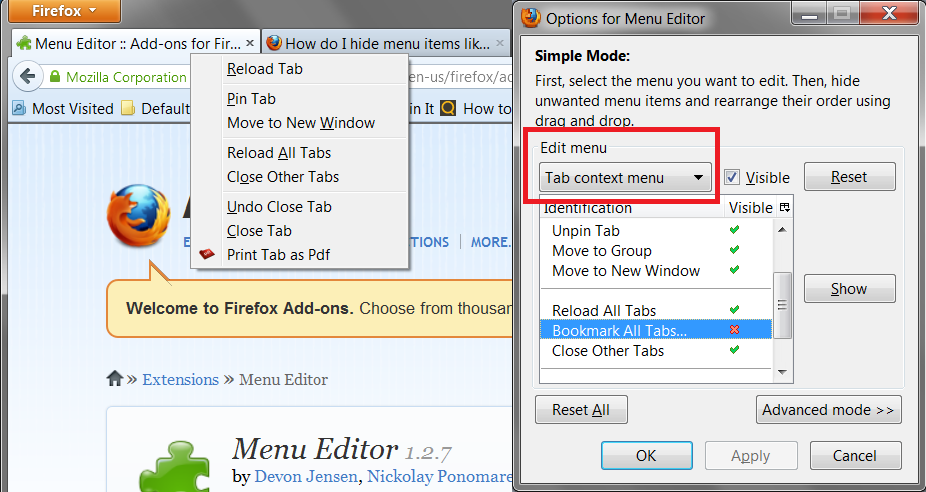
You can do it with the Menu Editor extension:
https://addons.mozilla.org/en-us/firefox/addon/menu-editor/
See the attached screen shot for a bit more info on where that is in the dialog.
Add code to the userChrome.css file below the default @namespace line.
The customization files userChrome.css (interface) and userContent.css (websites) are located in the chrome folder in the user profile folder.
@namespace url("http://www.mozilla.org/keymaster/gatekeeper/there.is.only.xul"); /* only needed once */

#context_bookmarkAllTabs { display:none!important; }