


Firefox 4.0.1 crashes when deleting all history information. What might cause this?

Error indicates a problem in the script: chrome://browser/content/sanitize.js:136. My operating system is Windows 7 Professional.
Opaite Mbohovái (2)
This can be caused by clearing the cookies via Delete browsing, search and download history on Firefox.
- Firefox/Tools > Options > Privacy > Firefox will: "Use custom settings for history" > [X] Clear history when Firefox closes > Settings
- Firefox > History > Clear Recent History or Tools > Clear Recent History
Try to exclude the cookies to see if that helps.
Let all cookies expire when you close Firefox to remove unwanted cookies and keep the ones with an allow exception.
- Tools > Options > Privacy > Cookies: "Keep until": "I close Firefox"
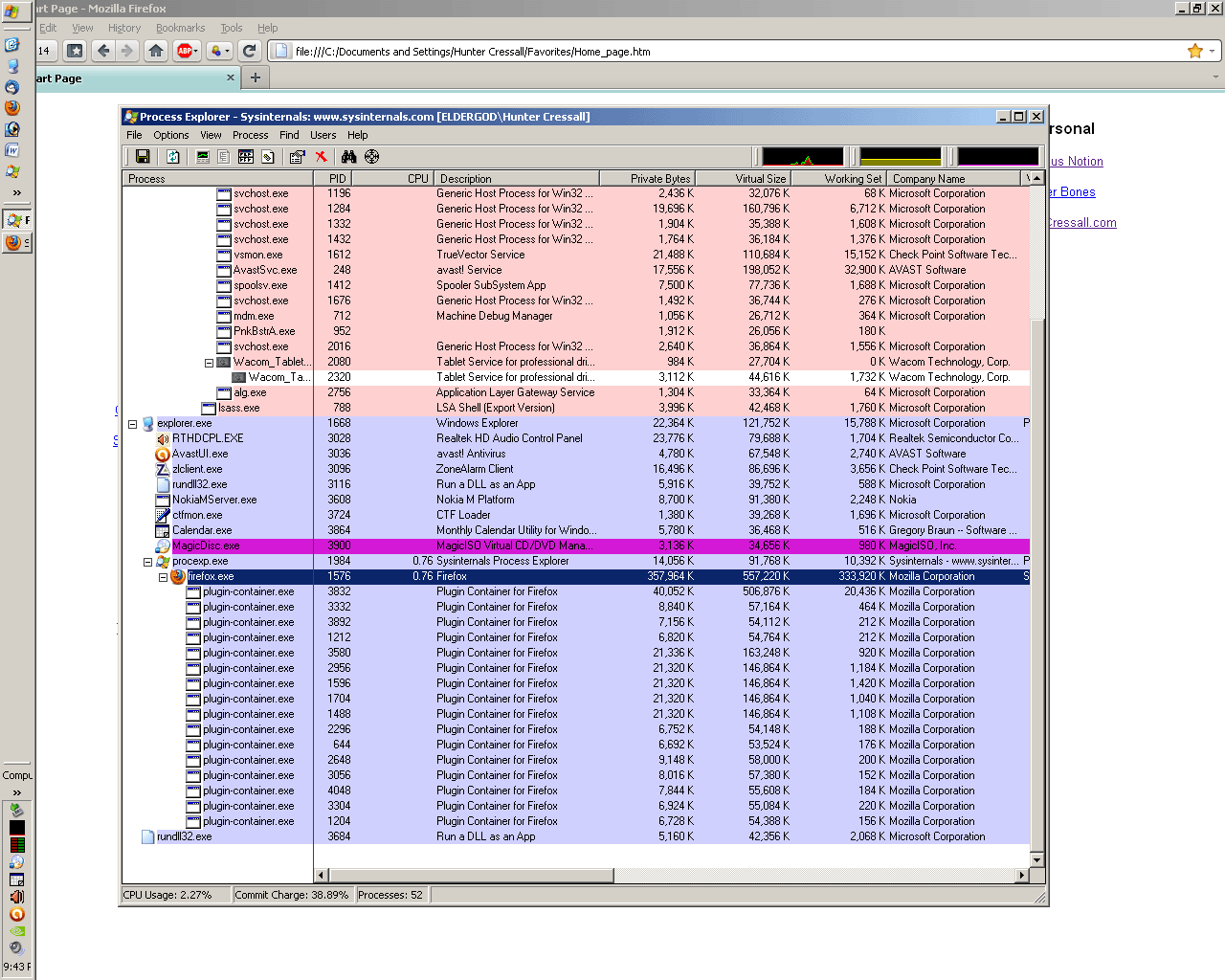
If you use Delete browsing, search and download history on Firefox to clear the cookies then Firefox also tries to clear the cookies from plugins like Flash and starts a plugin-container process for each plugin and possibly for each cookie (?) and that can add extra time if there are a lot of cookies to remove and also can cause an unresponsive script error to appear.
That certainly makes sense and seems to match what I observe when I monitor the activity on Process Explorer. But shouldn't this bug be addressed? Either remove the "delete cookies" option from clear recent history or directly address the issue with a hotpatch. Issuing a workaround is helpful but doesn't address the original coding shortfall.
Moambuepyre Hunter Cressall rupive