


Updating to Thunderbird 152.0.1 I clicked the "new profile" button by mistake

7-1-26: Problem when I updated/downloaded Thunderbird 152.0.1. When I try to open, a dialog box asks if I want to create a new profile. By mistake I clicked the "new profile button" but didn't create a new profile since I want to use my previous profile just as with past upgrades. However, I couldn't move past that screen so I closed Thunderbird. Then when I try to re-open Thunderbird, I get that same dialog box and can't move forward. What can I do? Your assistance is truly appreciated, Rick
Opaite Mbohovái (2)
Ñemoĩporã poravopyre
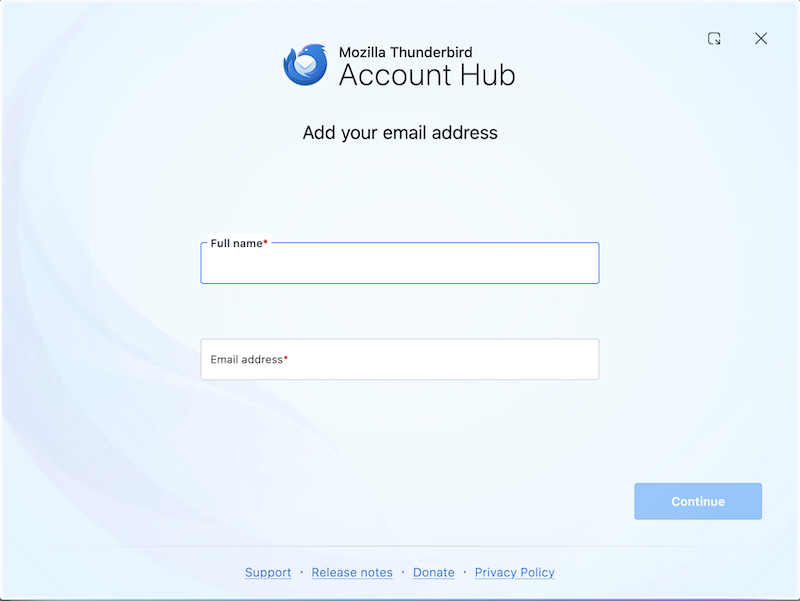
Are you sure that Thunderbird on startup prompts you to create a new profile? Or doesn't it more likely ask you to "add you email address"? (see image) Otherwise show a screen shot of this dialogue box prompting to create a new profile.
Moambuepyre Mapenzi rupive
Thank you so much. It was an "Email password" problem. I had entered my "Thunderbird password" rather than "Email". Sorry, but thnk you for a prompt reply. God bless you.