


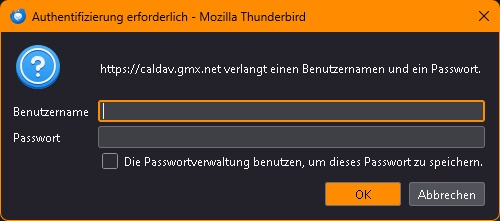
Login Dialog at Thunderbird startup for "https://caldav.gmx.net"

Dear all,
For aprox. 3 weeks now Thunderbird asks me a short time after startup for a login.
It shows up a dialog with the text : "https://caldav.gmx.net verlangt einen Benutzernamen und ein Passwort."
The problem is, that I maintain several GMX - accounts and I've no idea, which credentials I have to enter :/
How can I find out ( without inspecting or debugging the source code ;-) )
THX in advance and best regards!
Opaite Mbohovái (3)
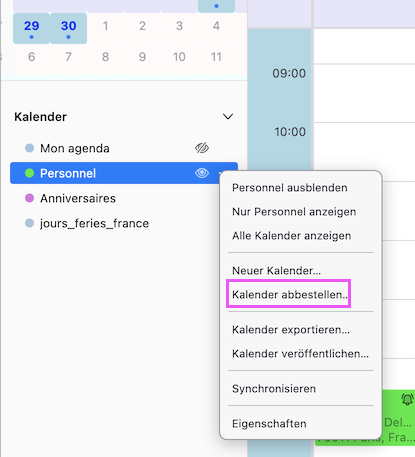
Holà, open the calendar tab and look up whether this caldav calendar is displayed in the left side panel. If you don't want tu use it you can unsubscribe (abbestellen) it. Otherwise R-click on the caldav calendar > Properties (Eigenschaften) and fill in calendar name, username, location, email, ....

Ñemoĩporã poravopyre
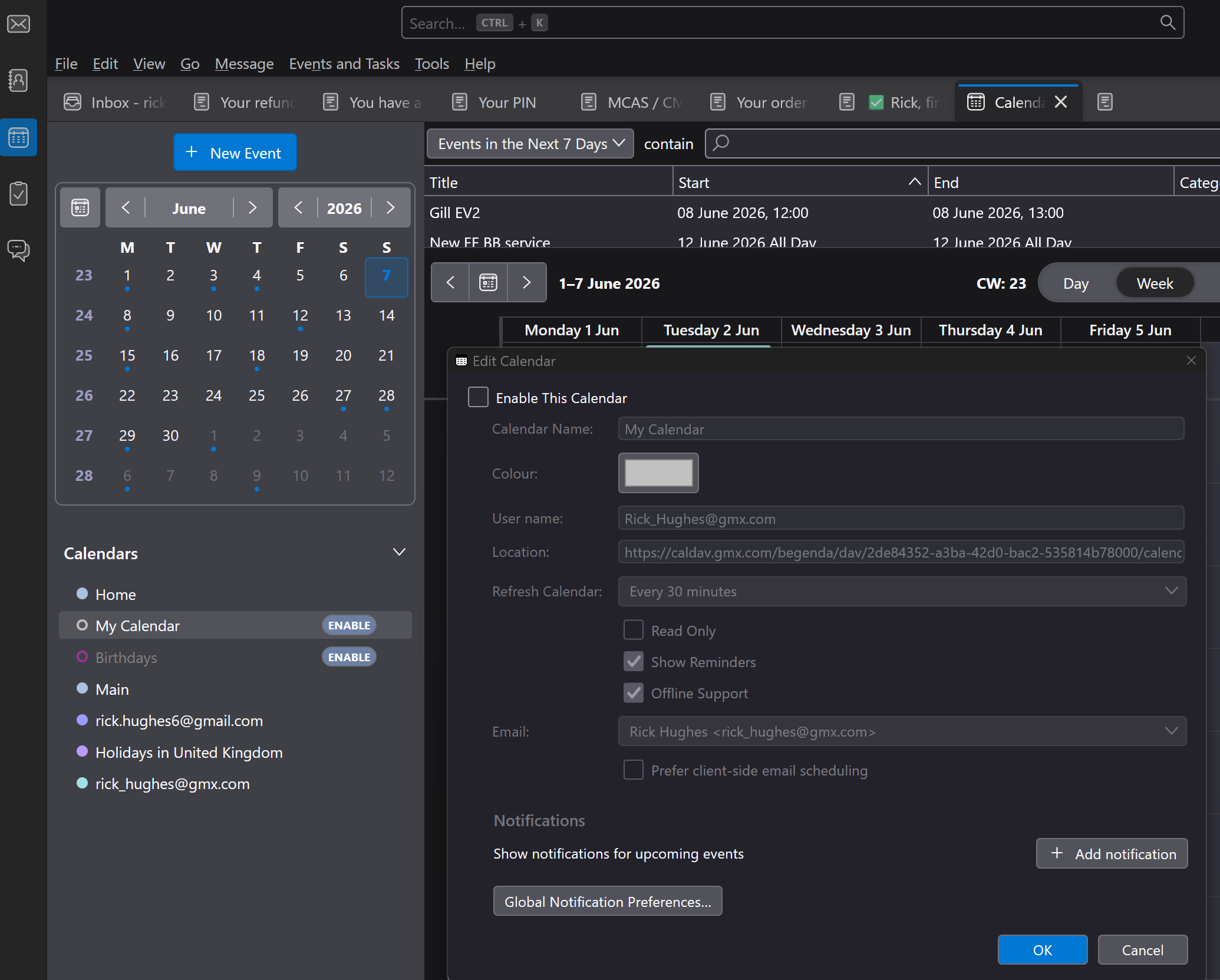
I looked at post .... I have a few entries in Calendar Tab Only one has entry for CALDAV and it is not enabled - pic attached
Dear all,
THX to all contributors. I did, like Rick suggested. I clicked at the 3dots-Button close to "Mein Kalender" and then at "Eigenschaften". The field "Benutzername" contained the account name, that I have to use in the dialog. After did so - at the next startup - no login dialog appeared :)
THX and best regards!