


Archive sub-folders renamed

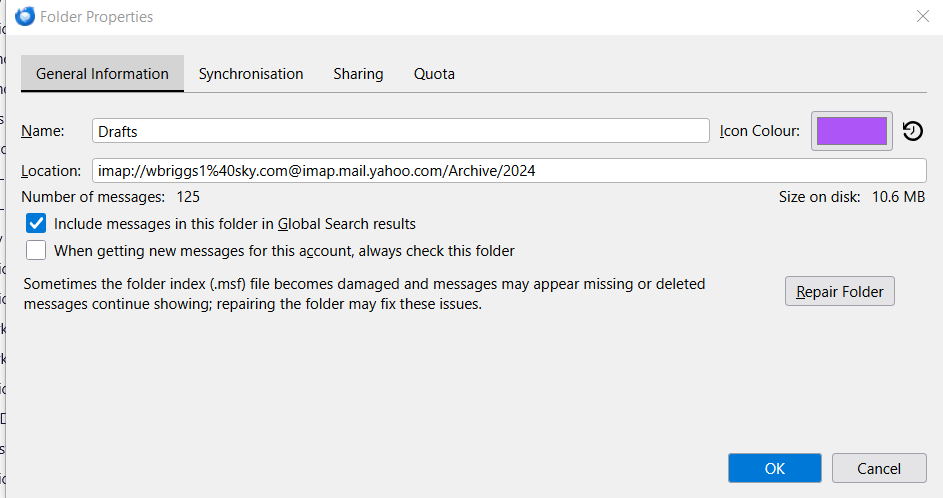
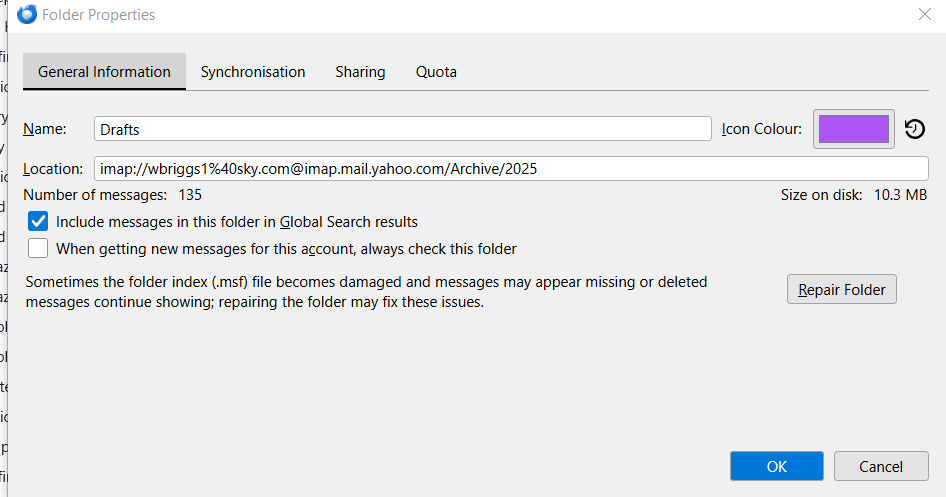
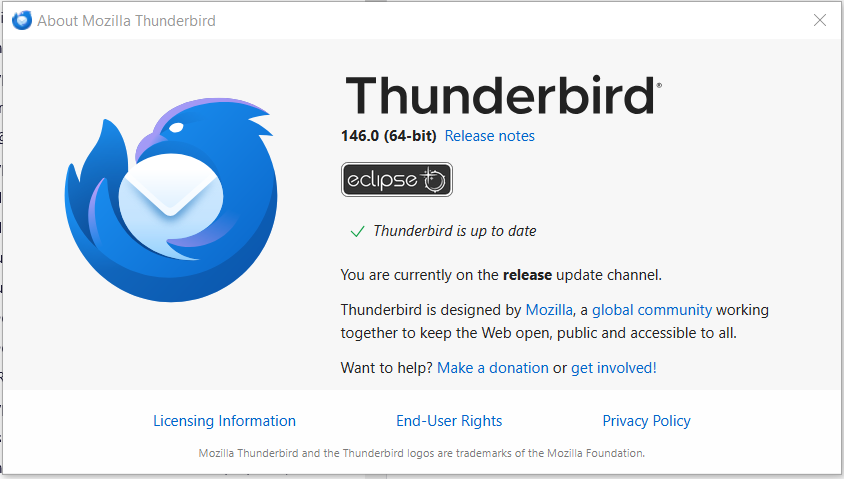
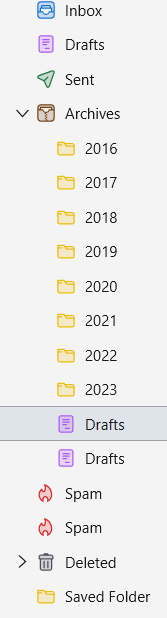
Since the last update to version 146.00, under the folder Archives, both the sub folders for 2024 and 2025 have changed to Drafts and I cannot change them back to show the year folder (2024 & 2025). None of my other yearly Archived sub-folders are affected from 2016 - 2023.
Under Properties, both show their respective year correctly - i.e. imap://xxxxxx1%40sky.com@imap.mail.yahoo.com/Archive/2024 and; imap://xxxxxx1%40sky.com@imap.mail.yahoo.com/Archive/2025
I attach screenshots showing the issue and any help would be appreciated.
In essence, after trying various ways of trying to sort the above out, it would be helpfull Mozilla if under the Folder Properties box, I could just change the name back from Drafts to the appropriate year. However, in the folder box when selecting the Name line, it won't allow you to alter the folder name. This would seem the simple solution to any alteration of Folders by being allowed to rename them back to the original name.
(PII removed by moderator)
Moambuepyre Ed rupive
Opaite Mbohovái (2)

Ñemoĩporã poravopyre
TB 146.0.1 has been released, which reverts the changes made to folder names.
Thank you Ed - this has now solved my problem and the archive years for 2024 and 2025 have now replaced Drafts under the heading Archives - in other words, back to normal. I really appreciate your help - fantastic response and here's to me using Thunderbird for many years to come. William