

Ko téma oñeñongatúma.
Ejapo porandu pyahu eikotevẽramo pytyvõ.

Ñongatupyre
Can't see threading in Thunderbird.

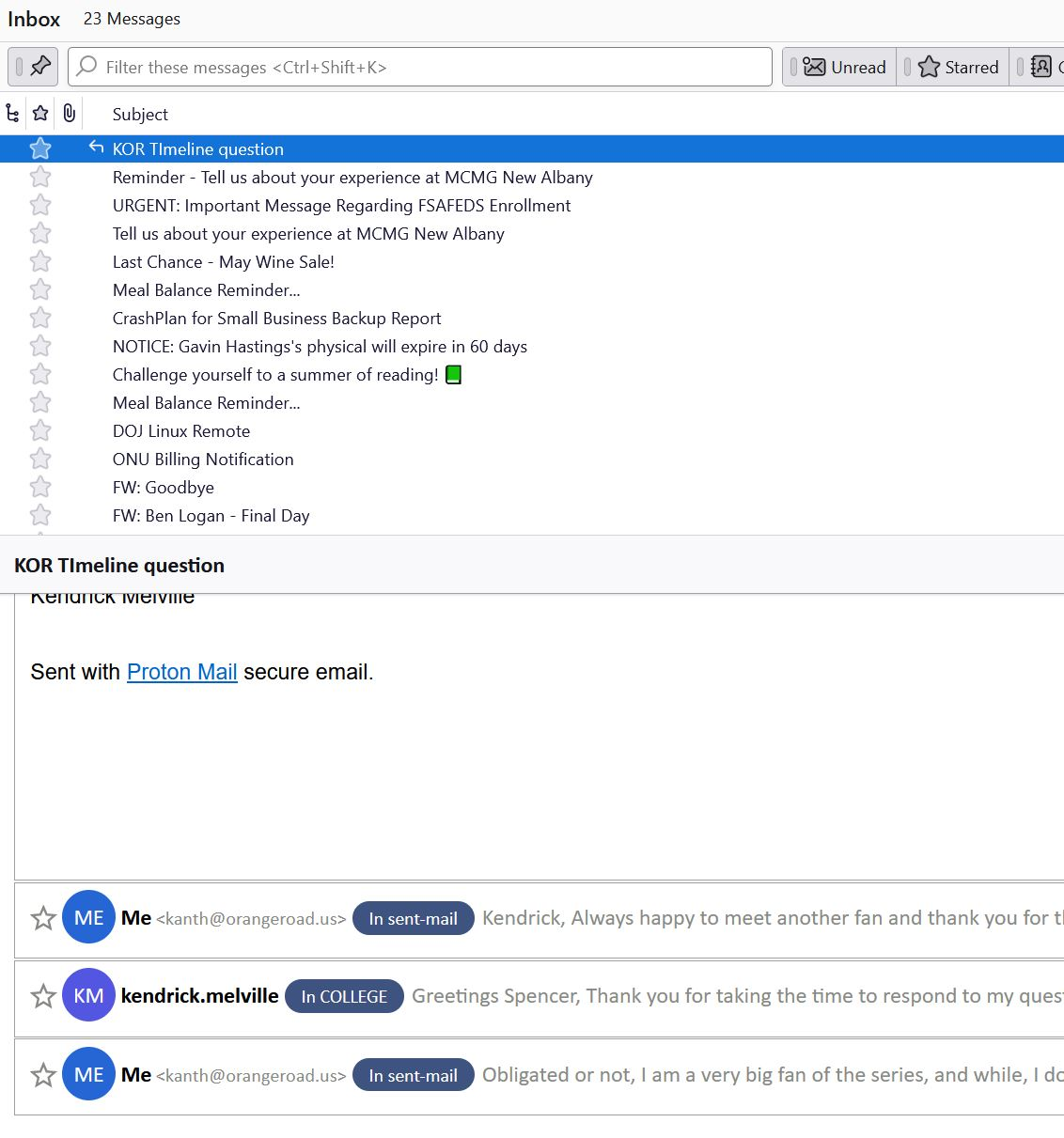
Basically, when I have a threaded message, I don't see the > to drop down information to show the threads from the subject pane in the subject field.
I have gone to view, sort by threaded. I'm led to believe I should see something like this:
Subject : Top Level of Thread
 |
 ---> Subject : Re: Top Level of Thread
      |
      ---> Subect : Re: Top Level of Thread
But I see none of that. It's just one flat subject. It doesn't even tell me someone has replied to me. I have to go into the mail to see that. I have added the conversations add on just to get a glance of that, because I'm seeing nothing.
Image attached of what I see.
Basically, when I have a threaded message, I don't see the > to drop down information to show the threads from the subject pane in the subject field.
I have gone to view, sort by threaded. I'm led to believe I should see something like this:
Subject : Top Level of Thread
|
---> Subject : Re: Top Level of Thread
|
---> Subect : Re: Top Level of Thread
But I see none of that. It's just one flat subject. It doesn't even tell me someone has replied to me. I have to go into the mail to see that. I have added the conversations add on just to get a glance of that, because I'm seeing nothing.
Image attached of what I see.
Opaite Mbohovái (3)
Try view>Threads>Expand all threads
No change at all.
OK, I'm clueless now. I don't use threaded view, and maybe someone who uses it frequently will join in here.