

Ko téma oñeñongatúma.
Ejapo porandu pyahu eikotevẽramo pytyvõ.

Ñongatupyre
Thunderbird Tables - Default Configuration?

Is there a method to configure the default attributes of Thunderbird Tables, prior to email composition?
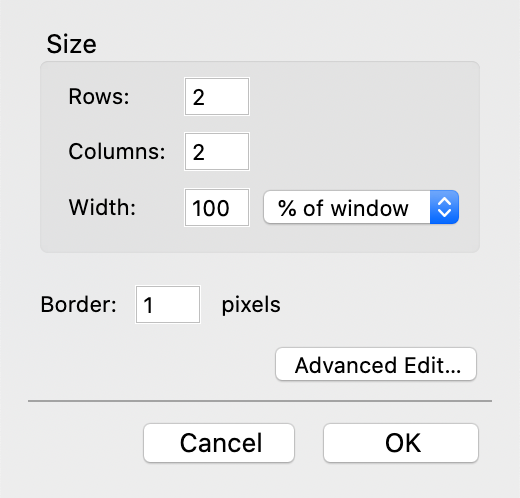
In other words, can the config editor be enhanced to edit the default Table Size parameters: Rows, Columns, Width (% of window / pixels), Border?
Thank you.
Is there a method to configure the default attributes of Thunderbird Tables, prior to email composition?
In other words, can the config editor be enhanced to edit the default Table Size parameters:
Rows, Columns, Width (% of window / pixels), Border?
Thank you.
Opaite Mbohovái (1)

Hello
no, this is hard coded:
 // Set initial number to 2 rows, 2 columns:
 // Note, these are not attributes on the table,
 //  so don't put them in InitDialog(),
 //  else the user's values will be trashed when they use
 //  the Advanced Edit dialog
 gDialog.rowsInput.value = 2;
 gDialog.columnsInput.value = 2;