


2 step verification can not turn off

2 step verification can not turn off I have been working on this problem for days read help files you tube video asked our administrator 2 step is turned off for the whole company. It is affecting only one of my 4 computers. The setup will not show a button to turn it on or off and no pop up ever. Firefox and Chrome same problem.
Opaite Mbohovái (6)
You should be able to turn off 2FA via the Firefox Account Settings page. You may need a fresh login.
If one more person tells me
"You should be able to turn off 2FA via the Firefox Account Settings page. You may need a fresh login."
I am going to scream
The setup will not show a button to turn it on or off and no pop up ever.
The settings page should have a slider to enable or disable 2FA. If you can reach this settings page then you should be able to disable 2FA. If you can't reach this settings page then you should mention that.
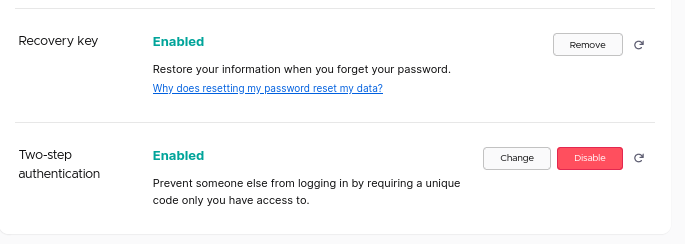
In security I can not find a slider or button or pop up to turn off 2 step verification
That looks like a 2FA screen for a Google account and not for the Firefox Account, so you need different steps. I'm not familiar with how 2FA works with a Google account, so you need to search Google or access Google support if you can't find it out yourself.
This question has been locked because the original author has deleted their account. While you can no longer post new replies, the existing content remains available for reference.