


two factor authentication

how do I turn off 2 factor authentication. no specific article on it
how do I turn off 2 factor authentication. no specific article on it
Opaite Mbohovái (2)

Hello tylerkuzniewski,
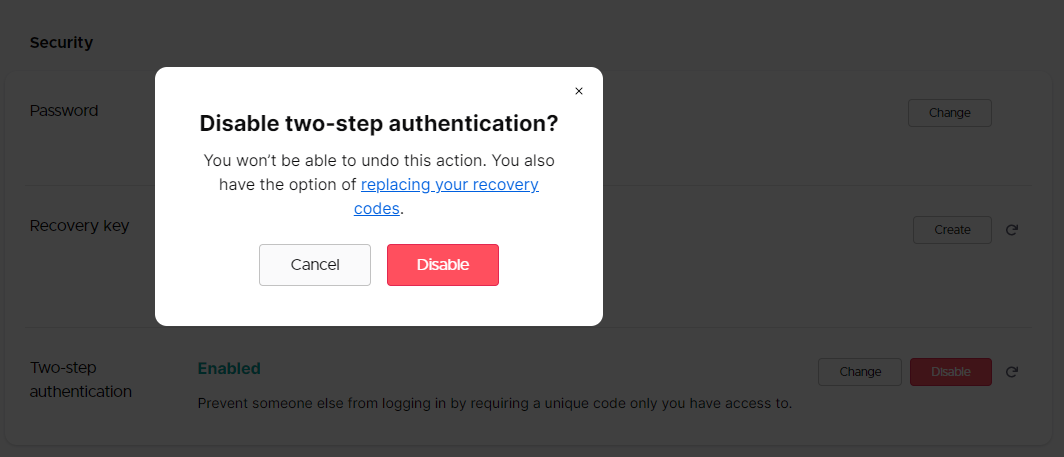
You can follow the instructions on this Knowledge Base article to disable two-factor authentication. Change your two-step authentication device for your Mozilla account
Attached is a screenshot of my Firefox Account's Security section when clicking "Disable" for two-factor authentication if you need additional context.
Hopefully this answer helps, and if it does, kindly mark it as the solution(solved)!
Moambuepyre YongHan rupive
This question has been locked because the original author has deleted their account. While you can no longer post new replies, the existing content remains available for reference.