


Open multiple tabs of a folder in pinned mode?
I simultaneously open two links of a bookmark folder by using the mouse scroller click. This is a most useful action, but once the pages are opened, they have to be re-selected to be pinned. Is it possible to open them in pinned mode?
Ñemoĩporã poravopyre
I found this add-on https://addons.mozilla.org/en-US/firefox/addon/startupapps/
Also, found this for Chrome, but you can test to see if it works for Firefox. https://www.howtogeek.com/howto/7264/make-google-chrome-open-with-pinned-tabs/
Emoñe’ẽ ko mbohavái ejeregua reheve 👍 1Opaite Mbohovái (4)
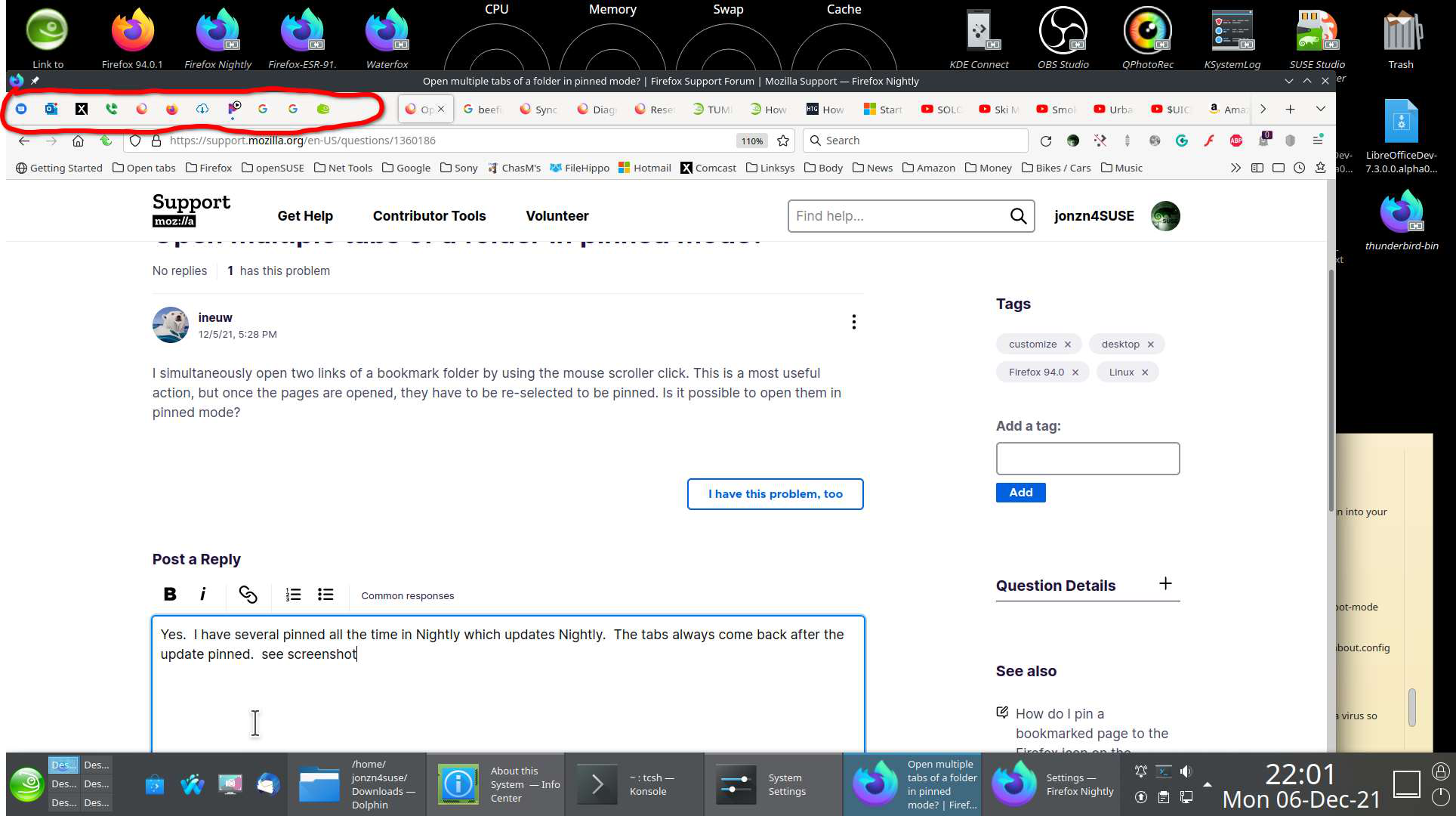
Yes. I have several pinned all the time in Nightly which updates Nightly. The tabs always come back after the update pinned. see screenshot
Moambuepyre jonzn4SUSE rupive
That works for me too. I was asking if I can open them in pinned mode. In one operation, not two.
Ñemoĩporã poravopyre
I found this add-on https://addons.mozilla.org/en-US/firefox/addon/startupapps/
Also, found this for Chrome, but you can test to see if it works for Firefox. https://www.howtogeek.com/howto/7264/make-google-chrome-open-with-pinned-tabs/
@jonzn4SUSE, Thanks for taking the trouble to find the 'startupapps' addon. It's perfect. I need "Google translate" open in two different languages at once. Until now, I used a folder and the middle click, but pinned tabs prevent me from closing a tab by mistake and loose work. They also take up very little space. Thanks again.!!!