Windows 10 reached EOS (end of support) on October 14, 2025. If you are on Windows 10, see this article.

Eheka Pytyvõha

Emboyke pytyvõha apovai. Ndorojeruremo’ãi ehenói térã eñe’ẽmondóvo pumbyrýpe ha emoherakuãvo marandu nemba’etéva. Emombe’u tembiapo imarãkuaáva ko “Marandu iñañáva” rupive.

Kuaave
Ko téma oñemboty ha oñeñongatúma. Ejapo porandu pyahu eikotevẽramo pytyvõ.
Jokopyre Ñongatupyre

Import Calender

john608

Hi, I have 3 pc's: 1: Windows 10 pro (21H1) with Thunderbird 91.1.2 (64-bit) Release (My primary calender) 2: Linux debian 11 with Thunderbird 78.14.0 (64-bit) 3: Dual OS: Windows 10 pro (21H1) with Thunderbird 91.1.2 (64-bit) release + Linux debian 11 with Thunderbird 78.14.0 (64-bit) Each month I syncronize all calenders by exporting my primary calender and then create a new calender on the other Thunderbird instances. After creation an import is made of the exported pimary calender. It works OK for the two debian instances, but nothing is imported but import hangs on the windows version on pc 3. Recently I did upgrade the Windows versions of Thunderbird from 32-bit to 64-bit. With the 32-bit version syncronization have been succesfull for several years. It seems that import is the only problem with Thunderbird on pc 3 Windows version. I have attached a screendump of the import session which never finishes. Any help possible? Best Regards, John


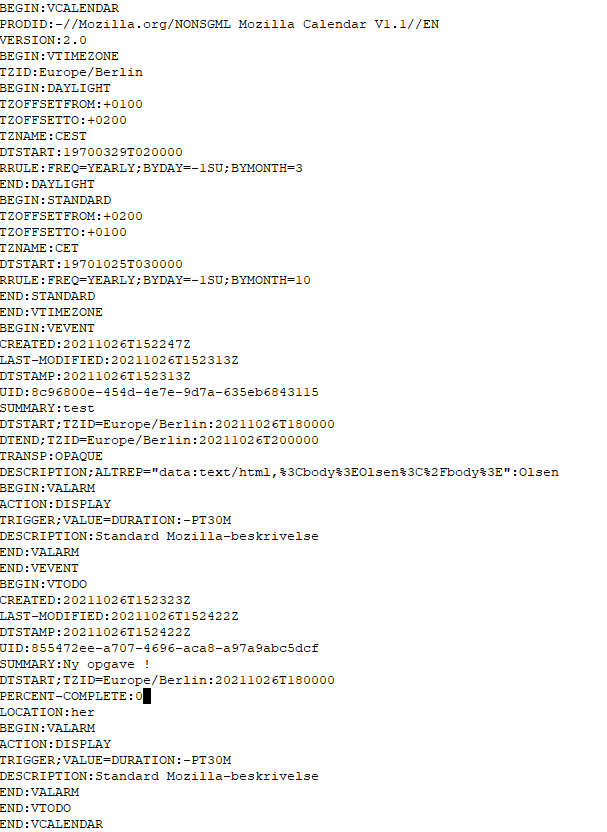
Added info: I've created a new calendar with just one event and one item "todo". Then exported that calendar to an .ics file. Trying to import that .ics file into a new empty calender never finishes. Deleting the "todo" entry in the .ics file and then trying to import is succesful. So "todo" entry's in an .ics file is a problem in the current Thunderbird 91.2.1 for Windows. Please find my .ics file attached as a .png file. Best Regards, John
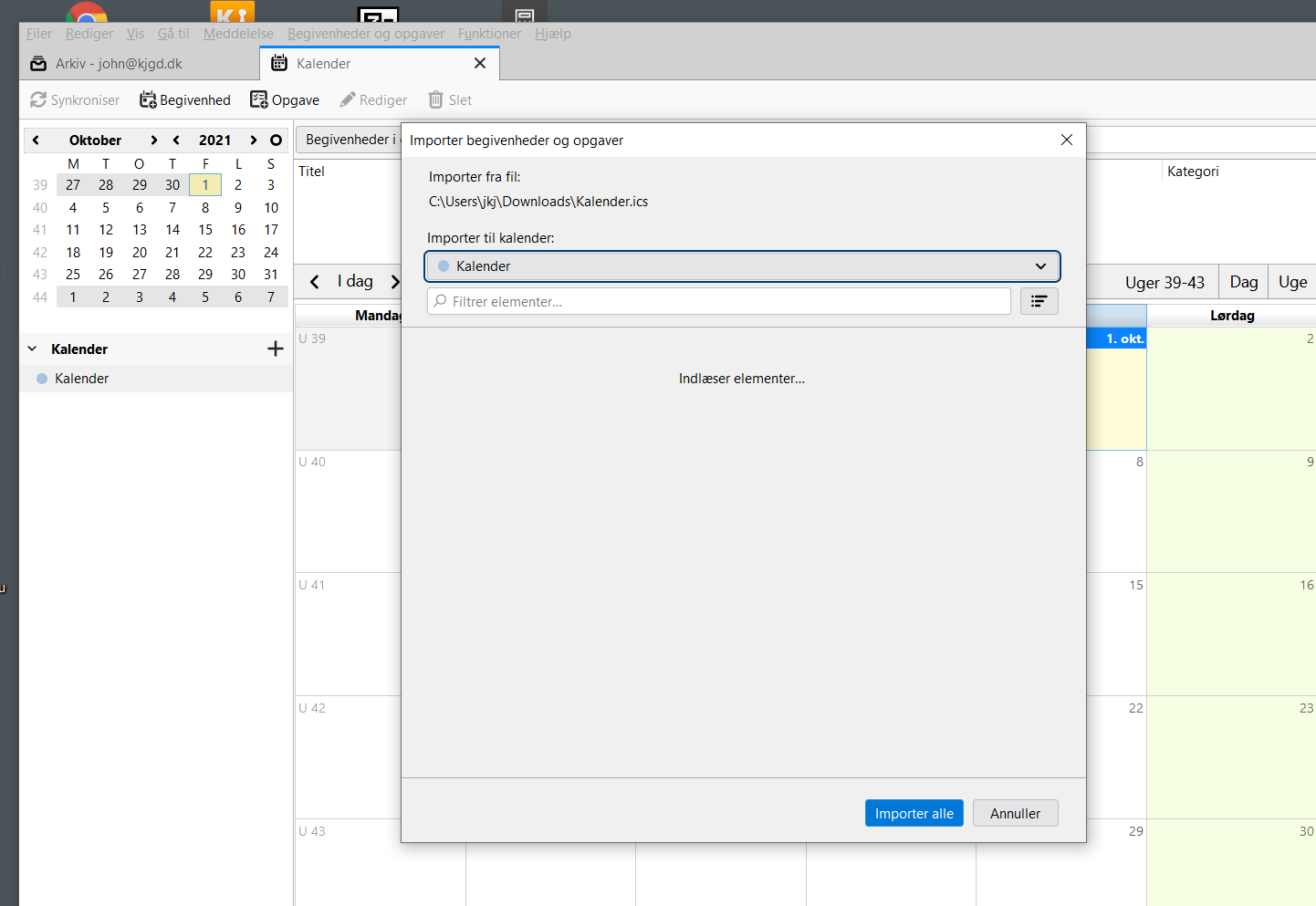
Hi, I have 3 pc's: 1: Windows 10 pro (21H1) with Thunderbird 91.1.2 (64-bit) Release (My primary calender) 2: Linux debian 11 with Thunderbird 78.14.0 (64-bit) 3: Dual OS: Windows 10 pro (21H1) with Thunderbird 91.1.2 (64-bit) release + Linux debian 11 with Thunderbird 78.14.0 (64-bit) Each month I syncronize all calenders by exporting my primary calender and then create a new calender on the other Thunderbird instances. After creation an import is made of the exported pimary calender. It works OK for the two debian instances, but nothing is imported but import hangs on the windows version on pc 3. Recently I did upgrade the Windows versions of Thunderbird from 32-bit to 64-bit. With the 32-bit version syncronization have been succesfull for several years. It seems that import is the only problem with Thunderbird on pc 3 Windows version. I have attached a screendump of the import session which never finishes. Any help possible? Best Regards, John Added info: I've created a new calendar with just one event and one item "todo". Then exported that calendar to an .ics file. Trying to import that .ics file into a new empty calender never finishes. Deleting the "todo" entry in the .ics file and then trying to import is succesful. So "todo" entry's in an .ics file is a problem in the current Thunderbird 91.2.1 for Windows. Please find my .ics file attached as a .png file. Best Regards, John
Mba’erechaha japyhypyre oñondivegua

Moambuepyre john608 rupive

Opaite Mbohovái (2)

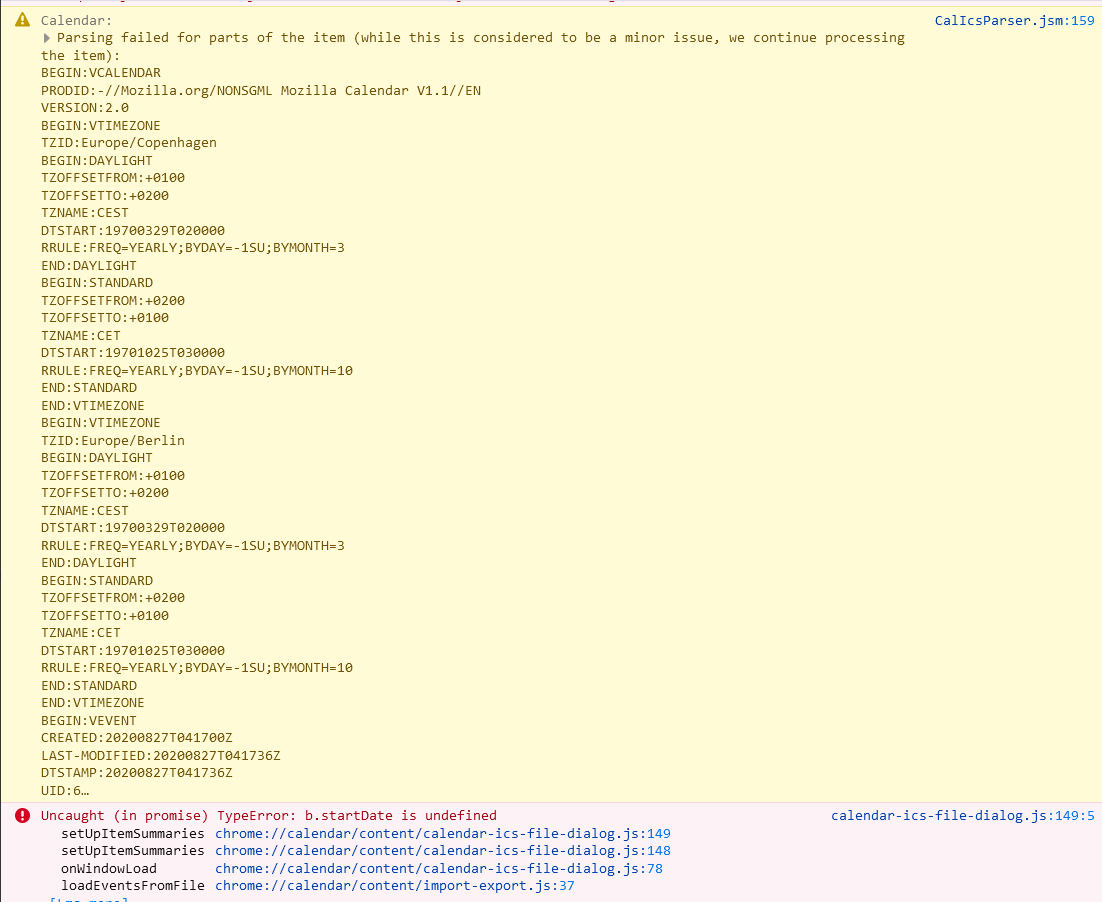
Just update to newest Thunderbird (91.2.0) and still have a problem with importing a calender. I get errormessages in the error console and attach a screencut of the messages. Would that lead solve the problem?