


Easier way to quickly swap between profiles
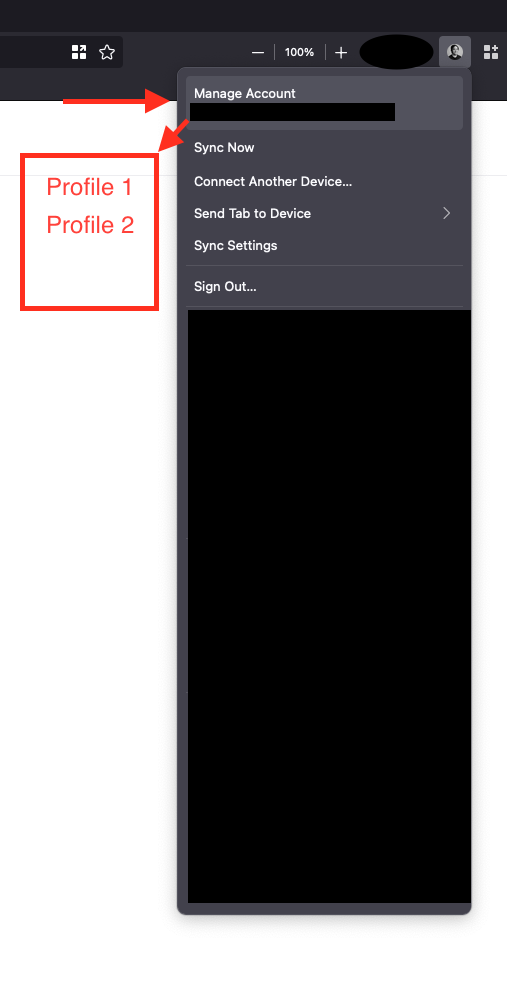
Hey guys, just wondering if there's a toolbar workflow similar to Chrome and Edge where we can jump between profiles. I believe there is `about:profiles` though that requires a bookmark and a few additional clicks to jump between profiles.
Perhaps the profile icon on the toolbar can have an item that shows all available profiles?
Ñemoĩporã poravopyre
You can possibly keep about:profiles open in a pinned tab for easy access.
Emoñe’ẽ ko mbohavái ejeregua reheve 👍 0Opaite Mbohovái (3)

oh sure. there is are extensions that helps to manage the profiles from the ui.
For example, there is one called Profile Switcher for FireFox. But there are likely others availabe too from the FireFox Add-ons website.
Also, there is an old manual way as well.
From the Windows Run Command execute: FireFox.exe -p
Ñemoĩporã poravopyre
You can possibly keep about:profiles open in a pinned tab for easy access.
Thanks guys, the Firefox extension looks perfect for my use case. Though it doesn't support Mac