


HOw can I edit the dictionary in 38.1.0?

I have inadvertently added an incorrectly spelt word to the dictionary in my email client (Thunderbird 38.1.0). I wish to edit the dictionary to remove this error. I cannot find a way to achieve this.
Can anyone help?
Ñemoĩporã poravopyre
Excellent Zenos. That worked beautifully. Thank you for the help. Cheers Neil
Emoñe’ẽ ko mbohavái ejeregua reheve 👍 0Opaite Mbohovái (4)
The spell check dialogue window has an "Edit" button. So open a Write window, provoke it to check the spelling and click this button.
When you add words, you add them to your personal dictionary; you don't alter the main dictionary file.
Thanks for the idea, Zenos - but the dialogue box doesn't have an Edit line that I can detect. See attached screen print. I'm still puzzled.
Cheers
Neil
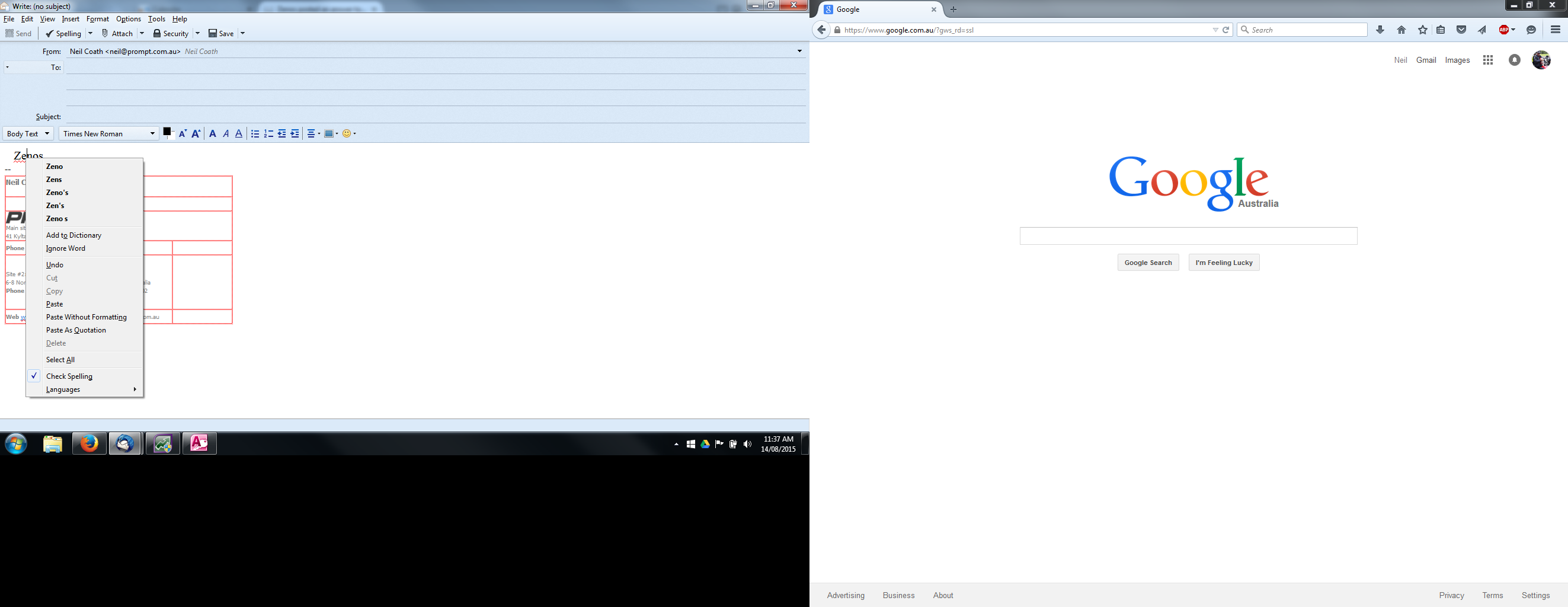
Ah! You have right-clicked the offending word.
Try the spell check button in Thunderbird's toolbar, and you should see this:

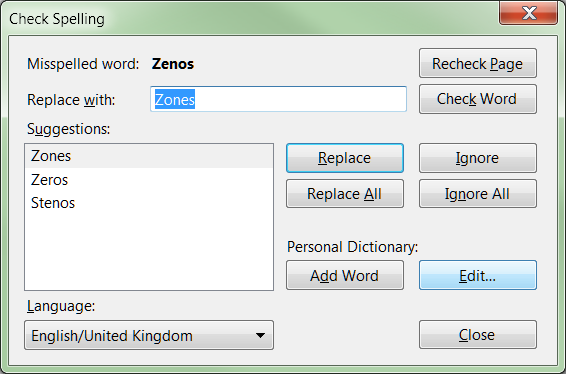
Moambuepyre Zenos rupive
Ñemoĩporã poravopyre
Excellent Zenos. That worked beautifully. Thank you for the help. Cheers Neil