


Non-spam is moved to junk folder

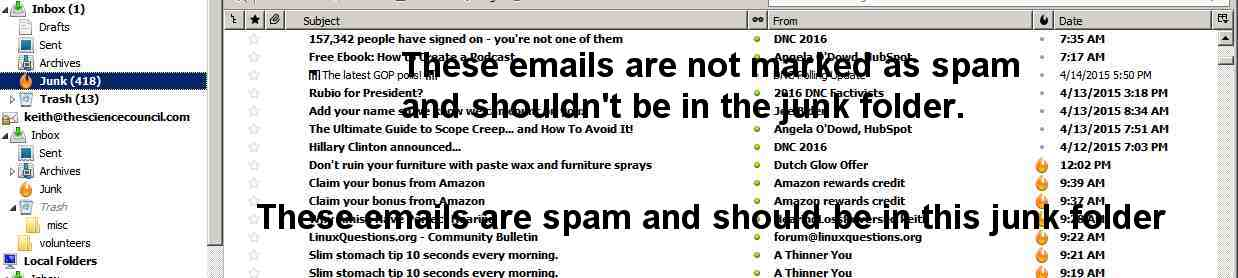
Regularly email that is not marked as spam is moved to the junk folder with all the spam. How can I stop this?
thanks,
Keith
Opaite Mbohovái (1)
Spam and Junk are two different beasts. If you do get anything that is labelled Spam, then it's being done outside of Thunderbird.
Junk classification is done by Thunderbird, using a scoring system based on analysis of the frequency of words in incoming messages. One choice is to train the junk controls by marking messages as Junk or Not Junk manually. Select the message, right-click and look for Mark As, or use j and J - I think j means Junk, J means Not Junk.
Your other choice is to disable the junk controls; look under Account Settings. You set it independently for each account.
Moambuepyre Zenos rupive