How do you turn on the do not track feature?

According to an article in USA Today, Firefox has a "do not track" feature that keeps third parties for knowing what sites I visit. How do you turn this on?
All Replies (10)
Go to Tools|Options|Privacy and uncheck "Accept third-party cookies.
You may also want to install the add-ons "Ghostery" and "Better Privacy."
Ghostery detects and blocks tracking cookies. Better Privacy does the same for Macromedia flash cookies.
davewdan
From within "Options", go to "Advanced", and under the "General" tab check "Tell web sites I do not want to be tracked". That is the feature they are talking about, and it is only available in Firefox 4.
Athraithe ag arbn ar
Firefox 4.0.1 doesn't seem to have an "Options" choice under TOOLS. What now?
Please advise. alfeld@twcny.rr.com
You're probably using it on a Mac, like me? Go to File > Preferences.
AlFeldzamen, if using the new style UI, click the orange Firefox button on Windows or grey Firefox button on Linux, you can then click on Options/Preferences.
Note that selecting that do-not-track setting will only make Firefox send a specific HTTP header (DNT=1) to a web server. It is up to the server to do something with that request.
Firefox (Tools) > Options > Advanced > General: "Tell web sites I do not want to be tracked"
- privacy.donottrackheader.enabled -> Header: HTTP_DNT: 1
If you want to activate in Firefox 5 ,just go to option>privacy> tell websites i do not want to be tracked
if you to activate in Firefox 4 ,just go to option > advanced > browsing > tell websites i do not want to be tracked (mark it )
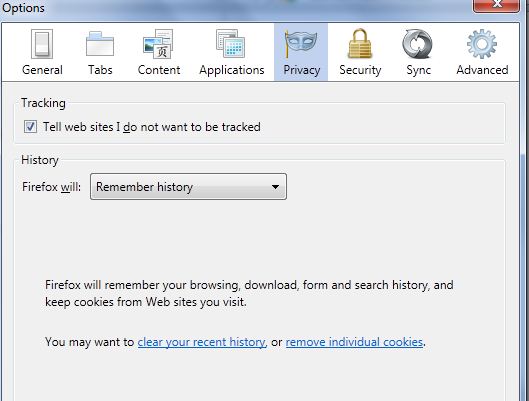
The option “Tell web sites I do not want to be tracked” is grayed out in my Firefox 6.02. (See screen capture.) Anyone know how to make it available?
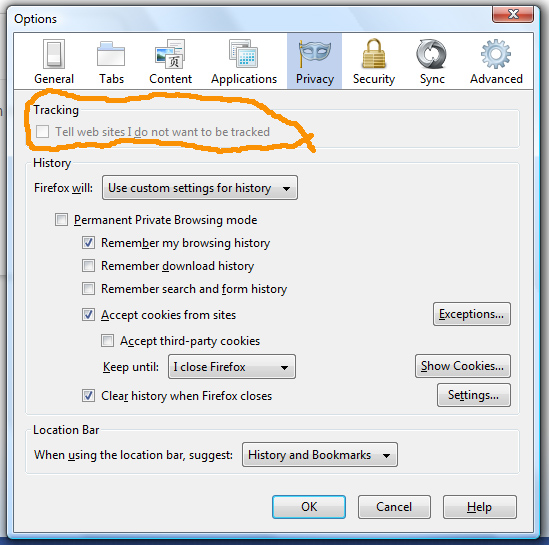
Maybe an extension is locking that setting (preference="privacy.donottrackheader.enabled").
Start Firefox in Use Troubleshoot Mode in Firefox to check if one of the extensions is causing the problem (switch to the DEFAULT theme: Firefox (Tools) > Add-ons > Appearance/Themes).
- Don't make any changes on the Safe mode start window.
- https://support.mozilla.com/kb/Safe+Mode
Thanks cor-el.
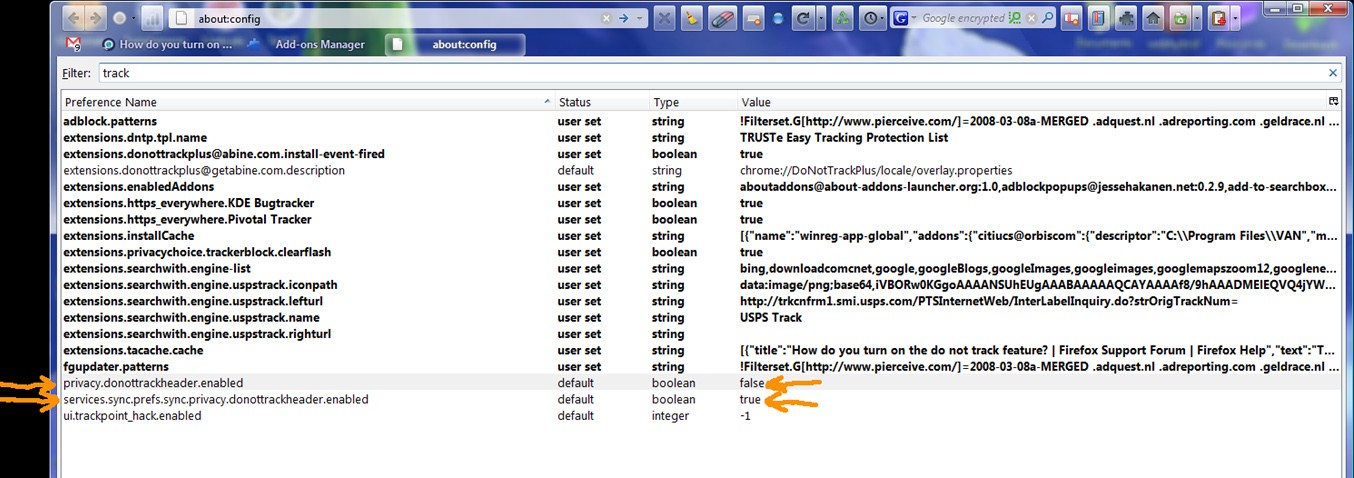
Without using the Safe Mode, after my earlier post, I searched through about:config using the term track. This reminded me, I have the add-on called DoNotTrackPlus 1.0. Its description showing in the Add-ons Manager is: "Take control over the DoNotTrack header," which could account for the graying out of the built-in option.
My about:config search results are in the screen cap below, and the two indicated entries - one with value false and the other with true - would seem to support the idea that the add-on has replaced the built-in function. If I'm right, then nothing is really wrong here??
Also, wouldn't this account for the anti-malware Super AntiSpyware always finding the same set of "tracking cookies" when I do an on-demand scan? I remove the cookies and then they're back the next time... these would be "do not track" cookies generated by the add-on every time the browser launches? (Eventually I unchecked Super AntiSpyware's option to look for tracking cookies.)