Join us to show up for other Firefox users 🦊. Earn fun badges and Mozilla swag vouchers! Find out more: https://mzl.la/askafox150

Windows 10 reached EOS (end of support) on October 14, 2025. If you are on Windows 10, see this article.

Search Support

Avoid support scams. We will never ask you to call or text a phone number or share personal information. Please report suspicious activity using the “Report Abuse” option.

Learn More

Cuireadh an snáithe seo sa chartlann. Cuir ceist nua má tá cabhair uait.

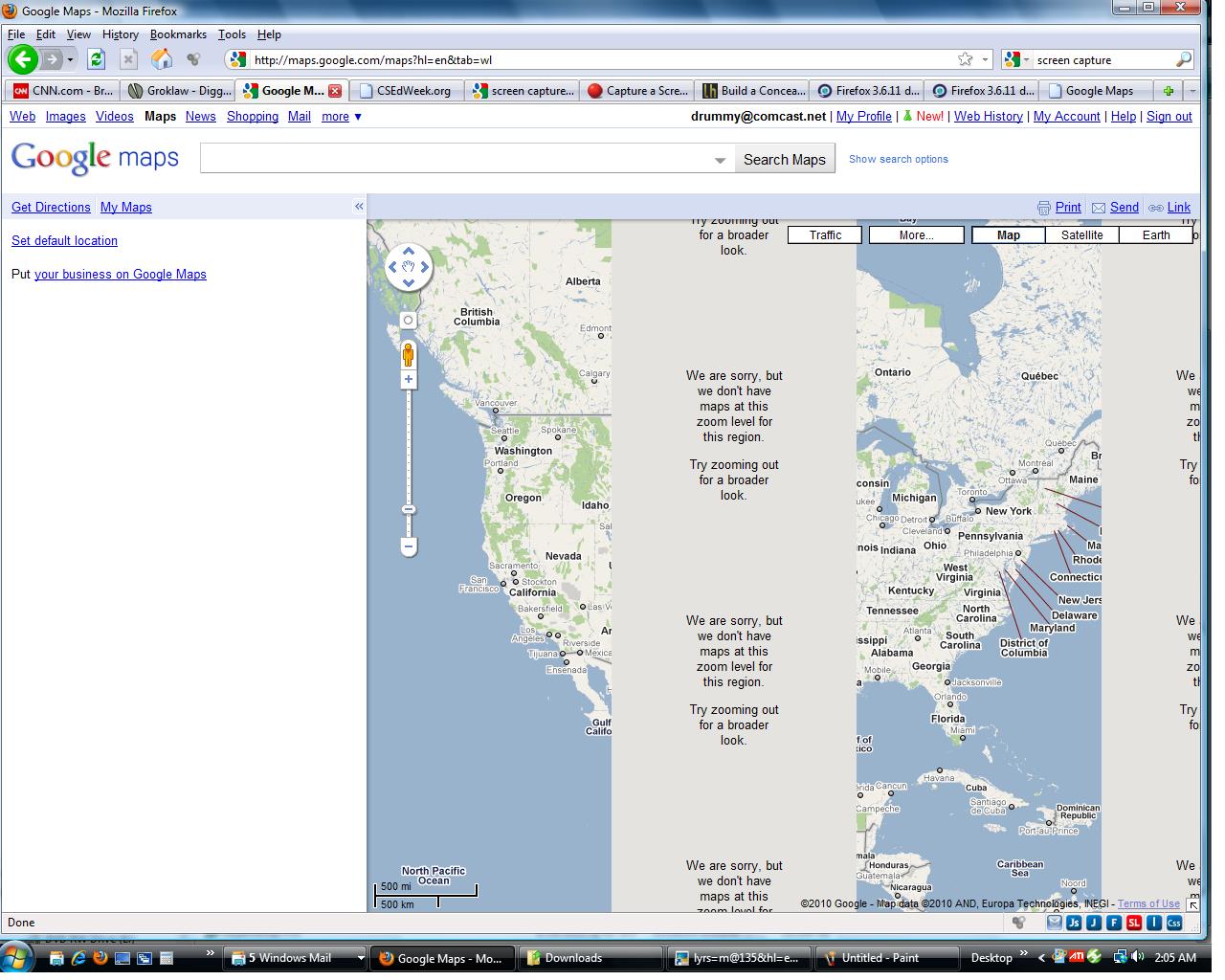
Firefox 3.6.11 displays google maps as not at this zoom level no matter what the zoom level actually is at.

  • 4 fhreagra
  • 9 leis an bhfadhb seo
  • 191 views
  • Freagra is déanaí ó billdrom
  • Cartlannaithe

Maps worked fine until I zoomed to a level not supported on that location. Since then all google maps even at the entire US level show two bands of zoom level not supported. If I go to satellite view the bands are at different zoom levels but there is no warning message. Tried rebooting computer and firefox to no avail. Internet Explorer version 8 works fine.

Maps worked fine until I zoomed to a level not supported on that location. Since then all google maps even at the entire US level show two bands of zoom level not supported. If I go to satellite view the bands are at different zoom levels but there is no warning message. Tried rebooting computer and firefox to no avail. Internet Explorer version 8 works fine.

All Replies (4)

Reset the page zoom on pages that cause problems: View > Zoom > Reset (Ctrl+0 (zero); Cmd+0 on Mac)

View - Zoom - Reset has no effect on problem. Thanks for trying though,

BillDrom

Try clearing your browser cache.

Tools > Clear Recent History... - hit Details and make sure only Cache is selected, then select Everything and hit the Clear Now button.

Still no luck. I just go to google and click on maps to get the problem.

BillDrom