


I have history and site data set to clear on closing but site data is not clearing.

I am using Firefox (156.01) on a MacBook Pro (2023, M2 Mac Pro, Tahoe 26.7).
In Privacy and Security settings, I have checked the box to clear history and site data on closing. History is clearing, but site data is not. I can manually clear history and site data by going to the settings when I reopen it.
I noticed this issue about two weeks ago (not sure when it started). I have closed Firefox multiple times, restarted my computer multiple times, even updated my OS during this time, but the problem is consistent.
If I go to Clear Data for Specific Sites, I am also noticing that cache size is considerably higher than the sites listed (e.g., it might list 4 sites with a total of like 2MB but the cache size might be 30MB).
Do you have any suggestions for what might be happening and what fixes I might try?
Réiteach Roghnaithe
Okay yeah so the "privacy" aspect if you will of the shutdown sanitizer works. What gets accumulated is most likely browser–internals cache. Do you e.g. use "Firefox Home" default as your homepage? That thing caches a lot of things pretty well ahead of time to not appear lagging. Also all browser security pins, certificate lists, various data buckets, sync/account caches etc. are counted in that number genuinely — so that you're able to actually nerf even the browser–internal caches from there — which makes for similar confusing results then.
If you go to about:cache right after restart, check "disk", and click "List Cache Entries" — do all the origin keys appear as Mozilla–related only perhaps?
All Replies (5)
Is it about actual items (domains) not being removed after restart, or just some MB size per the category checkboxes?
Can you wipe your data, visit a few wiki/cnn/nyt sites, attach screenshot from manage cookies dialog and clear recent dialog, restart, and make the same two screenshots afterwards? Thanks!
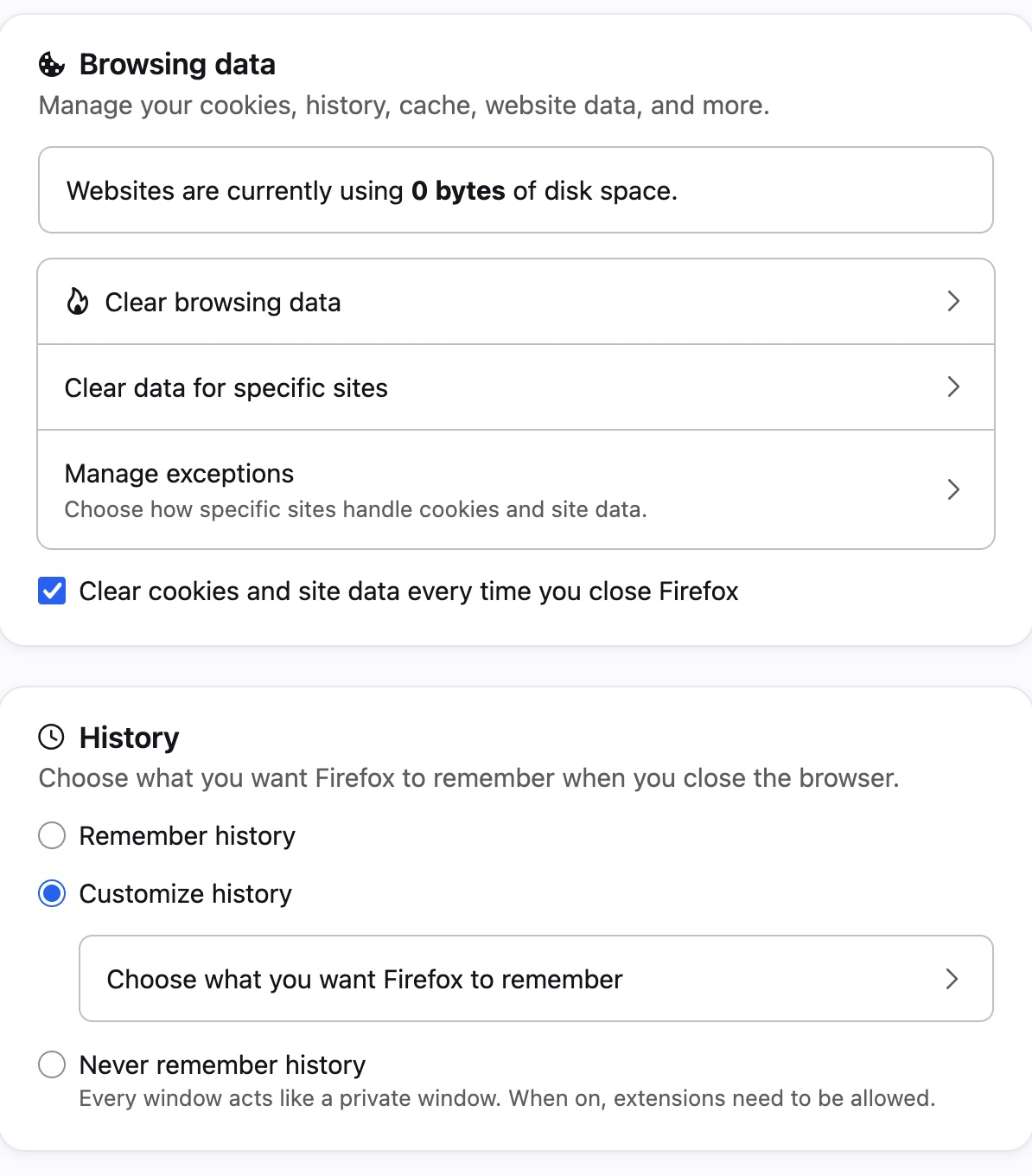
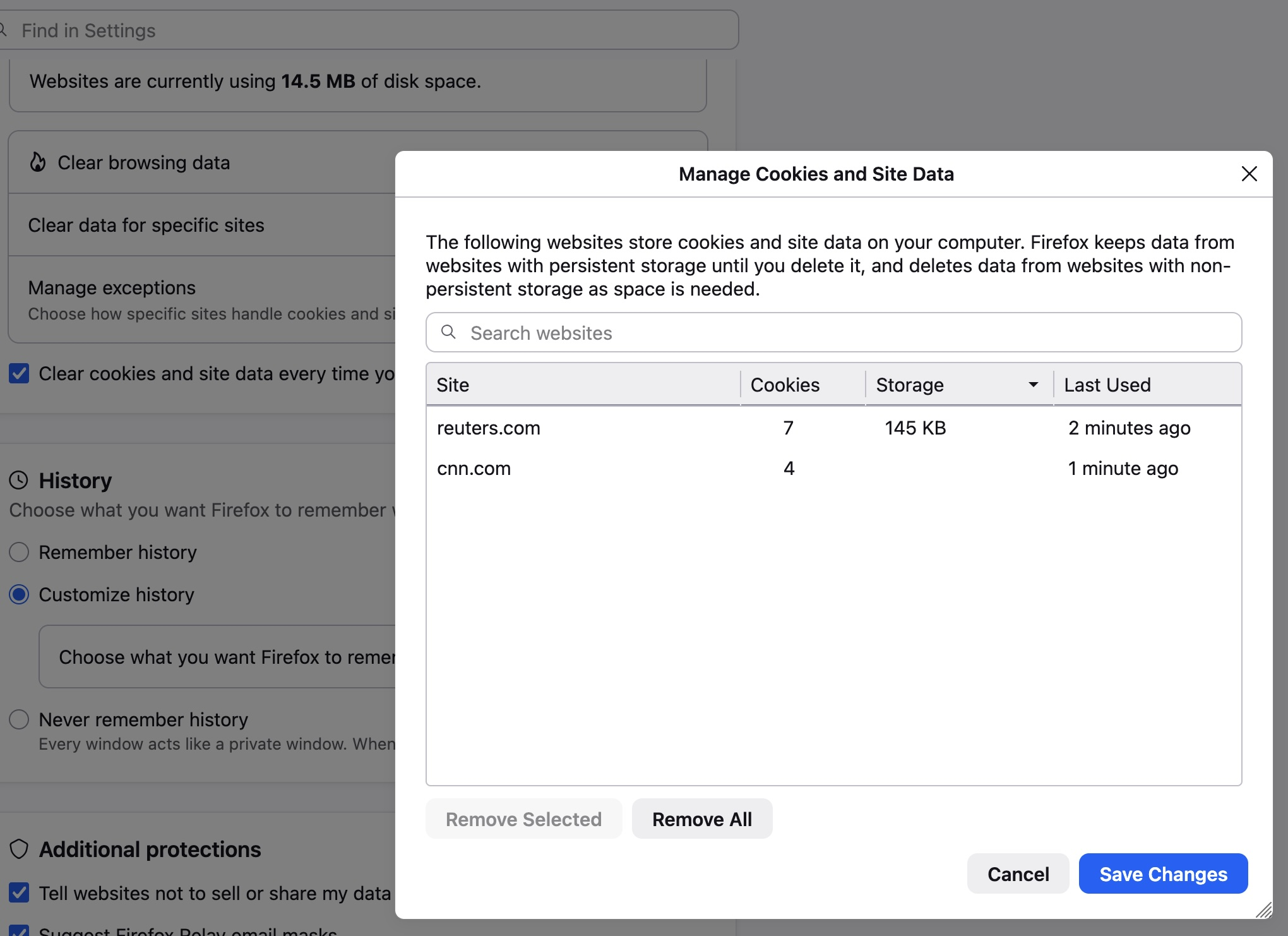
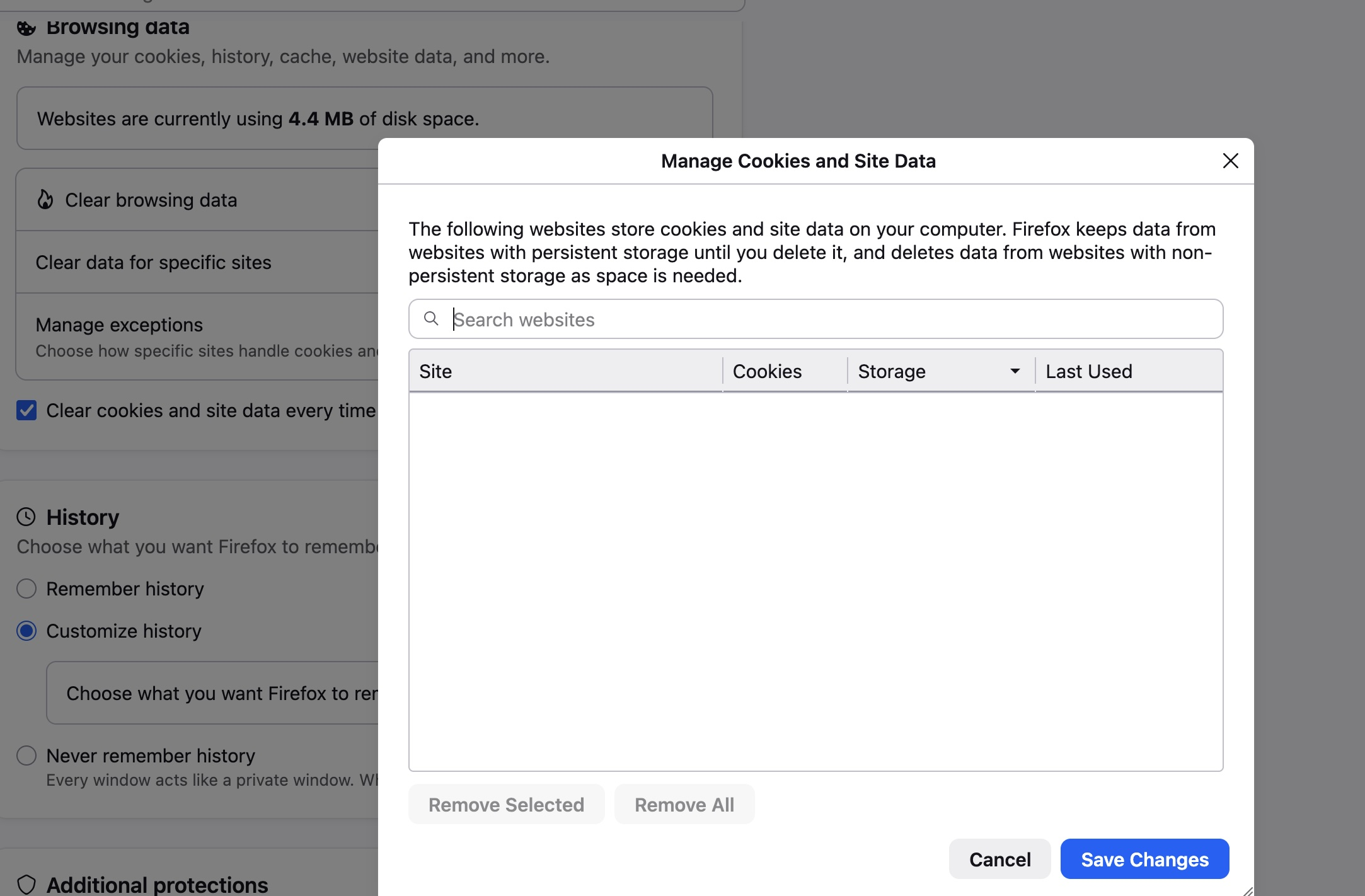
I have attached three images. One shows the overall window after I manually clear site data. The second is after I visited some sites: it shows the clear specific site window in the foreground (Reuters, CNN, displaying about 14kb) with the overall site cache in the background (14.5 MB). The third is after I closed and reopened: the specific sites window is empty in the foreground; in the background the cache shows 4.4MB.
Over time (with multiple closures), the cache keeps growing (it was up to 66 MB a few days ago).
Réiteach Roghnaithe
Okay yeah so the "privacy" aspect if you will of the shutdown sanitizer works. What gets accumulated is most likely browser–internals cache. Do you e.g. use "Firefox Home" default as your homepage? That thing caches a lot of things pretty well ahead of time to not appear lagging. Also all browser security pins, certificate lists, various data buckets, sync/account caches etc. are counted in that number genuinely — so that you're able to actually nerf even the browser–internal caches from there — which makes for similar confusing results then.
If you go to about:cache right after restart, check "disk", and click "List Cache Entries" — do all the origin keys appear as Mozilla–related only perhaps?
(also mind the timestamps — it's possible all the cache entries you see there are quickly recreated only after startup, way after your sanitization?)
To put it into some perspective: right after factory fresh install the caches quickly prime up to ~45MB of things to mostly power all the functionality that's relying on live online data (an offline snapshot of the same ships with the browser installer as a baseline, but once possible the online updates are pulled and are kept checking periodically), so even with zero sites listed in the Settings dialog, it's fairly normal to have 5–50MB of cache storage used to keep some remote data collections "warm" and handy around, for normal browser functionality, just pulled by its internals.
The more detailed about:cache origin partitioning sheds some extra light on the actual data stored.
Thanks much. Yes, the about cache showed that the data on disk appears to all be the Firefox page opening. Other site info is gone after I have closed and reopened.
And thanks too for pointing me to the about: cache option and the list. If I have any questions, I can now check there to get a sense of sources at least.
I appreciate your time and clear questions/recommendations!