


show tabs toolbar windows 11

my tabs bar, containing several hundred tabs, in firefox has suddenly decided to disappear and i can't get it to show. same for the menu toolbar (the one w/ the open, save,...) never really know which toolbar i am looking for. using latest version of ff and windows 11 desktop tried to get info directly from mozilla, but is the only place that probably has the answer.
what ever happened to support for the browser? it was relatively easy to get to the support area but now it mostly shows self-advertising for firefox.
thanks in advance for any help on this matter!
wolfgang
All Replies (3)
Not sure if you mean bookmarks.
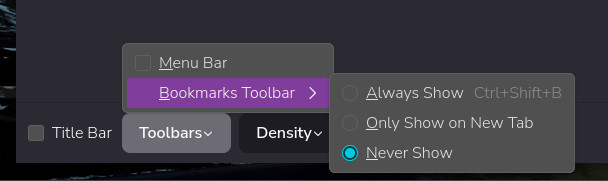
Any way have you tried right clicking on the toolbar and using > Customise toolbar
Then see attached image
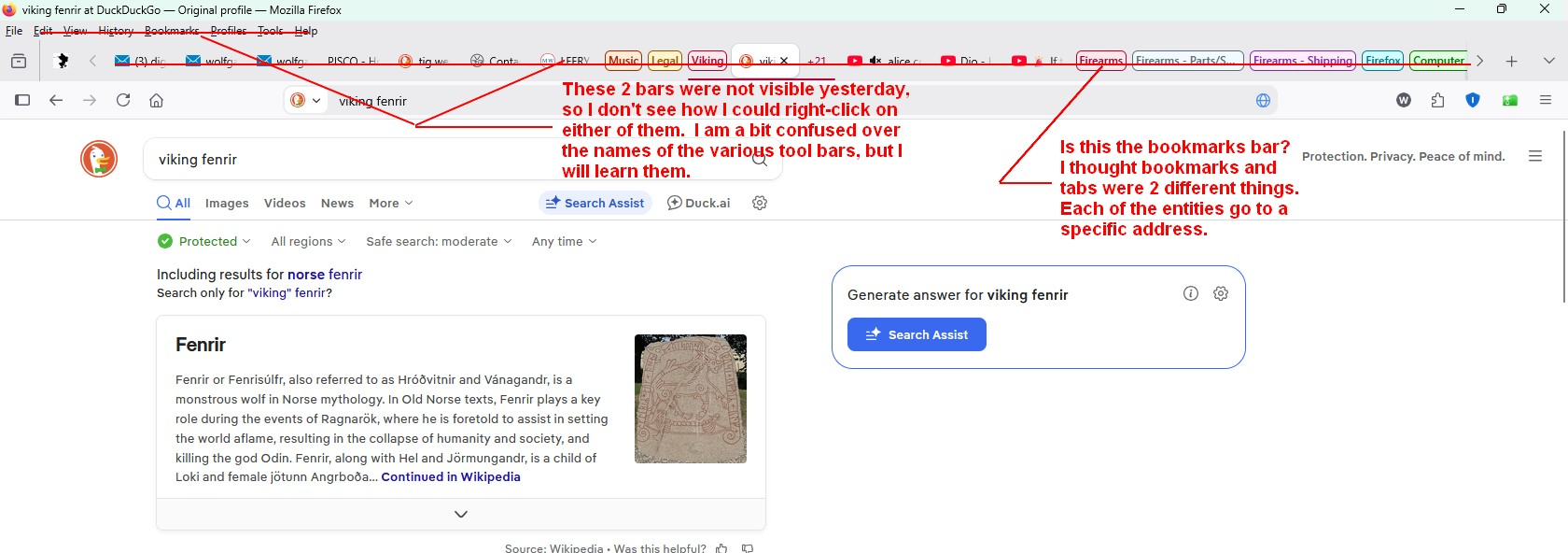
Since the bars were not visible, I don't see how I could right-click on them. Anyway, for some weird reason the bars are back today and I hadn't changed any settings. I appreciate your reply and thanks for the help. I also have attached a screenshot of how it looks today - perfect! Just wish I knew what went wrong and how to avoid and fix it if it happens again. Wolfgang
It's possible your system launched it into full screen. You can toggle that mode in and out with "F11" key.