


How do I move multiple/selected emails to another folder?

It is very painful to move each email message at a time to another folder. There is a requirement for selecting multiple messages and moving them to a folder. Want to know if this feature is available and if not would like to request it.
All Replies (5)

Hi Kuz99
You can already select multiple messages and move them to a folder.
With the applicable account selected (not unified inbox)
- Long press (or swipe) each email to select it.
- Tap the three dot menu.
- Tap move.
- Select folder.
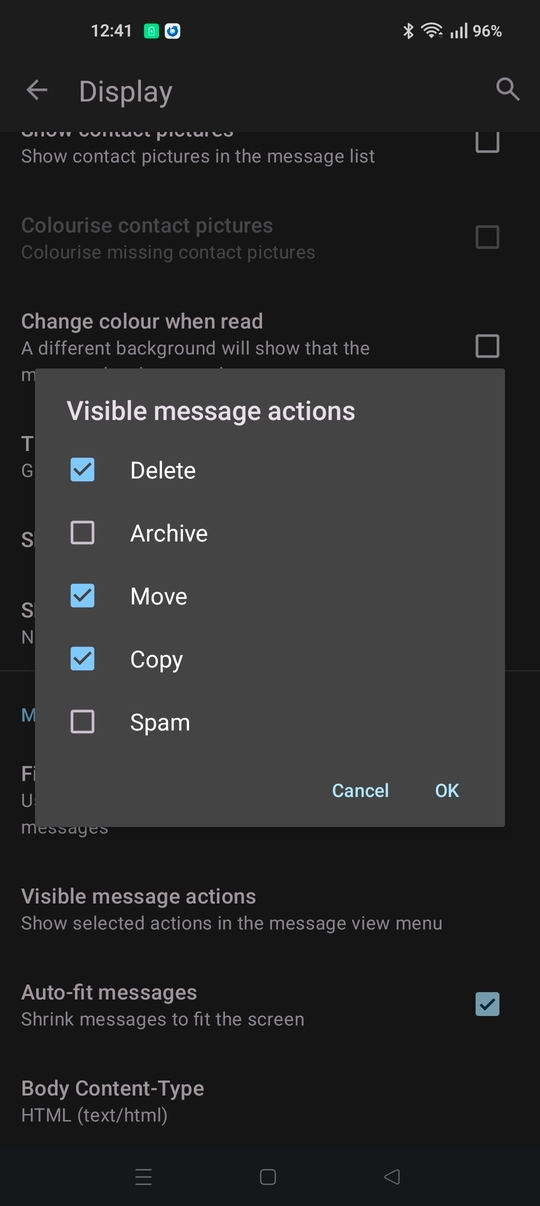
If you don't see move listed in the three dot menu. Navigate to settings > general settings > display > visible message actions Tick Move, then ok.
Athraithe ag Platform34 ar
I wish it were that simple. It is not. Tapping the three dot menu does not show Move option. Please see attached screenshot.
I do not see an option in settings where I can change the actions we see when the three dots are tapped.

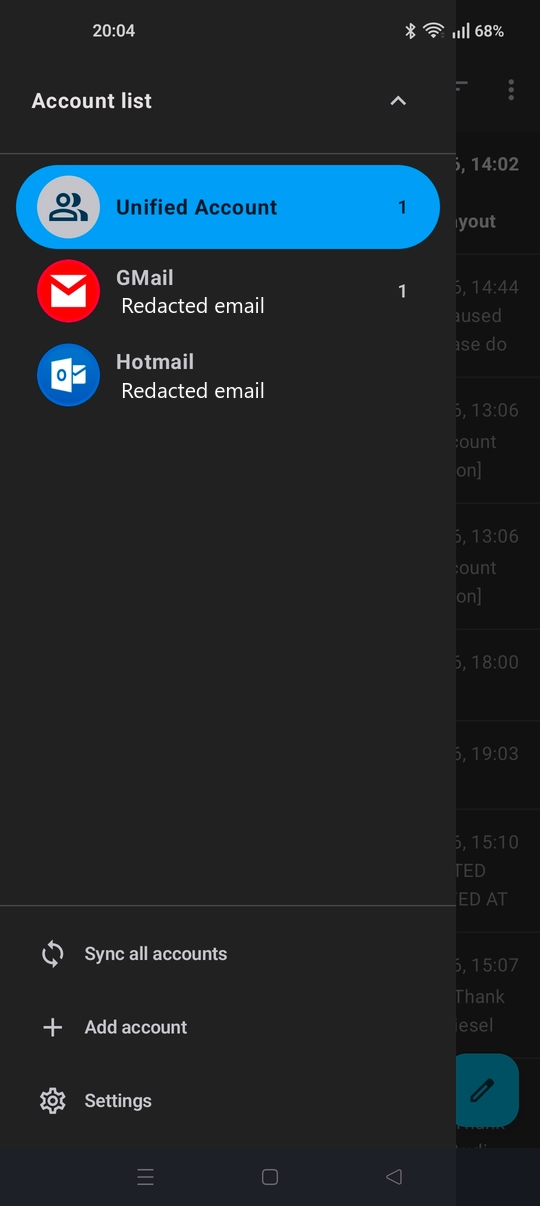
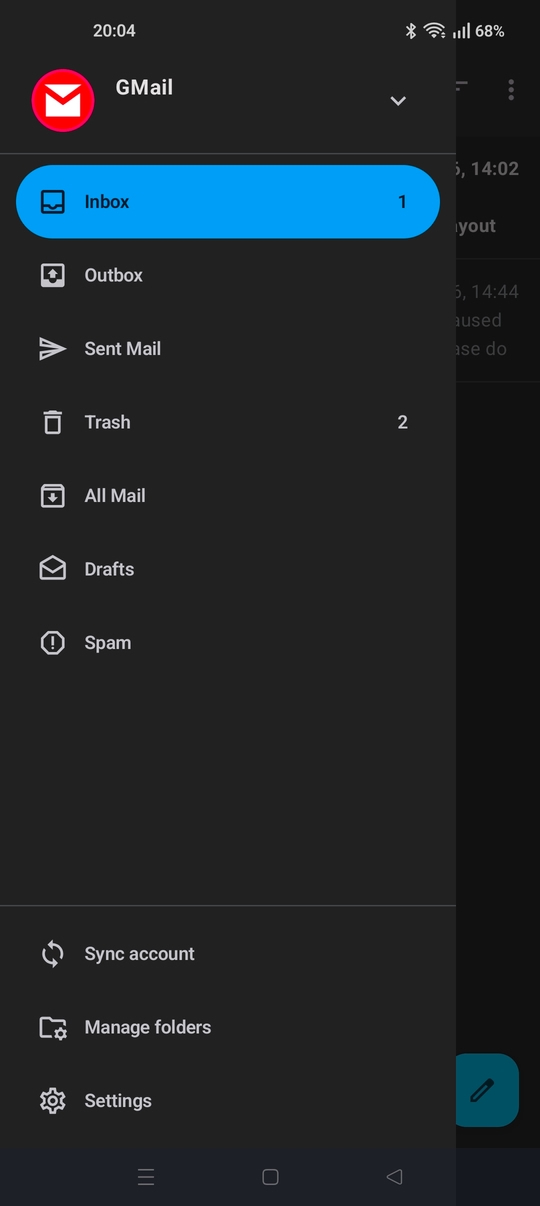
Are you viewing the message list from an individual account (gmail etc) rather than Unified Inbox. The option is not available from unified inbox.
- Tap the top left menu button to open the side bar
- Tap the down arrow, right of "Unified Account" and pick an account.
See screen shots

Got it. Thanks.
Move option is available in the unified inbox in the desktop app. It is very convenient. I was looking for that functionality in the Android app.
The feature to move emails within the same account from Unified Inbox has been requested by the community. You can show support by up-voting the idea on Mozilla connect linked below.
https://connect.mozilla.org/t5/ideas/android-thunderbird-move-emails-unified-folder/idi-p/93072