


Inbox does not display all messages.

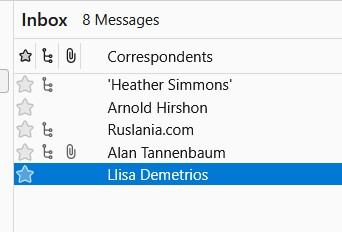
My inbox folder costently says it has more messages than it displays (I can see the missing ones by searching). I have tried repairing it, looking at filters, etc., but nothing seems to work. See picture. Thank you!
All Replies (2)
Réiteach Roghnaithe
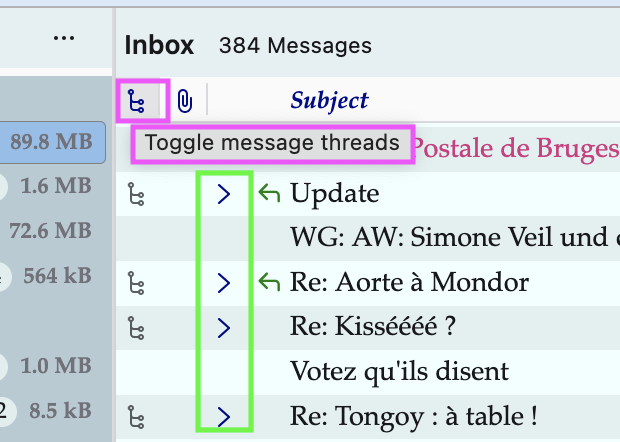
Your screen shot shows that you are using the "Sort by > Threaded" view in your thread pane. This is apparent by the "triple arrowhead" symbol in certain message lines (see my image), although the expand/collapse ∨/> thread symbols are not visible in your image. Click on the little "Toggle message threads" symbol in the thread pane header bar to see whether the collapsed threads get expanded or not. If they will be expanded there is still the question why the expand/collapse ∨/> symbols are not displayed in front of each thread.
Athraithe ag Mapenzi ar
Thank you ever so much, Mapenzi. That was indeed the problem!