


Windows 10 reached EOS (end of support) on October 14, 2025. If you are on Windows 10, see this article.

Search Support

Avoid support scams. We will never ask you to call or text a phone number or share personal information. Please report suspicious activity using the “Report Abuse” option.

Learn More

Always Show The Address In The Location Bar

Firefox 145.0.1 (64 bit) - Until recently the full URL address always displayed in the Location Bar. About a month ago the full address disappeared completely and a blue globe icon at the end had to be clicked to display the full address.

I have changed "browser.urlbar.trimURLs" to false per https://support.mozilla.org/en-US/questions/1493782#answer-1712662. Now when I do a new search the full URLs still do not display. I still have to click the blue globe. But if I click on any of the search result pages the full URLs display. How can I fix this?

Firefox 145.0.1 (64 bit) - Until recently the full URL address always displayed in the Location Bar. About a month ago the full address disappeared completely and a blue globe icon at the end had to be clicked to display the full address. I have changed "browser.urlbar.trimURLs" to '''false''' per https://support.mozilla.org/en-US/questions/1493782#answer-1712662. Now when I do a new search the full URLs still do not display. I still have to click the blue globe. But if I click on any of the search result pages the full URLs display. How can I fix this?
Attached screenshots

All Replies (4)

Hello

A illustration https://support.mozilla.org/en-US/questions/1529798#answer-1757532 You can try, the checkbox Show search terms in the address bar on results pages. Take a look at the screenshot.
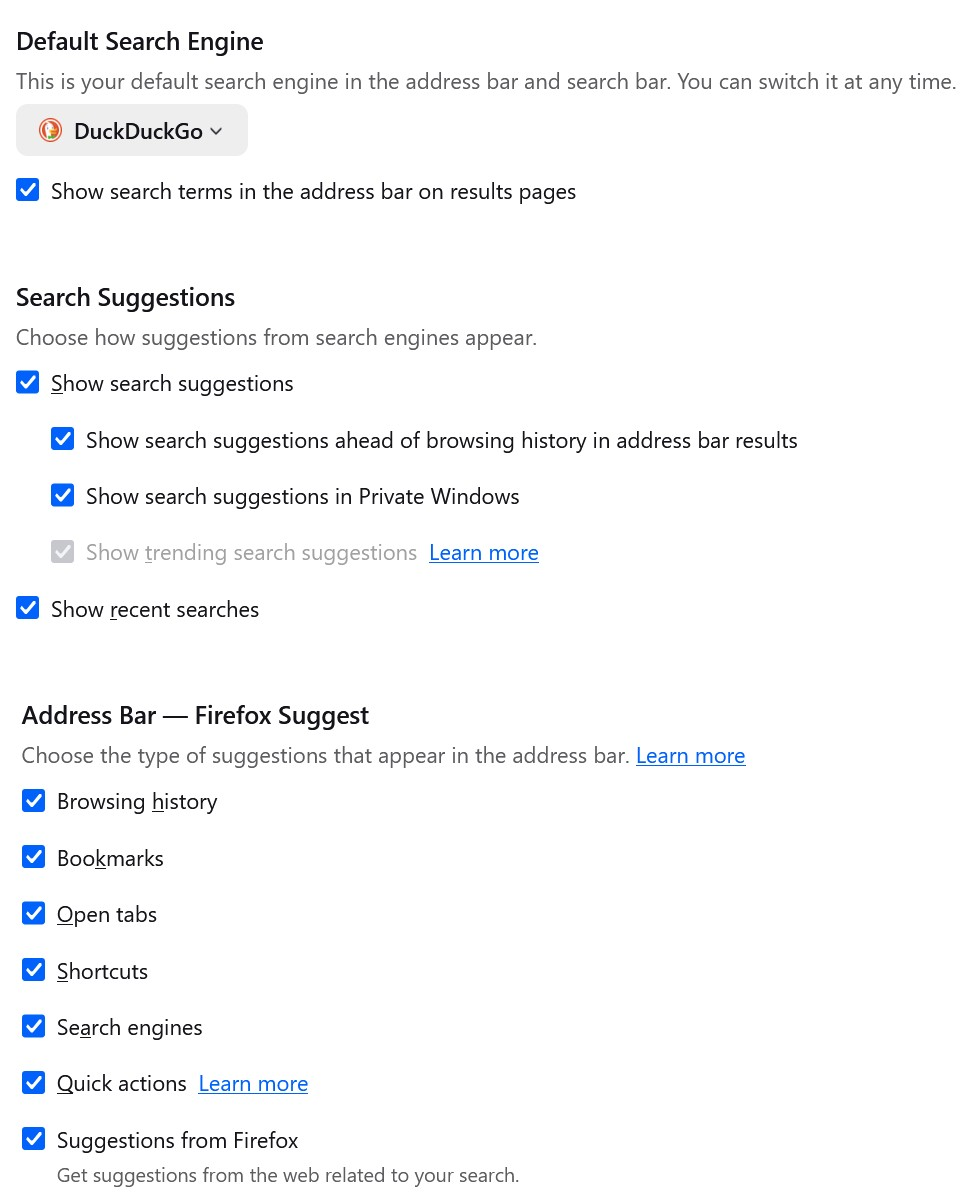
It was already checked.

You can try, uncheck the box Show search terms in the address bar on results pages.

Comment deleted

Athraithe ag Shuttitt Uppitt ar

Cuir ceist

You must log in to your account to reply to posts. Please start a new question, if you do not have an account yet.