


how do I activate my camera on microsoft teams during a meeting? I clicked the camera icon in the teams window upper right side toolbar and it does not work.

How can I activate my camera during a meeting on microsoft teams? I clicked the upper right camera icon in the teams toolbar during the meeting and it won;t turn on.
How can I activate my camera during a meeting on microsoft teams? I clicked the upper right camera icon in the teams toolbar during the meeting and it won;t turn on.
All Replies (2)
Did you get this prompt? see screenshots Post a full browser screenshot of your teams page.
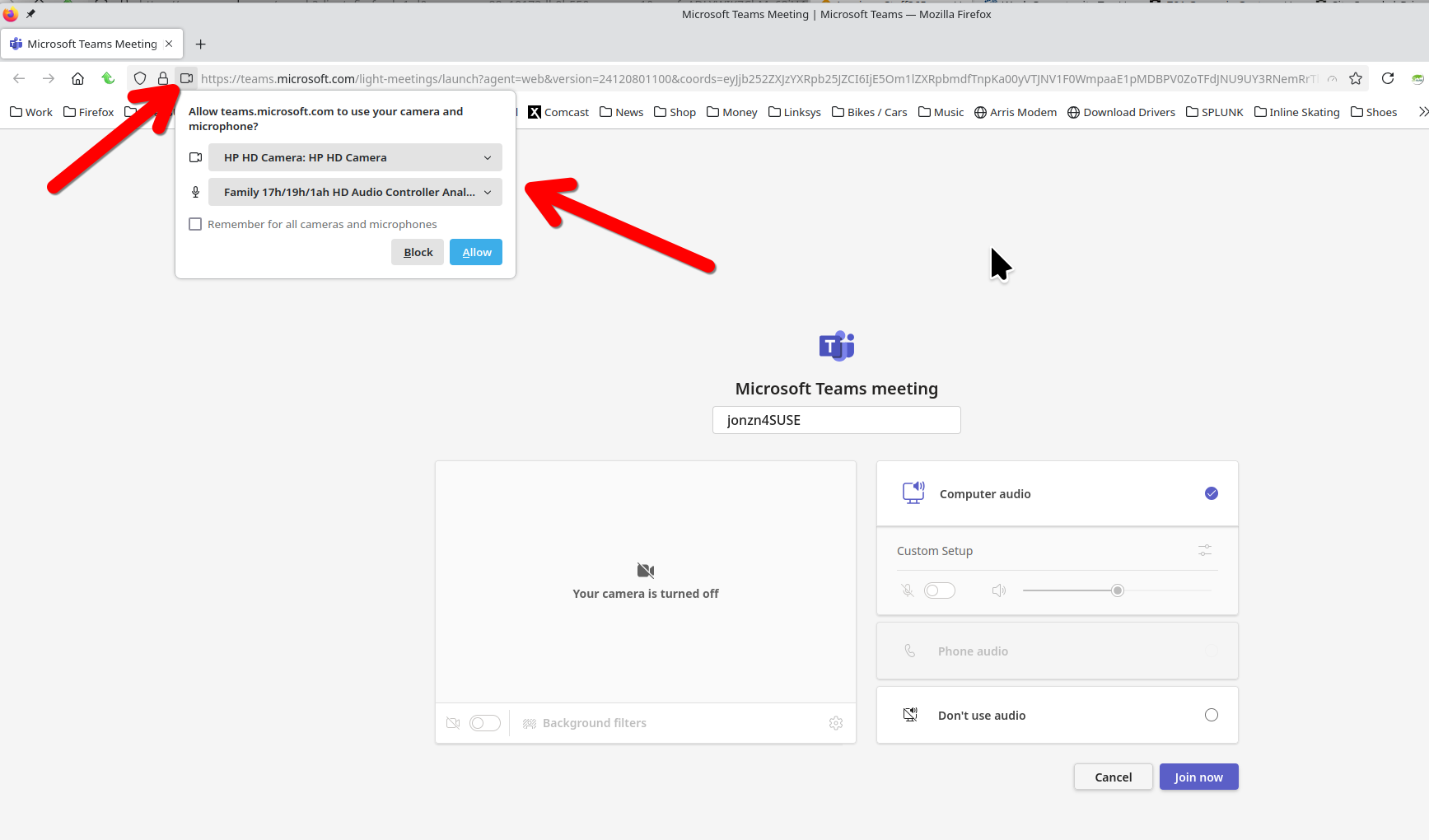
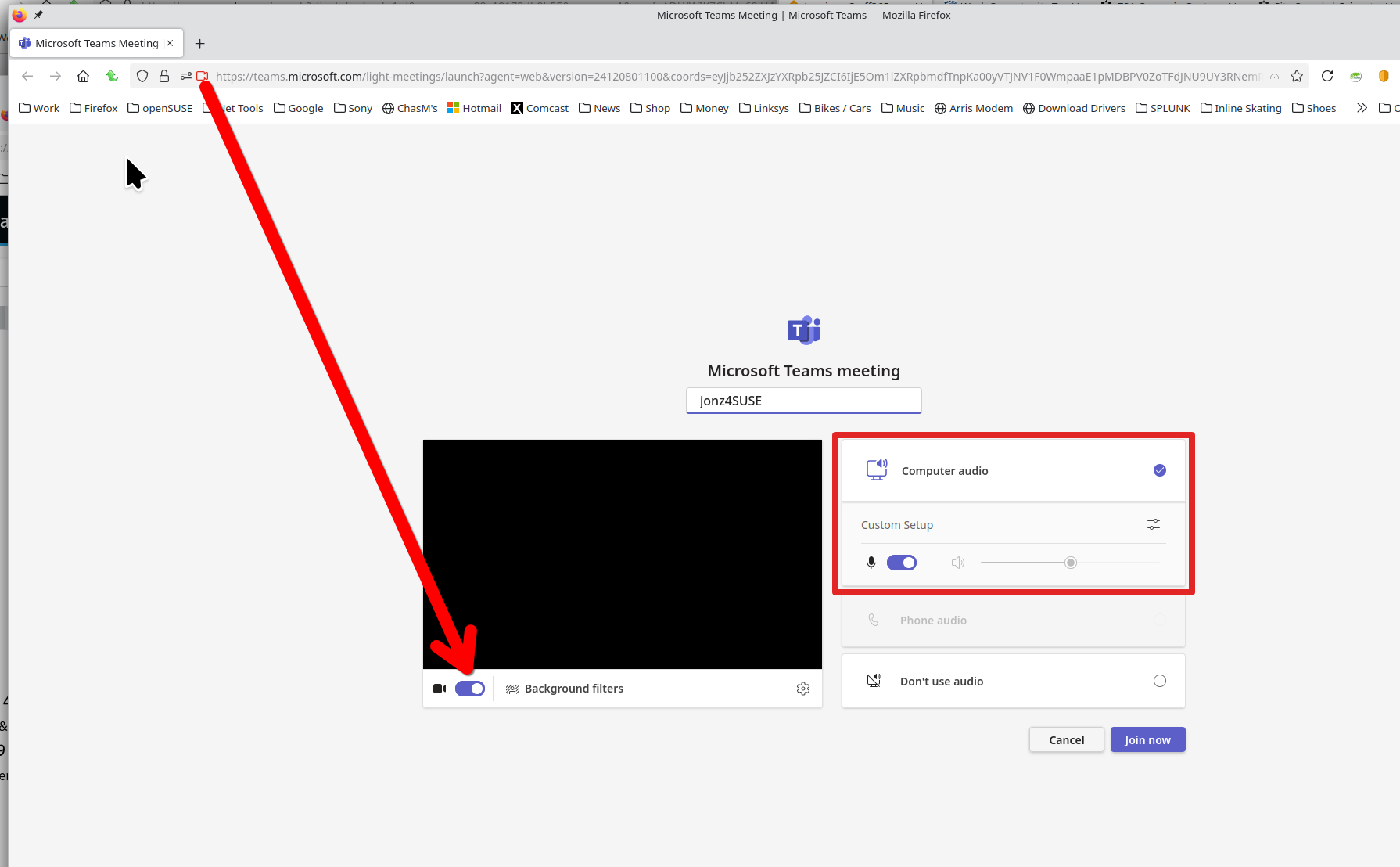
Athraithe ag jonzn4SUSE ar
Thanks I'll try it!