


How to avoid URL & stuff from printing

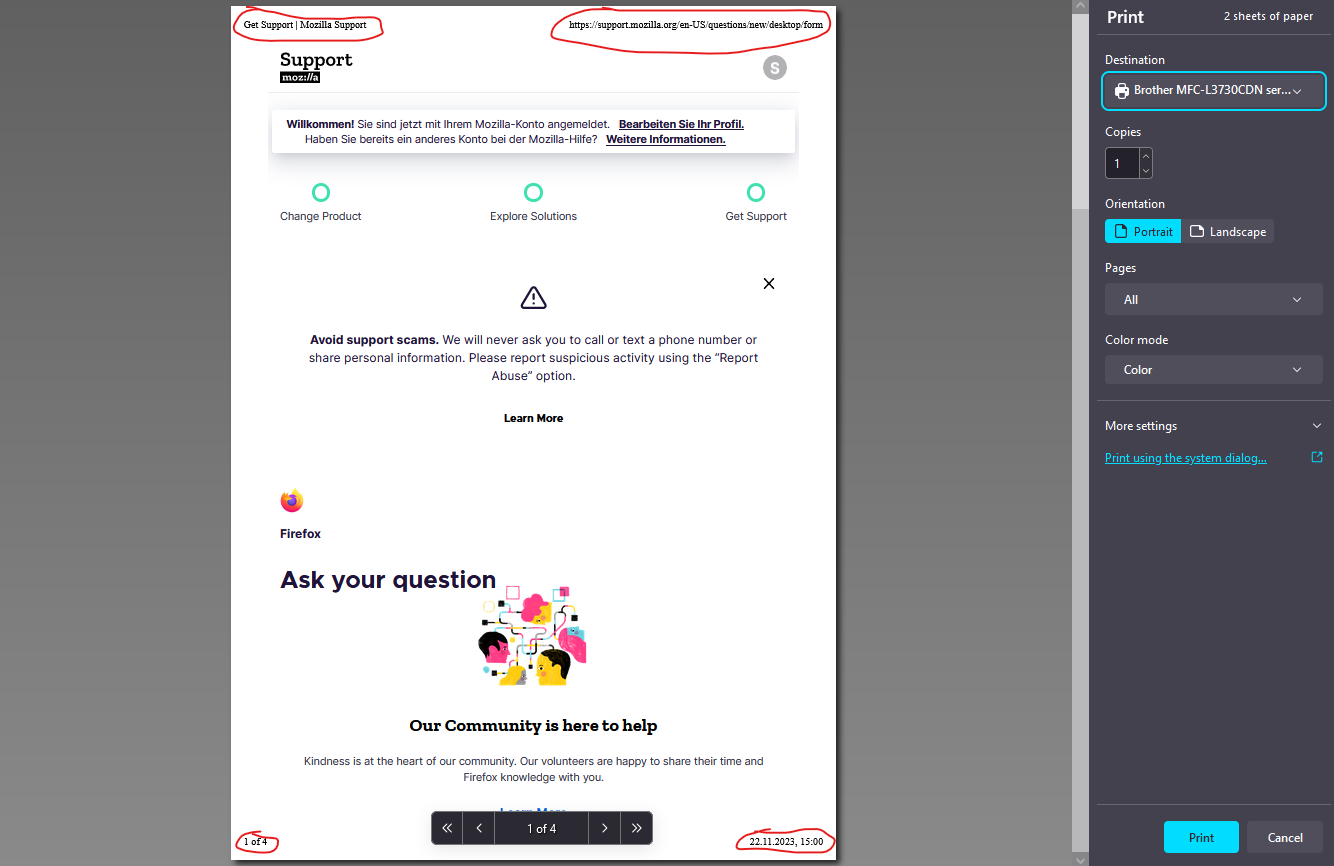
I want to print a page. But without the header and footer stuff (because it is ugly and I don't want others to see the information). There are a lot of old pages here and on other places about how to do this. They are unfortunately all deprecated. What is the way to do this as of 2023? OS is Windows, btw.
I want to print a page. But without the header and footer stuff (because it is ugly and I don't want others to see the information).
There are a lot of old pages here and on other places about how to do this. They are unfortunately all deprecated. What is the way to do this as of 2023?
OS is Windows, btw.
Réiteach roghnaithe
Untick "Print headers and footers" under "More settings".
Read this answer in context 👍 0All Replies (3)
It's in the More settings section.
Everything is explained on this page: How to print web pages in Firefox
Réiteach Roghnaithe
Untick "Print headers and footers" under "More settings".
Oh, I didn't see the dropdown arrow. I'm stupid.