


Icloud stopped working on Firefox

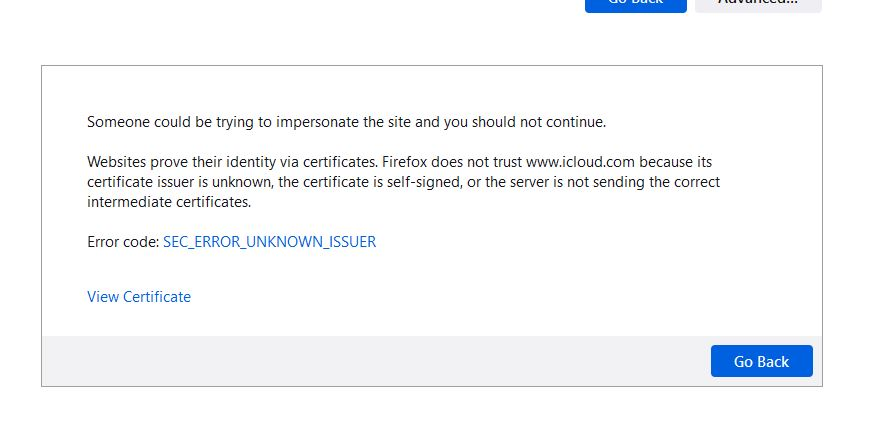
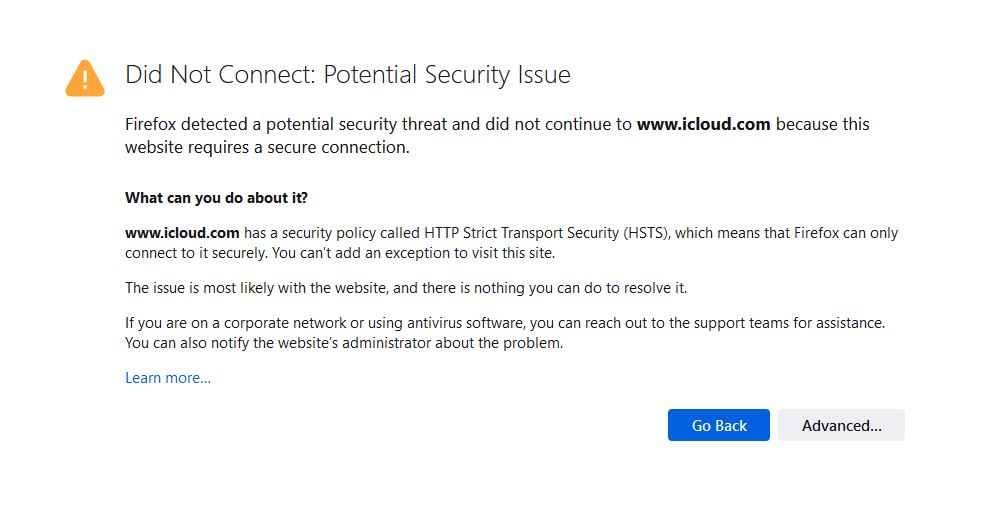
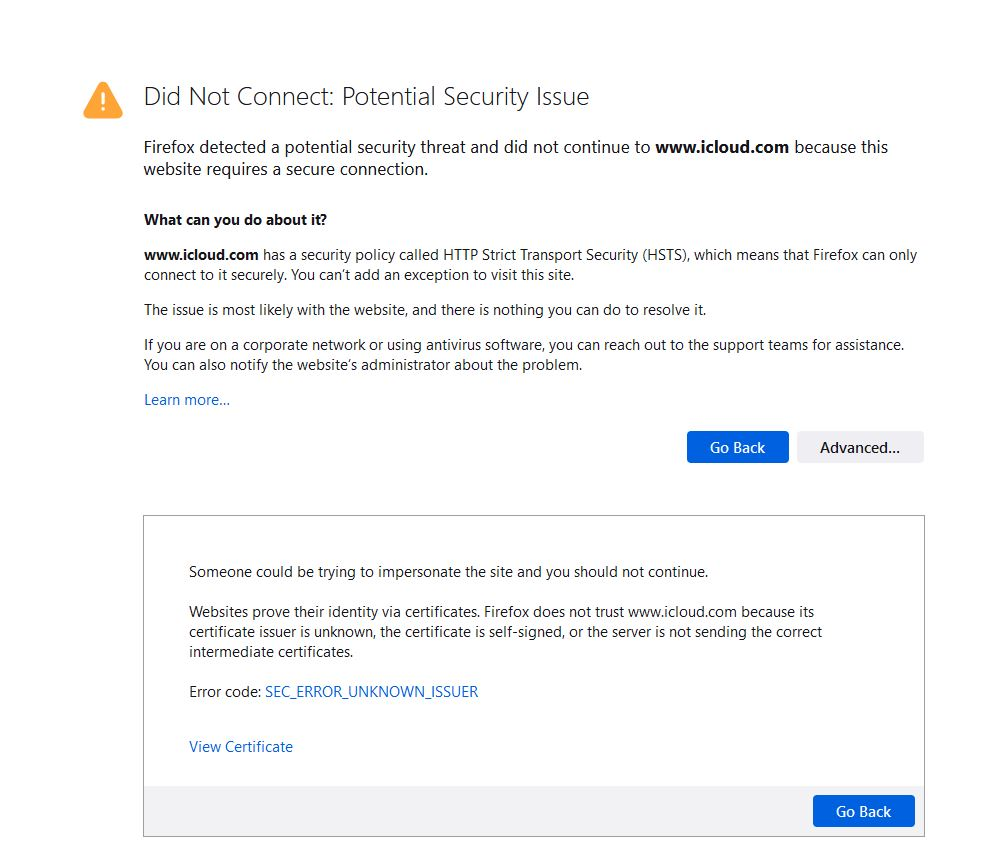
suddenly I ca no longer log into iCloud. I get a security issue. I refreshed / uninstalled and reinstalled. no help. any assistance would be appreciated. see images.
Réiteach roghnaithe
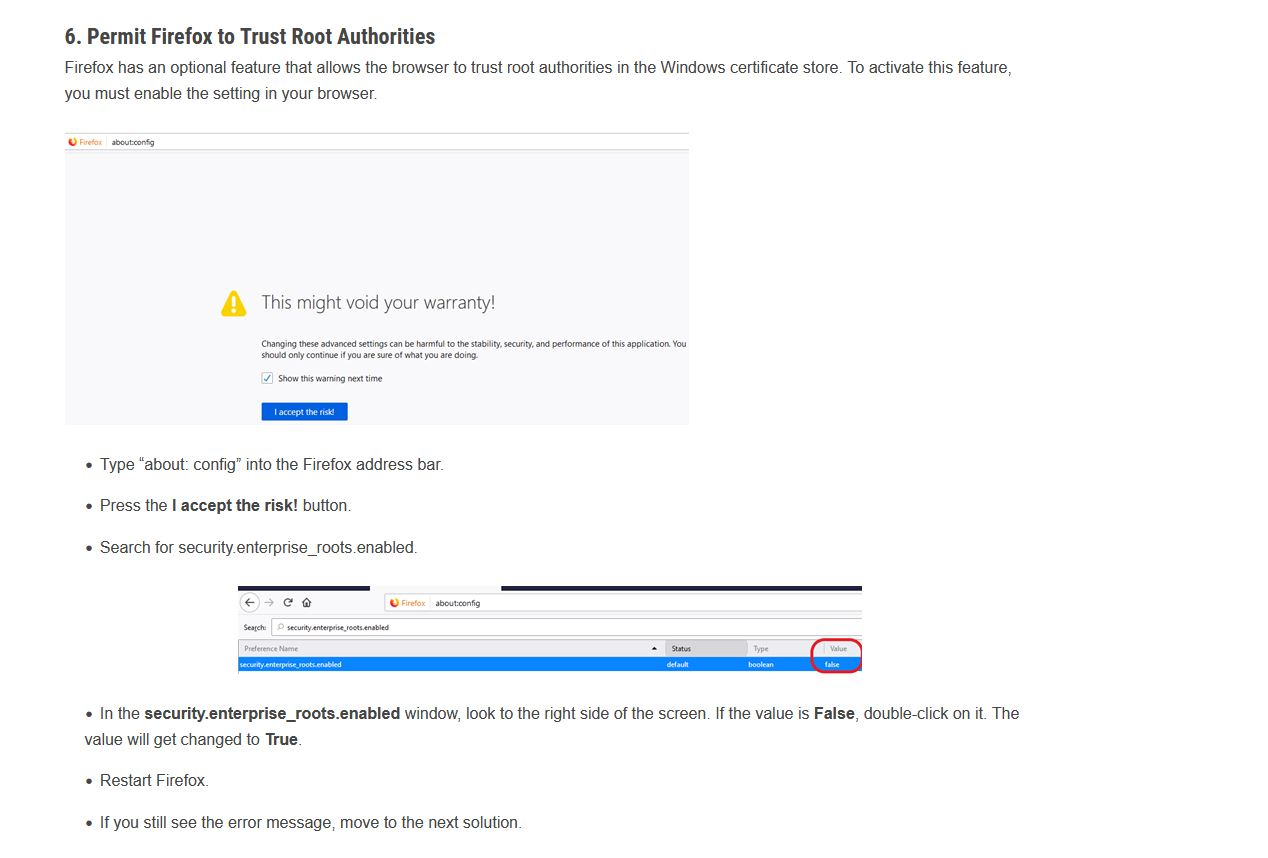
Thank you for the assistance. I solved the problem by permitting Firefox to Trust Root Authorities Firefox has an optional feature that allows the browser to trust root authorities in the Windows certificate store. To activate this feature, you must enable the setting in your browser.
https://sectigostore.com/page/fix-the-warning-potential-security-risk-ahead-error-in-firefox/
Read this answer in context 👍 1All Replies (8)
I have no issues accessing icloud.com. see screenshot Did you ever try clicking on the Advance option? There should be an option to accept the certificate.

Try with Firefox in Safe Mode. https://support.mozilla.org/en-US/kb/diagnose-firefox-issues-using-troubleshoot-mode
What security software are you running?
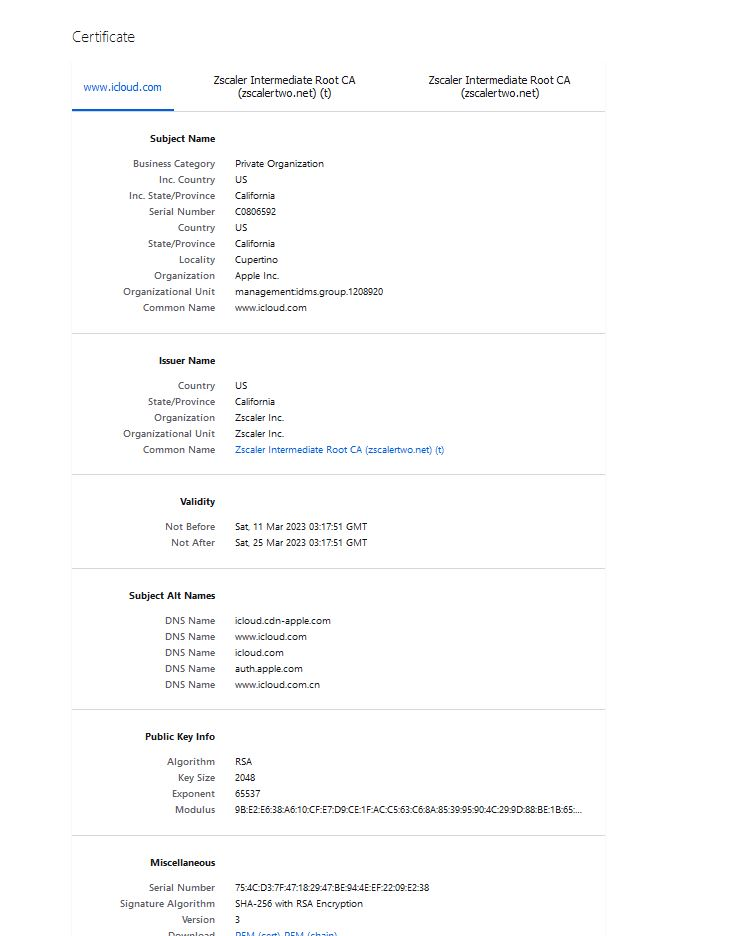
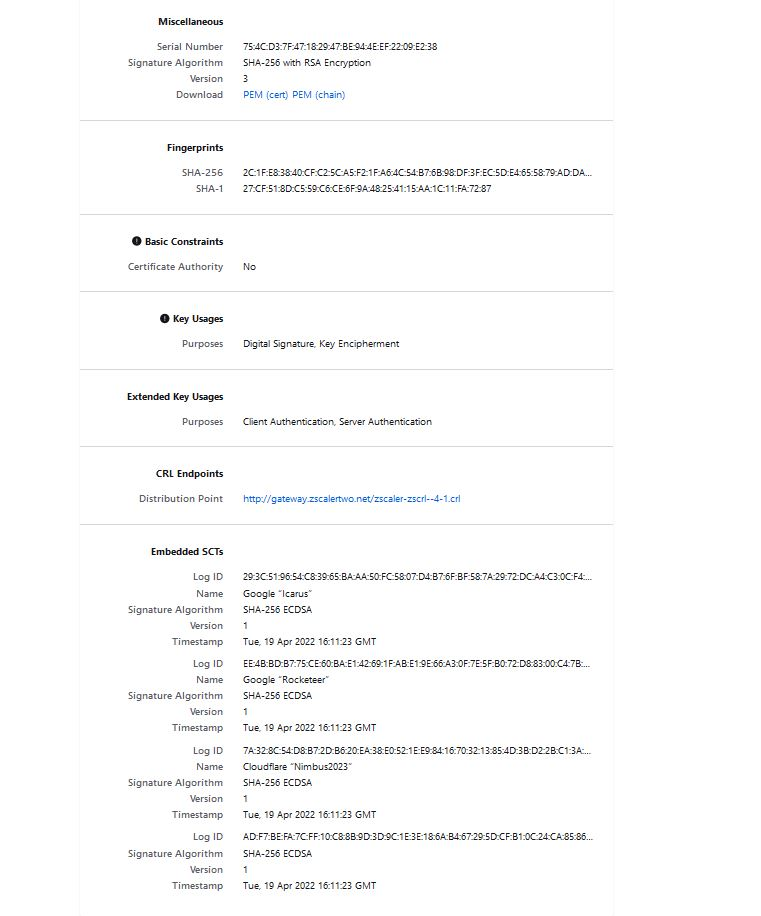
Who is the issuer of the self-signed certificate? Can you copy the base64 code to a reply (click the blue error code in the first screenshot) ?
here is the info in a screen shot
Sentinal One is the security software. I can open Icloud on Chrome and Explorer so its not the security software that I know of.
jonzn4SUSE said
I have no issues accessing icloud.com. see screenshot Did you ever try clicking on the Advance option? There should be an option to accept the certificate.
No option to click on accept. see image
Réiteach Roghnaithe
Thank you for the assistance. I solved the problem by permitting Firefox to Trust Root Authorities Firefox has an optional feature that allows the browser to trust root authorities in the Windows certificate store. To activate this feature, you must enable the setting in your browser.
https://sectigostore.com/page/fix-the-warning-potential-security-risk-ahead-error-in-firefox/
From the screenshots it suggest that the certificates come from Zscaler. Does that ring a bell for you ?