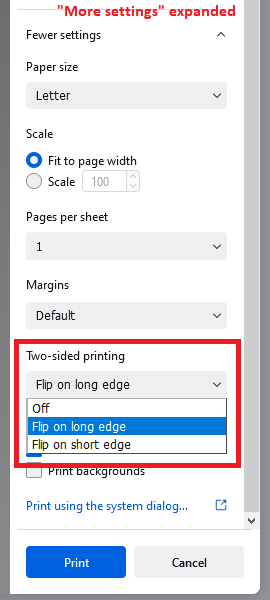
Duplex printing not available on default Firefox profile

When printing from Firefox I do not have duplex printing available. I found the following answer, https://support.mozilla.org/bm/questions/1132257, which suggests creating a new profile. This does work, but I do not want to lose my profile settings as I am syncing across four computers. Is there anything another without resetting Firefox?
Firefox version: 93.0 (64-bit) Windows version: Windows 10 Pro 21H1 Printer: Brother HL-L8260CDW
All Replies (1)
Hi, the problem is that the "Two-sided printing" section under "More settings" is missing?

Does it make any difference if you switch between your regular printer and the built-in Save to PDF printer and then back again? (The goal is to get Firefox to re-read the printer settings and update the More settings panel.)
By the way, due to changes in printing during the past 12 months, I wouldn't rely on a 2016 thread to be accurate for current versions of Firefox. Let's ignore that old advice.