


Firefox only starts as admin

Since today my Firefox always crashes if I'm starting it. It won't crash if I'd run it as administrator.
I've already tried
- running in safe mode (crashes too)
- disabling my anti-virus software
- re-installing Firefox
So I'm out of ideas at the moment. Everything was fine until today, I didn't change anything! Thanks for reading, SHooDoX!
Réiteach roghnaithe
philipp said
thanks SHooDoX, so about your particular crashes please refer to Firefox 43.0.3 startup crash with G DATA security software.
Thanks for the answer. I just found a work-around so I don't have to disable the browser-protection. Just needed to start Firefox in compatibility-mode (XP SP3).
Read this answer in context 👍 0All Replies (5)
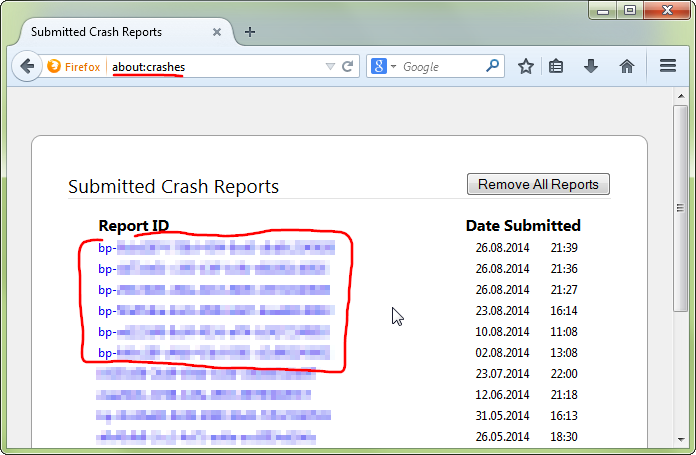
hello, could you provide your latest few submitted crash reports? please enter about:crashes into the location bar, copy the latest few report ids from there starting with bp- & paste them here into a forum reply. this will give us a better understanding what may be triggering those crashes.
philipp said
hello, could you provide your latest few submitted crash reports? please enter about:crashes into the location bar, copy the latest few report ids from there starting with bp- & paste them here into a forum reply. this will give us a better understanding what may be triggering those crashes.
[29.12.2015 17:28]: bp-8eae126a-d554-4bba-83d8-cfce22151229 [29.12.2015 17:09]: bp-65c7dd62-13bb-484a-a08a-afad32151229 [29.12.2015 17:09]: bp-76b717ef-6dcd-4bd5-9a84-da5a92151229
thanks SHooDoX, so about your particular crashes please refer to Firefox 43.0.3 startup crash with G DATA security software.
Réiteach Roghnaithe
philipp said
thanks SHooDoX, so about your particular crashes please refer to Firefox 43.0.3 startup crash with G DATA security software.
Thanks for the answer. I just found a work-around so I don't have to disable the browser-protection. Just needed to start Firefox in compatibility-mode (XP SP3).
as this is a rather ugly workaround, please see if you can get firefox to open up normally, after you've just ran a normal signature update in gdata first. if you're using a business variant of gdata security software you might receive the fix a little bit later, but it should still be imminent judging by the communication i've heard from gdata...